WooPaddle vs WPSmartPay: Best Paddle WooCommerce Plugin Compared
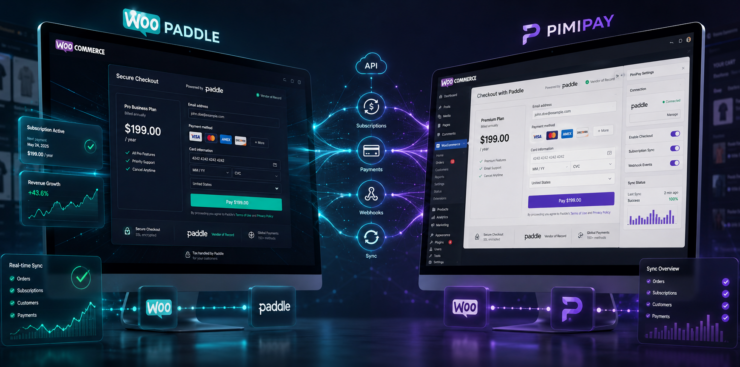
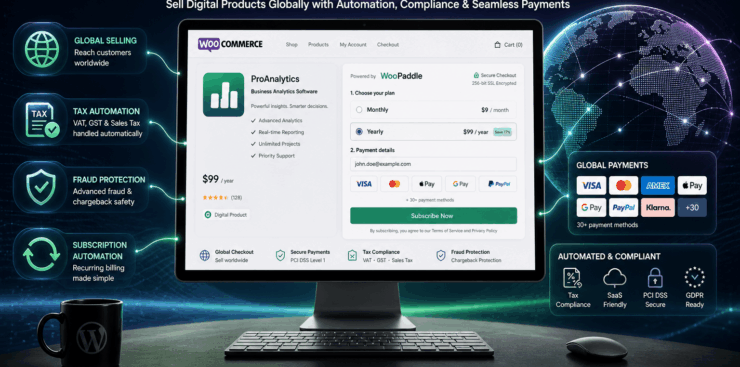
WooPaddle vs WPSmartPay comparison based on plugin features and other functionality. The WooPaddle – WooCommerce Paddle Payment Gateway is a powerful and reliable Paddle WooCommerce plugin designed to connect Paddle with your WooCommerce store seamlessly. Built with speed, security, and conversion optimization in mind, WooPaddle allows you to accept global payments directly on your WordPress website through a smooth, on-site checkout experience.
With this paddle WooCommerce plugin, store owners can easily accept credit and debit cards, PayPal, Apple Pay, Google Pay, and all payment methods supported by Paddle—without redirecting customers away from the checkout page. This frictionless payment flow builds customer trust, reduces cart abandonment, and helps maximize conversions.
WooPaddle is engineered for performance and scalability. Whether you’re selling digital products like eBooks and software licenses, managing subscriptions, or offering physical products, this paddle WooCommerce plugin delivers a professional, stable, and conversion-focused Paddle integration that supports long-term business growth. Follow the article and get the WooPaddle vs WPSmartPay comparison.
WooPaddle vs WPSmartPay Comparison
Choosing the right Paddle WooCommerce plugin is essential for building a reliable, high-converting online store and paddle checkout. While several solutions claim to connect Paddle with WooCommerce, not all plugins offer the same level of performance, checkout experience, feature depth, or long-term scalability. Differences in on-site checkout support, payment method availability, subscription handling, and overall stability can have a direct impact on conversion rates and customer trust. Follow the guide to get a perfect WooPaddle vs WPSmartPay comparison
In this Paddle WooCommerce plugin WooPaddle vs WPSmartPay Comparison, we evaluate the key features, strengths, and limitations of popular Paddle integration options to help you identify the best solution for your business. Whether your priority is a seamless checkout experience, global payment support, subscription management, or ease of setup, this comparison highlights how each plugin performs in real-world WooCommerce environments.
The comparison below focuses on usability, payment flow, performance, and business readiness—so you can confidently choose a Paddle WooCommerce plugin that aligns with your store’s growth goals. We have compared the WooPaddle vs WPSmartPay Plugins
WooPaddle Features
- Seamless Paddle payment integration
- Multiple payment methods (cards, PayPal, Apple/Google Pay)
- Subscription & recurring billing support
- Refund and webhook sync
- Paddle Classic & Billing API support
- Advanced fraud protection
- Sandbox testing mode
- Broad WooCommerce compatibility
- Easy setup and performance-focused design
- Restrict downloads to authorized buyers
- Paddle billing api compatibility with the latest WooCommerce version
- The checkout page block and classic are both compatible.
- Two-way sync with the WooCommerce dashboard and Paddle dashboard.
- Bundle Product support.
- Multiple currency support.
- Multiple Language compatibility.
- Accept payment with a Popup Overlay.
- Allow customers to pay later for pending payment orders.
❌ Disadvantages of WooPaddle (Paddle WooCommerce Plugin)
- Only support WooCommerce
- Does not support multiple countries
- Learning Curve for Beginners
- Limited Control Over Checkout Customization
- Does not support a custom payment button.
- No support for inline checkout
WPSmartPay is a powerful and lightweight WordPress plugin designed to help you sell digital products and accept payments with ease—without the complexity of a traditional shopping cart. Whether you’re offering one-time purchases, subscriptions, or recurring payments, WPSmartPay lets you create a smooth and distraction-free checkout experience directly on your website.
Built for speed and simplicity, WPSmartPay integrates seamlessly with your existing WordPress setup, allowing you to start accepting payments in just a few clicks. It’s ideal for creators, freelancers, SaaS owners, and businesses who want to monetize digital products, services, or memberships without managing a full eCommerce store.
With secure payment processing, flexible pricing options, and an intuitive user interface, WPSmartPay helps you convert visitors into customers faster—so you can focus on growing your business instead of managing complicated payment systems.
Top 20 WPSmartPay Features
- Create unlimited products with multiple variations
- Sell digital products with downloadable files
- Accept one-time payments
- Accept recurring/subscription payments
- On-site checkout (no redirection)
- Custom payment amounts (pay what you want)
- Unlimited payment forms with drag-and-drop builder
- Ready-to-use payment form templates
- Donation forms, subscription forms, and product variation forms
- Customer management dashboard (view purchases, update info)
- Restrict downloads to authorized buyers
- Real-time transaction history and reporting
- Built-in analytics with charts
- Coupons & discount codes with expiry
- Shortcodes for easy placement anywhere
- GDPR-friendly setup options
- Integrates with Stripe, PayPal, Paddle, Razorpay, Apple Pay, Google Pay
- CRM and marketing integrations (FluentCRM, Zapier, Mailchimp, etc.)
- Payment success & failure page customization
- Customer profile and billing overview dashboards
Here are some common disadvantages, limitations, and reported drawbacks of WPSmartPay — especially with the Paddle/WooCommerce integration and the plugin in general (based on user feedback and reviews): Trustpilot+2Trustpilot+2
❌ Disadvantages & Cons of WPSmartPay
Unclear Long‑Term Roadmap – Some users feel the development and improvement pace is slow or unpredictable. (Inferred from reviews)
Mixed User Reviews & Reputation – Some users report poor experiences and low overall ratings in public reviews. Trustpilot
Plugin Not Always Working as Advertised – Reports of advertised features not functioning correctly or being buggy. WordPress.org
Compatibility Issues – Plugin reportedly doesn’t work with new Paddle Billing API, affecting newer Paddle accounts. WordPress.org
Support Problems – Many users report slow, unresponsive, or unhelpful technical support. Trustpilot
Refund Difficulties – Some customers say refund requests were ignored or denied despite refund policy. Trustpilot
Forced Checkout Workflow Changes – In some cases, the plugin forces unwanted steps, like extra redirection pages in the checkout that can hurt UX. Trustpilot
Incompatibility with Other Plugins – Reports of incompatibility issues with payment plugins like official PayPal plugins or other extensions. Trustpilot
Broken Compatibility after Updates – Some users say updates broke compatibility with other extensions (e.g., multi‑currency plugins). Trustpilot
Documentation Can Be Insufficient – Users sometimes find setup guides unclear or lacking detail, making integration hard. WordPress.org
Steep Learning/Implementation Curve – Even experienced developers reported difficulties implementing or configuring the plugin. WordPress.org
Feature Limitations in Free Version – Some advanced features (like certain gateway support) may require paid versions or add‑ons. WordPress.org Tweants
Perceived Support Quality Varies – While some give positive feedback on support, many others experience delays or poor communication. Trustpilot
Security/Update Concerns – Although not widespread, users worry about stability and update frequency based on past review comments. AppSumo
Plugin Instability on Some Themes or Environments – Reported cases where activating the plugin caused conflicts or site errors. AppSumo
Compare Table
| Features | WooPaddle | WPSmartPay |
| Billing APi Support | ✅ | ✅ |
| Classic API Support | ✅ | ✅ |
| Webhook Key Include | Automatic | Manual |
| Webhook Support | ✅ | ✅ |
| Subscription Support | ✅ | ✅ |
| Free Installation Support | ✅ | ❌ |
| Continue Feature Improvement | ✅ | ❌ |
| Quick Support | ✅ | ❌ |
| Advanced Fraud Protection | ✅ | ✅ |
| Lifetime Automatic Update | ✅ | ❌ |
| Site Slow Done | ❌ | ✅ / Some Times Slow |
| Multiple Payment Methods | ✅ | ✅ |
| Recurring Payment | ❌ / Single Payment | ✅ |
| Initial price | $59 | $79 |
Finally, we compared WooPaddle vs WPSmartPay, and we have added the details about both plugins you can decide now which plugin will be best for you
Final Thoughts & Our Recommendation
If your goal is to build a reliable, scalable, and conversion-focused WooCommerce store with Paddle, WooPaddle is the clear winner in this Paddle WooCommerce plugin comparison.
WooPaddle is purpose-built specifically for WooCommerce + Paddle integration, offering a smooth on-site checkout experience, full support for Paddle Classic and the latest Paddle Billing API, and seamless two-way synchronization between WooCommerce and the Paddle dashboard. Unlike generic payment form plugins, WooPaddle delivers a native WooCommerce payment gateway experience that feels professional, stable, and optimized for real eCommerce workflows.
From subscriptions and recurring billing to webhook automation, fraud protection, multi-currency support, and modern checkout compatibility (block & classic), WooPaddle covers the features that growing businesses actually need. Its performance-focused architecture and WooCommerce-first design make it a strong long-term solution for selling digital products, SaaS, licenses, and subscriptions globally.
Our Recommendation
✅ Choose WooPaddle if you want:
- A dedicated Paddle WooCommerce payment gateway
- Full compatibility with Paddle Billing API & Classic API
- On-site checkout that improves trust and conversions
- Reliable subscription, webhook, and refund synchronization
- A plugin built for long-term business growth, not short-term payments
While other tools like WPSmartPay may work for simple, cart-free payment needs, WooPaddle is the better choice for serious WooCommerce stores that require stability, scalability, and a professional Paddle checkout experience. We have compared WooPaddle vs WPSmartPay, so we suggest you use WooPaddle for your WooCommerce website.
If you’re looking for the most complete and future-ready Paddle WooCommerce plugin, WooPaddle is the solution to go with.
Recommendation Article – If You Like To Read (Optional)
If you enjoyed this guide, you might also like some of our other articles! We regularly share tips, tutorials, and insights to help you get the most out of WordPress. From plugin recommendations and website optimization strategies to step-by-step tutorials, our other posts are full of valuable information for both beginners and advanced users.
Here are a few you might find interesting:
- Set upload limit by role in WordPress – You can control WP media with a set upload limit by role in WordPress efficiently. Managing file uploads in WordPress is essential
- How to Make WordPress Media Library Graphical Statistics – The WordPress Media Library stores every image, video, audio file, PDF, and document you upload.
- Set Upload File Type Restriction in WordPress – Set Upload File Type Restriction in WordPress is essential when running a WordPress site, as it controls what types of files users can upload.
- 5 Best AI For WordPress Developers – What is AI If you’re looking for the best AI tools for WordPress developers, this guide is for you.
Take a look at these articles to discover new tools, improve your workflow, and stay updated with the latest WordPress trends.

 SHAMIM HASAN