WooCommerce vs Shopify: Which is Better for Beginners?
If you think that Shopify is the king of ecommerce, you might need to change your mind after reading this article. Choosing between WooCommerce vs Shopify doesn’t have to be confusing, yet it confuses every online seller in the beginning. Many people think Shopify is the obvious choice, but the reality doesn’t align with this thought, and in many ways, WooCommerce is far better for online sellers looking for long‑term success and growth.
In 2025, WooCommerce had more than 3.5 million online stores worldwide, especially among small and medium‑sized businesses, while Shopify supported about 4.6 million. Both are huge, but the story doesn’t end with popularity alone. WooCommerce gives store owners more control over their site and fewer limitations, which is why many successful businesses choose it for their ecommerce journey.
What is WooCommerce?
For anyone who does not know, WooCommerce is a commonly used plugin, built on WordPress, which itself is by far the most popular content management system in the world. In 2025, WordPress is powered around 43% of all websites on the internet and manged more than 60% of the CMS market share, far more than its alternatives.
Because WordPress is so popular, WooCommerce has become one of the top ecommerce platforms worldwide. Instead of an independent system, WooCommerce change regular WordPress sites into well-managed online stores. According to a source , WooCommerce is used by millions of ecommerce stores and enjoys a large percentage of the ecommerce market, sitting beside or above many successful ecommerce platforms.
WordPress also has a large number of plugins, extensions, and features, and within that, an even bigger range of options are just for WooCommerce. This means, if you choose WooCommerce, you won’t just build a store, but a system supported by thousands of extensions, that help you customize and grow your store without limits.
If you want to ready more about the marketing plugins of WordPress, do check out this article.
What is Shopify?
Unlike WooCommerce, which relies on WordPress for content management, Shopify is a fully built system that has everything inside it, providing you with every tool you need, in one place. Shopify makes starting a store fast and simple, and it does so by keeping everything inside its own system. Perhaps it sounds like an advantage, but it is one of the biggest cons of the store, not letting you use tools freely and flexibly.
And if we talk about the numbers, then according to a source,
Shopify powers about 4.8 million active online stores worldwide and holds roughly 10 % of the global ecommerce platform market.
Pricing & Cost Comparison (WooCommerce vs Shopify)
Pricing is a major concern for ecommerce businesses, and WooCommerce often wings this battle because its overall costs tend to be lower than Shopify’s fixed monthly fees.
While Shopify charges fixed monthly fees starting around $29 /month for basic plans and transaction fees if you use external payment gateways, WooCommerce itself is free and your main costs depend on hosting and optional add‑ons. Because WooCommerce doesn’t charge platform fees or take a cut of your sales, many sellers find it more affordable as their business grows.
Cost Factor | WooCommerce Pricing | Shopify Pricing |
Base Platform | Free plugin (you pay for hosting) | $29–$299/month |
Hosting & Domain | $5–$50+/month (hosting) + $10–$20/year domain | Included in monthly plans |
Plugins/Apps | $10–$100+/month (optional) | $5–$50+/month per app |
Estimated Monthly Cost (Small Store) | $15–$50+ | $29–$79+ |
Flexibility & Customization
One of the biggest differences between WooCommerce vs Shopify is how much control you get over your store’s design and features. WooCommerce is built on WordPress, which means it is highly customizable. You can change almost every part of your store’s look and functionality by adding plugins and themes, editing code directly, and designing your site exactly how you imagined it to be.
Shopify also offers customization, but it works differently. Shopify gives you lots of professional themes and a theme editor that lets you adjust colors and layouts without coding. It’s designed to be simple and user‑friendly, so beginners can design a store fast. However, deeper customization beyond what the theme editor allows often needs paid apps or developer help and is limited by Shopify’s platform rules.
In short, Shopify is easier and faster for basic changes, while WooCommerce is more creative and technical if you want to build something unique. But it can require more time and experience to fully customize.
If you want to read an article about design elements, do check out this article.
SEO & Content Control
Till now, we were talking about WooCommerce vs Shopify, now we will talk about Woo Commerce SEO vs Shopify SEO.
WooCommerce gives you more control over SEO because it runs on WordPress, which was built for content and search visibility. You can customize your URLs, titles, meta descriptions, and how pages link to each other using plugins like Yoast SEO or Rank Math. That means you can easily shape your store’s SEO strategy for long-term organic traffic, especially if you plan to publish blog posts or content with your products.
Shopify also has some SEO features that work well, especially for beginners. It automatically handles essentials like mobile optimization, SSL, and clean code, which help your store rank without much setup. Shopify lets you edit basic metadata and tags, but some deeper elements, like full URL control or advanced schema tweaks, are limited without using paid apps.
Payments & Transaction Fees
When comparing WooCommerce vs Shopify in terms of payments and fees, one of the biggest differences is how transaction costs add up. Shopify charges roughly 2.9% + $0.30 per sale on its basic plan, if you use Shopify Payments. And if you choose another payment provider like Stripe or PayPal, Shopify adds an extra 0.5%-2% fee on top of the gateway’s own charges. That means your costs can climb quickly as your sales increase, especially if you don’t use Shopify Payments.
WooCommerce vs Shopify looks different on the Woo side because WooCommerce doesn’t charge any additional transaction fee itself. You only pay the regular fees required by the payment gateway you choose, with no extra fee taken by the store. This makes WooCommerce a more cost-effective choice for merchants who want to sell large volumes, since the platform doesn’t take a profit on every sale.
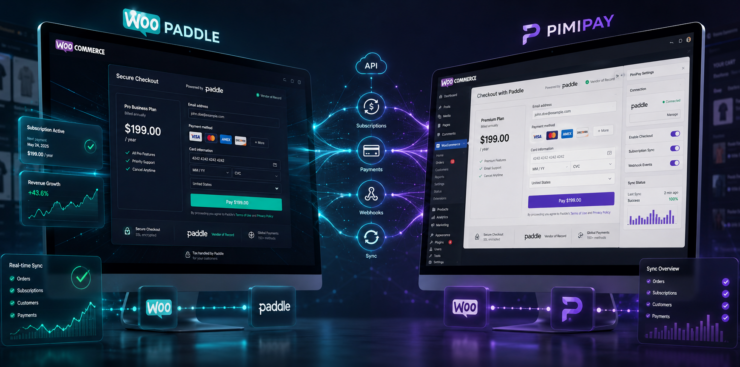
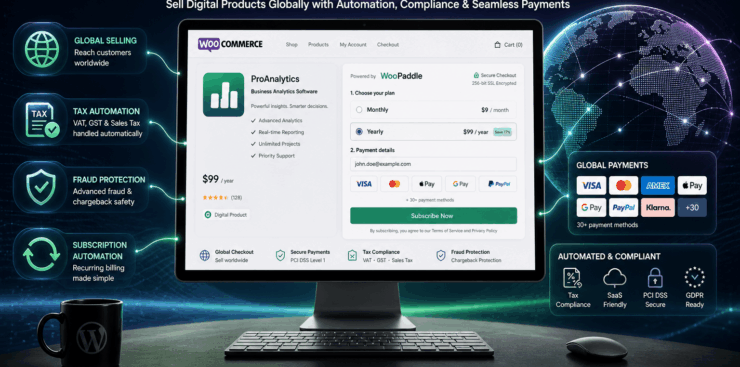
One standout example is WooPaddle, a plugin that connects WooCommerce with the Paddle payment platform. It allows merchants accept credit cards, PayPal, Apple Pay and more right on their store without redirecting customers.. WooPaddle also handles recurring billing, refunds, advanced fraud protection and global payments through a single setup, making it easier to manage both one-time sales and subscriptions on one site.
If you want to read the full article on WooPaddle features, check out the article on how to choose the best payment gateway for WooCommerce in 2026
Final Thought
When it comes to WooCommerce vs Shopify, there’s no one-size-fits-all answer, but there is a clear winner depending on what you value most. Shopify wins if you want a simple, all-in-one platform that automatically designs your store and runs quickly with themes, and tools all included.
On the other hand, WooCommerce gives you full control over your store, and customization of every part of your store exactly how you want. Because WooCommerce is built on WordPress, where designing each part is upto you, and you can grow without the platform taking a cut of your success.
For merchants selling digital products, global subscriptions, or who want flexible payment options, WooCommerce, especially when paired with tools like WooPaddle, is often considered a better option.
Recommended Articles (Optional)
If you enjoyed this guide, you might also like some of our other articles. We regularly share tips and tutorials to help you get the most out of WordPress. From plugin recommendations and website optimization strategies to step-by-step tutorials, our other posts are full of valuable information for both beginners and advanced users.
Here are a few you might find interesting:
- How to Make WordPress Media Library Graphical Statistics, where The WordPress Media Library stores every image, video, audio file, PDF, and document you upload.
- Set Upload File Type Restriction in WordPress, where Set Upload File Type Restriction in WordPress is essential when running a WordPress site, as it controls what types of files users can upload.
- 5 Best AI For WordPress Developers, where What is AI If you’re looking for the best AI tools for WordPress developers, this guide is for you.
 SHAMIM HASAN