Best Paddle Integration for WooCommerce: WooPaddle vs PaddlePress
Selecting the right Paddle integration for WooCommerce is a critical decision that impacts your store’s payment experience. Paddle is a well-known platform for handling global payments, compliance, and taxes. However, the way this platform integrates with your store depends on the plugin you choose.
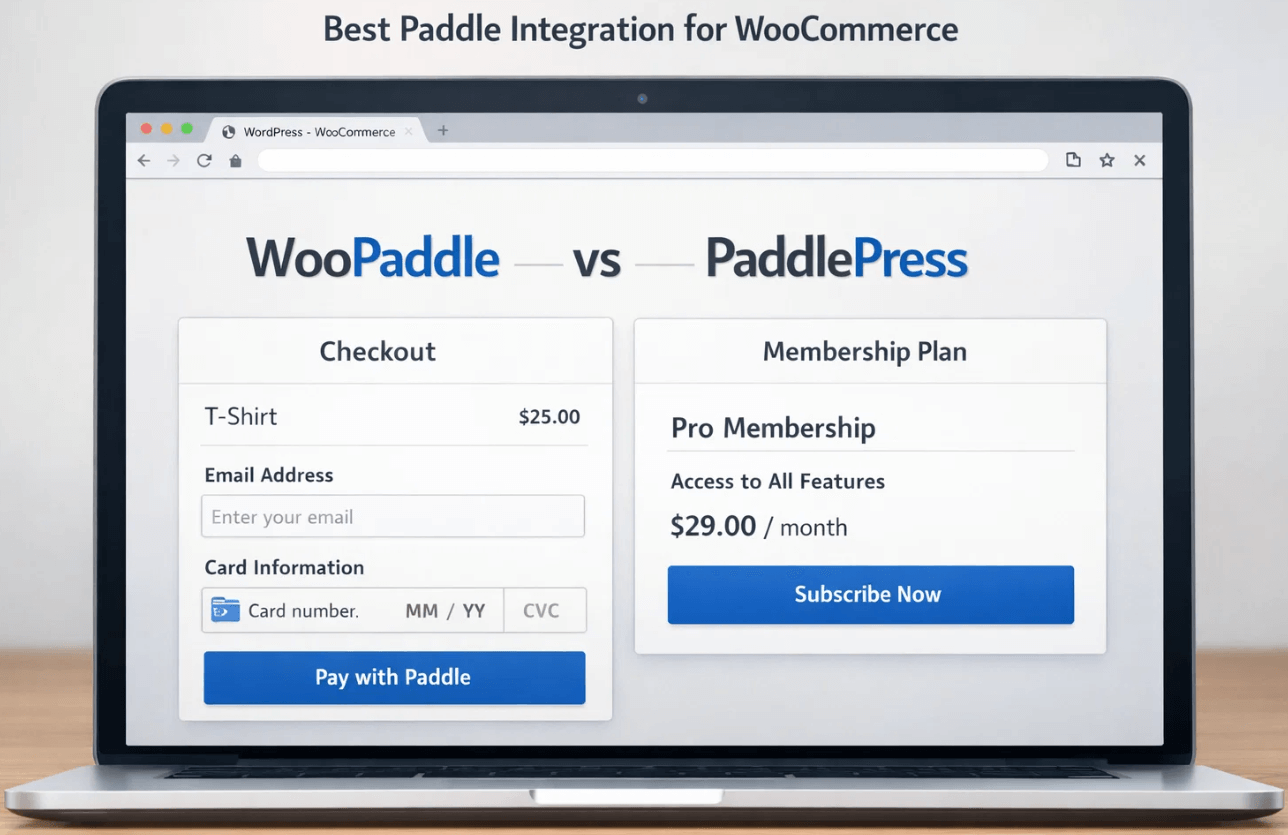
Two leading plugins, WooPaddle and PaddlePress, offer different approaches to connecting Paddle with WordPress. WooPaddle is more about WooCommerce stores delivering reliable performance for both digital and physical products, with a smooth checkout flow. On the other hand, PaddlePress aims to serve SaaS and membership sites through subscription management and content restriction.
In this WooPaddle vs PaddlePress comparison, we’ll break down how both plugins perform based on functionality, flexibility, and real-world WooCommerce use cases. By the end, you will learn which plugin serves your business best and why WooPaddle stands out.
What Is WooPaddle?
WooPaddle – WooCommerce Paddle Payment Gateway is a powerful and reliable WooCommerce Paddle plugin. This plugin aims to smoothly connect Paddle with your WooCommerce store to create a complete Paddle WordPress integration.
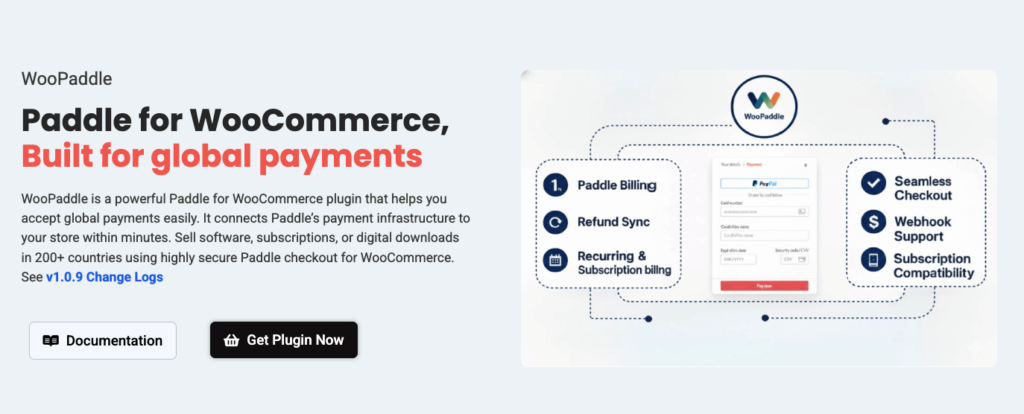
This paddle integration for WooCommerce is built with speed, security, and conversion optimization in mind. WooPaddle enables store owners to accept global payments directly on their WordPress website through a smooth on-site checkout experience.
The plugin doesn’t act as a redirect-based solution that distracts customers from completing the purchase process. WooPaddle keeps customers on your checkout page to help build trust, reduce cart abandonment, and increase conversion rates.
Supported Payment Methods
With WooPaddle, merchants can accept:
- Credit & debit cards
- PayPal
- Apple Pay
- Google Pay
- All payment methods supported by Paddle
This Paddle integration for WooCommerce processes all payments without redirecting users away from the WooCommerce checkout. This method creates a frictionless payment flow while keeping your Paddle WooCommerce customers securely on your site.
Built for Performance & Scalability
WooPaddle is engineered for performance, stability, and long-term scalability. Whether you’re:
- Selling digital products (eBooks, software, licenses)
- Managing recurring subscriptions
- Offering physical products
WooPaddle delivers a professional, conversion-focused Paddle integration for WooCommerce that grows with your business. It can efficiently handle high-traffic websites with complex transactions via a smooth checkout process. Besides, it offers a professional, conversion-focused Paddle integration that adapts with your business to handle real-world Paddle WooCommerce growth scenarios.
WooPaddle vs PaddlePress: Why Features Matter
In this article, we’ll compare WooPaddle vs PaddlePress based on:
- Checkout experience
- Supported WooCommerce features
- Payment flow & user experience
- Performance and reliability
- Suitability for digital, SaaS, and physical product stores
By the end of this comparison, you’ll clearly understand which Paddle Integration for WooCommerce offers better flexibility, control, and value for modern WooCommerce stores.
WooPaddle Features
WooPaddle is a complete paddle integration for collecting payments from Paddle with ease. It connects your WooCommerce store with the Paddle Merchant of record.
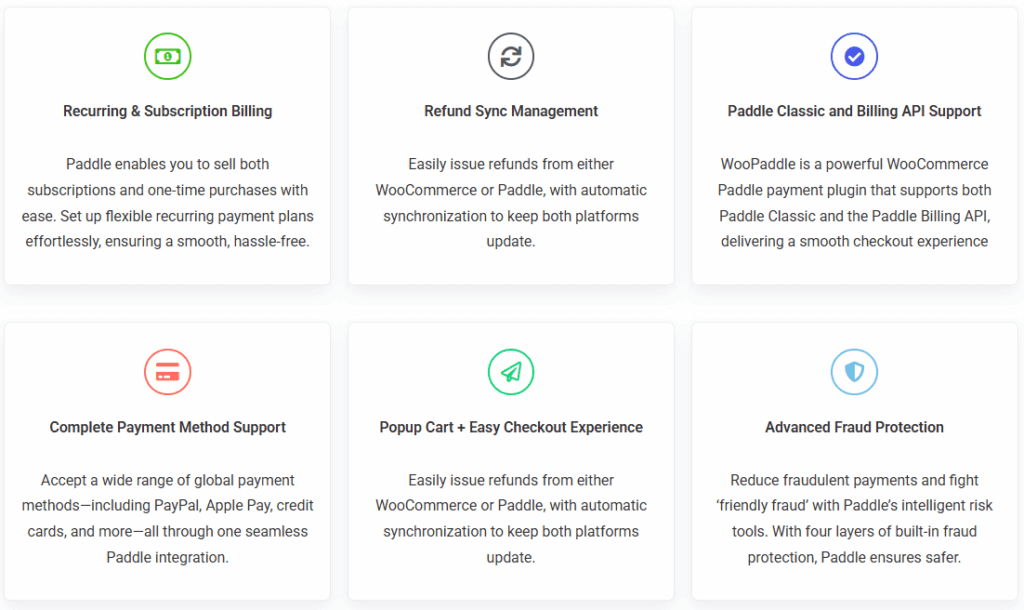
The Paddle WordPress plugin simplifies global sales tax and compliance. Thus, store owners can sell products, subscriptions, and SaaS plans without overriding the native WooCommerce workflow.
Here are some of the core features of WooPaddle:
- Native & complete Paddle Integration for WooCommerce.
- Compatible with both Paddle Classic & Paddle Billing API.
- Secure checkout via Credit cards, PayPal, and Apple Pay support.
- Fully Embedded & Pop-up Checkout Options
- Manage recurring payments and renewal dates.
- Compatible with WooCommerce block & classic checkout
- Synchronizes WooCommerce discount codes with the Paddle gateway.
- Provides a safe testing environment for your Paddle WooCommerce setup.
- One-Click Refunds Direct from WooCommerce Dashboard
Pros:
- integrated with the native WooCommerce order management system.
- Automates global VAT/Sales tax compliance instantly.
- Secure and conversion-focused checkout
- No dependency on third-party cart tools
- Supports subscriptions and SaaS billing
Cons:
- Requires a verified Paddle merchant account
- Advanced setup needed for Billing API
- Focuses strictly on WooCommerce
- Less checkout customization control.
Now we will break down some specific features of this paddle integration for WooCommerce:
Checkout experience
WooPaddle offers a smooth checkout flow that works directly with WooCommerce. It maximizes the conversion by keeping customers on your site while Paddle handles the payment. The WooPaddle offers a simple overlay that removes the necessity of third-party redirects.
WooPaddle also ensures that the payment form is responsive and secure. Additionally, customers trust this Paddle Integration for WooCommerce because everything is localized to their currency and language.
Supported WooCommerce Features
WooPaddle stands out for its compatibility with the core features of paddle WooCmmerce stores. It supports variable and simple products, carts, checkout pages, order history, and refunds.
Integrated WooCommerce subscription support ensures that you can properly track all recurring billing cycles. Furthermore, this paddle integration for WooCommerce supports WooCommerce Blocks and custom order statuses.
Payment flow & user experience
The payment flow is a sensitive workflow that requires invisibility to maintain a high-trust environment. Customers expect familiar payment gateways like Apple Pay, Google Pay, and PayPal. Thus, the payment process stays between WooCommerce and secure Paddle payment with zero lag.
This Paddle Integration for WooCommerce enhances the user experience by handling tax calculations, fraud protection, and a pay-later option. Moreover, SaaS and subscription users can benefit from automatic billing and renewals.
Performance and reliability
Reliability through performance is the signature of this Paddle Integration for WooCommerce. It uses a robust webhook system to ensure data consistency between your website and Paddle.
If a customer goes offline accidentally, the background sync updates the order status once the payment is complete. The plugin can handle a high-traffic environment and keeps the checkout speed flexible. Besides, the lifetime update guarantees compatibility with the latest WooCommerce releases.
Suitability for digital, SaaS, and physical product stores
This paddle WordPress integration works as a lifesaver for digital and SaaS businesses. It automates license delivery and manages the complexities of software sales tax. Plus, it equally benefits physical stores by accepting international credit cards.
However, the merchant can complete the entire process without being a tax expert in 200 countries. This flexibility of serving diverse e-commerce needs makes it a versatile Paddle integration for WooCommerce.
PaddlePress Features
PaddlePress is another paddle WordPress plugin that works as a standalone payment solution. It’s an ideal option for those who want to sell digital products and memberships.
PaddlePress provides a simple way to integrate without using the WooCommerce ecosystem. It directly connects Paddle to your WordPress webpages via shortcodes and buttons.
Here is a list of features of the PaddlePress Plugin:
- Built-in system for generating and validating software license keys.
- Payment button for pages and posts via shortcode
- Map Paddle products directly to WordPress user roles.
- Customer dashboard for account management (PRO)
- Map Paddle products directly to WordPress user roles. (PRO)
- Easily lock specific content behind a Paddle-powered paywall.(PRO)
- Subscription upgrades/downgrades (PRO)
- Domain-based license key registration (PRO)
- Automated customer emails (PRO)
- Automated emails (welcome, receipts, expiry reminders)
Pros:
- Excellent for software developers selling plugins or themes with auto-updates.
- Lightweight paddle wordpress integration without WooCommerce.
- Simplified membership setup with native content protection.
Cons:
- Not a true Paddle Integration for WooCommerce
- Lacks a traditional multi-item “Shopping Cart” experience for physical goods.
- Less scalable for ecommerce stores
Checkout Experience
PaddlePress focuses purely on speed and simplicity when it comes to the checkout experience. It uses the Paddle overlay checkout, which is redirected through buttons or links.
This Paddle WordPress plugin is perfect for single-product sales. The aim is to transfer users from a landing page to a Thank You in the fewest clicks possible. It does not offer the complex cart flow of a paddle WooCommerce setup. However, this direct buy approach works well for SaaS and digital products.
Supported WooCommerce features
PaddlePress can work as a Paddle Integration for WooCommerce, but only with some features. Unfortunately, you won’t get any built-in cart, checkout page, or order system. It focuses on direct payments instead of full WooCommerce workflows. Therefore, you will be missing the features for advanced eCommerce stores.
Payment flow & user experience
PaddlePress offers a highly automated payment flow that starts from a shortcode button. It leads to a Paddle overlay that handles the user creation and content access. Users get a fluid experience by being able to download immediately after payment.
Customers receive instant email notifications for confirmation and reminders for better engagement. Overall, it’s ideal for creators willing to offer the “pay-and-access” model with minimal manual intervention.
Performance and reliability
PaddlePress is a lightweight paddle wordpress plugin that keeps the database pressure-free. It offloads transaction data to Paddle’s secure servers. The deferred script loading of this plugin ensures that the paddle.js library won’t slow down your site.
The script works only when a user interacts with the purchase button. Besides, the payment reliability depends on the webhook architecture and the Paddle billing API. This is how it effectively manages the subscription lifecycle.
Suitability for digital, SaaS, and physical product stores
PaddlePress is an ultimate tool for digital products, memberships, and SaaS subscriptions. Those working WordPress development space can benefit from its native licensing server.
However, it’s not best for physical eCommerce stores that require complex shipping calculations and inventory tracking. It lacks robust cart management options like Paddle WooCommerce stores.
Compare Table
| Features | WooPaddle | PaddlePress |
| Billing APi Support | ✅ | ✅ |
| Classic API Support | ✅ | ✅ |
| Webhook Key Include | Automatic | Manual |
| Webhook Support | ✅ | ✅ |
| Subscription Support | ✅ | ✅ |
| Free Installation Support | ✅ | ❌ |
| Continue Feature Improvement | ✅ | ❌ |
| Quick Support | ✅ | ❌ |
| Advanced Fraud Protection | ✅ | ✅ |
| Lifetime Automatic Update | ✅ | ❌ |
| Site Slow Done | ❌ | ✅ / Some Times Slow |
| Multiple Payment Methods | ✅ | ✅ |
| Recurring Payment | ❌ / Single Payment | ✅ |
| Initial price | 1 Site – $59 | 1 Site – $99/year |
Final Words
Choosing the right Paddle Integration for WooCommerce depends on your specific business architecture. PaddlePress is a brilliant Paddle WordPress plugin for licensing, membership, and SaaS website owners.
WooPaddle by Codepopular is the superior choice for any store running through WooCommerce. It provides more flexible paddle WordPress integration that considers your store as a professional eCommerce entity. It closes the gap between the WooCommerce Paddle model and the Merchant of Record model with greater efficiency.
Why WooPaddle is better than PaddlePress:
- It manages multiple-item carts perfectly.
- Offers native paddle WooCommerc checkout.
- Full cart, order, and refund synchronization
- Better support for physical products.
- Optimized for WooCommerce Checkout and Cart blocks.
- Advanced subscription and SaaS billing.
So, WooPaddle is a future-proof option if you run a WooCommerce store, like most businesses.
 SHAMIM HASAN