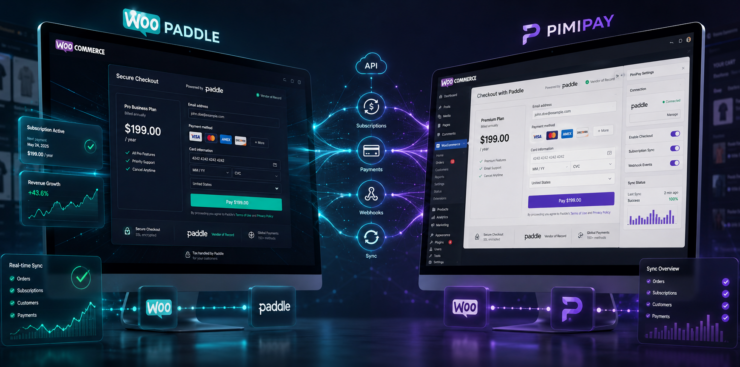
Paddle Classic vs Billing: Which Payment Gateway is Best for WooCommerce
Paddle is becoming familiar to WooCommerce store owners who are selling digital products or SaaS subscriptions. It works as a merchant of record and handles the burden of global tax compliance, VAT remittance, and fraud protection for your store. However, the Paddle website gives you two choices: Paddle Classic and Paddle Billing to handle global payments.
The classic version is the option that many business owners have trusted for years. Then there is Paddle billing, a next-generation platform for SaaS and digital commerce. Choosing a single platform can be confusing for WooCommece store owners. Thus, you need to learn which version integrates smoothly and offers the features your WooCommerce store actually needs.
Table of Contents
This guide includes a detailed comparison between Paddle Classic and API-driven Paddle Billing infrastructure. At the end, you will learn which version serves your WooCommerce store best in 2026.
The Shared Foundation: What Both Platforms Offer
You need to learn where both versions are consistent before getting into the comparison. Paddle billing is built on the same merchant-of-record foundation that made Paddle Classic a success. So, choosing either version does not mean you are sacrificing any feature that connects businesses with Paddle payment.

Here are the features that both Paddle Classic and Paddle Billpaddle classic API offer:
- Set product prices in 31 different currencies.
- Sell your products in over 200 countries and territories worldwide.
- Automatically selects the best processor to maximize transaction success.
- Use digital wallets such as Apple Pay, Google Pay, and PayPal.
- Both versions include automatic global tax collection and remittance.
- Both versions offer reliable fraud and chargeback protection.
- Hold balance in major currencies like USD, EUR, and GBP.
This shared foundation creates a huge opportunity for WooCommerce store owners to scale globally. Thus, choosing between Paddle Classic and Billing depends on specific management, technical, and growth features you need.
What Is Paddle Classic
Paddle Classic is the original payment infrastructure ideal for digital sellers. You can integrate it with WooCommerce using plugins that require your seller ID and authentication code. This approach does not require complex coding, as Paddle handles the WooCommerce checkout page.
Mechant prefers the Paddle Classic API for its simplicity and the following features:
- Hosted checkout system
- Recurring subscription billing
- Webhook-based fulfillment
- Built-in tax compliance
- Fraud and chargeback management
- Access to the paddle classic API
Paddle Classic offered a simple setup to handle global compliance for early-stage SaaS businesses. It still serves existing users with stability.
Note: Statistics show over 1 million customers shifted from Paddle Classic in 2023.
Paddle Billing Overview
Paddle billing replaces Paddle Classic with a API-based model that is ideal for modern needs. Business owners, including SaaS, Web2App, and WooCommerce stores, can highly benefit from Paddle billing. You will get better ways to retain customers and maintain your revenue flow by scaling your business.
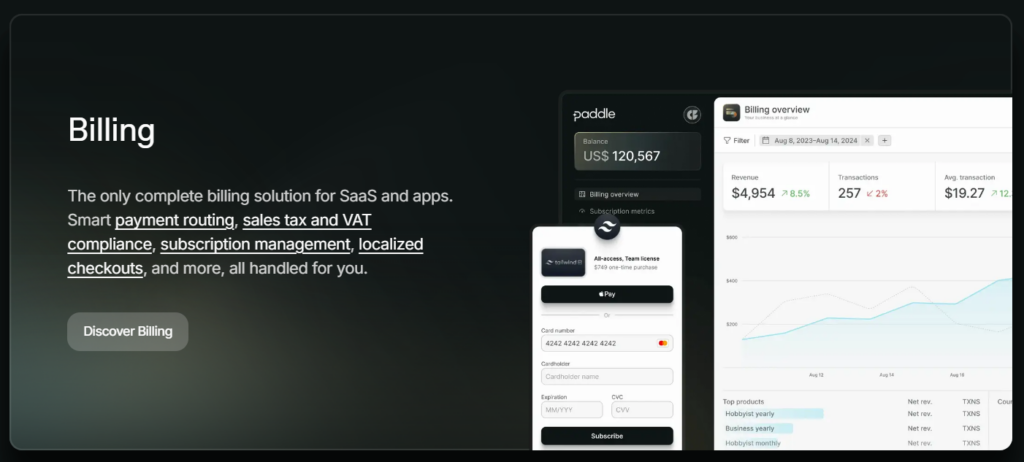
Here are the features that stand out from Paddle Classic:
- Dedicated customer objects
- Structured subscription entities
- Advanced proration handling
- Multiple prices per product
- Invoice-based billing
- Enhanced webhook architecture
- Expanded revenue analytics
Paddle billing comes with a stronger architecture for WooCommerce stores with complex subscription logic. Paddle billing WooCommerce works through updated plugins like WooPaddle paddle payment. WooPaddle supports both versions during the payment collection process.
Note: Learn why you should migrate to Paddle Billing from the official documentation.
Paddle Classic vs. Paddle Billing: Feature Comparison
Before we go to the detailed feature-based differences, let’s get a quick comparison through the following table:
| Feature Category | Paddle Classic | Paddle Billing |
| API Architecture | Legacy SDK (Non-JSON) | Modern REST API (JSON & TypeScript) |
| Core Entity Focus | Transaction-based | Customer-centric (Unified Objects) |
| Checkout Type | Responsive Overlay | Overlay + Modern Inline Checkout |
| Subscription Logic | Basic recurring & proration | Advanced proration, bundles & add-ons |
| Data Management | Restricted API access to data | Full control over customer/transaction data |
| B2B Invoicing | Basic PDF receipts | Professional manual invoicing & PO support |
| Product Catalog | One price per product | Multiple prices/tiers per product |
| Revenue Recovery | Standard dunning emails | AI-optimized retries, SMS & In-app alerts |
| Churn Prevention | Basic retry logic | Advanced Cancellation Flows & Salvage offers |
| Developer Tools | Standard webhooks | OpenAPI specs & standardized SDKs |
Technical Architecture and API comparison
The primary comparison between Paddle Classic and paddle billing starts with technical architecture. You need to pay close attention to this section while comparing both versions.
Paddle Classic API
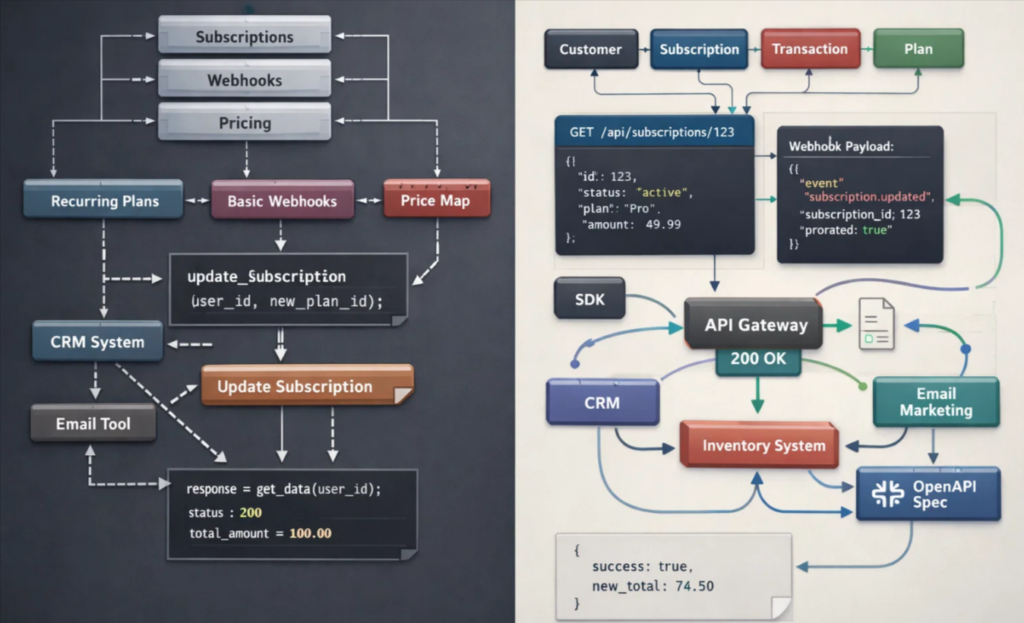
Paddle classic API uses the older API structure, which works well for:
- Basic recurring tasks & plans.
- Standard webhook handling.
- Simple product price mapping.
However, the API does not work with JSON data, which is a major requirement for modern web applications. Any changes in subscription sometimes require manual logic or external handling, which is time-consuming.
Plus, integration with contemporary tools becomes complicated since it won’t conform to REST principles.
You will get limited access to your own customers’ transactional data using the API. This frustrates the store owners who want to analyze the data for business intelligence.
Paddle Billing API
Paddle billing relies on a modern REST-based structure with better entity relationships. It represents a reimagination of the platform from a developer’s perspective.
Paddle Billing supports:
- Customer-level data control
- Subscription state transitions
- Scheduled plan changes
- Automatic proration
Paddle billing is about automation and scalability, where developers get more control. The API works with JSON data and follows the REST principle consistently. Thus, it integrates smoothly with WooCommece stores.
The API returns standard HTTP success and error responses. So, it becomes easy for developers to handle the problems without dealing with any confusing error codes.
Paddle billing allows outo gain custom data related to customers, subscriptions, and transactions.
This is really helpful when you need to sync Pddle information:
- With your CRM.
- Email marketing platform.
- Inventory management system.
The Webhook payloads in Paddle billing are designed to match API responses. Besides, signature verification is simplified with standardized patterns and SDK helper methods. It offers a public OpenAPI specification and carefully created SDKs that make integration even easier.
Customer and Data Management
The organization and interaction with customer information differ on Paddle Classic and billing. This impacts everything related to marketing, personalization, and efficiency in customer support.
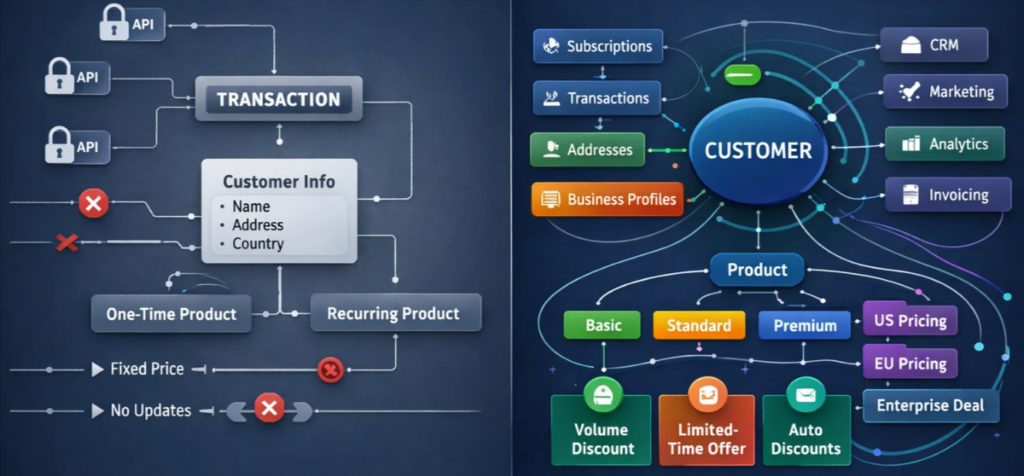
Here are the differences in customer and data management between the two versions:
Paddle Classic Data Management
Paddle Classic keeps customer information as secondary when it comes to transactions.
Paddle classic works well for:
- Collecting customer details, addresses, and business information at checkout.
- Handling countries under international sanctions to ensure compliance.
However, these are the limitations that you should learn about:
- You can’t access customer information through the API since it’s restricted.
- You can’t use customer information with specific criteria.
- You won’t be able to update customer details programmatically.
- Supports one‑time products and recurring subscription payments.
- Lacks flexibility for complex pricing models.
So, it’s clear that Paddle Classic offers rigid customer data management. This is not what modern WooCommerce businesses prefer. Customer data access and flexible data management are crucial for scaling the business over time.
Paddle Billing Data Management
Paddle billing centralizes customer information into a dedicated customer entity. It offers a complete overview of each relationship with the entities.
This modern structure supports:
- Multiple addresses and businesses per customer (ideal for B2B operations).
- Assigning specific business contacts to receive invoices and emails.
- Linking customers to multiple subscriptions and transactions.
Product catalog capabilities expand significantly with the following features:
- Multiple pricing per product enables pricing (good-better-best) tiers without duplicating entries.
- Localizing pricing by country helps maintain profit margins while adapting to customer location.
- Billing for products outside the catalog helps with one-off charges or custom enterprise agreements.
Discount management in Paddle billing becomes more advanced through:
- Discounts per unit, not just a percentage off totals.
- Recurring discounts for limited billing periods (e.g., 3‑month introductory offers).
- Automatic discounts without coupon codes are applied based on defined conditions.
Why It Matters
WooCommerce stores selling to customers and businesses with product tiers can leverage Paddle billing. The flexible catalog and customer management come with significant advantages in personalization, flexibility, and operational efficiency.
Checkout and Conversion Experience
Checkout experience directly affects the conversion rates and revenue for WooCommerce stores. Both Paddle Classic and paddle billing offer a reliable checkout experience. However, Paddle billing stays ahead with some refinements that increase usability and retention.
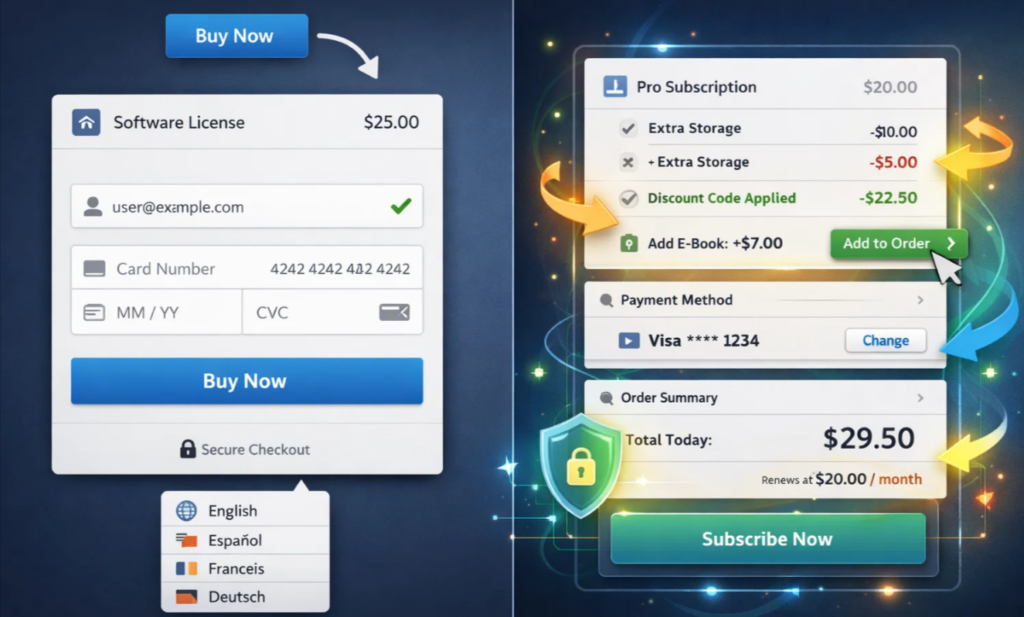
Paddle Classic Checkout
Paddle Classic offers a simple checkout experience that includes Paddle.js. It makes integration smoother for non-developers.
Paddle Classic supports the following checkout features:
- Easy checkout opening via HTML data attributes.
- 18 languages for global reach.
- A short, conversion‑optimized purchase journey.
- Real‑time card and email verification to reduce errors.
- Fully responsive overlay checkout with minimal code.
Paddle Billing Checkout
Paddle billing includes all that Paddle Classic offers while adding the following enhancements:
- Import Paddle.js as a module with TypeScript definitions → improves developer experience.
- Client‑side token authentication → stronger security.
- Dynamic updates to items and discounts in open checkouts → enable upselling and promotions.
- Saved payment methods for repeat purchases → boosts retention and reduces friction.
- Support for multi‑product subscriptions and complex billing scenarios → more flexibility for subscription businesses.
Why It Matters
Let’s say you have a WooCommerce store owner who wants to optimize conversion. Paddle billing offers you a more effective WooCommerce one-page checkout experience. This means your customers won’t need to go through multi-step checkout, reducing cart abandonment.
Note: Learn about the 10 fastest one-page checkout plugins for WooCommerce.
Subscriptions, Invoicing, and Revenue Recovery
Subscription management is crucial for WooCommerce stores that collect recurring payments. This area points out some major differences between Paddle Classic and Paddle Billing.
Paddle Classic Subscription Management
Paddle Classic handles basic subscription operations without any flaw. It supports the following features when it comes to subscription:
- Subscriptions that recur weekly, monthly, annually, or on custom periods.
- Trial periods with standard functionality.
- Upgrades and downgrades with automatic prorated charges or credits.
- Customer updates to payment details.
- Pausing, resuming, and canceling subscriptions when needed.
Paddle Classic offers the following features for revenue recovery:
- Standard dunning with payment recovery emails.
- Automatic payment retries.
- Subscriptions are paused or canceled when recovery attempts fail.
Note: Recent industry data suggests that businesses using automated dunning and proration tools see a 5% -10% percent increase in recovered revenue compared to those using manual or legacy systems.
Paddle Billing Subscription Management
Paddle Billing focuses on subscriptions as first‑class entities with dedicated data structures. It maintains a subscription with more sophisticated scenarios, like:
- Multiple recurring products on a single subscription → ideal for bundles or add‑ons.
- Subscription currency changes when customers move countries.
- Flexible trial management → extend or shorten based on customer interactions.
Paddle billing offers the following advanced invoicing capabilities:
- Draft and send invoices directly from the platform without data duplication.
- Bill any customer for any product, even if not in your catalog.
- Automatic subscription creation for issued invoices.
- Invoices generated for renewals and subscription changes.
- Hybrid billing → move customers between checkout payments and invoice billing seamlessly.
Paddle billing offers the following advantages for B2B WooCommerce stores:
- Purchase order numbers, payment terms, and other billing details.
- Billing contacts who automatically receive invoices simplifies accounts receivable.
Paddle billing also offers the following revenue recovery features:
- Integration with Paddle Retain for optimized retry schedules based on millions of payment attempts.
- In‑app payment recovery notifications → prompt customers to update payment methods while using your product.
- SMS payment recovery → reach customers who don’t check email regularly.
- Pre‑expiry notifications → alert customers before cards expire to prevent interruptions.
Additional retention features include:
- Cancellation Flows → present salvage offers (discounts, downgrades) when customers attempt to cancel.
- Term Optimization → proactively upgrade engaged monthly customers to annual plans, increasing lifetime value.
Why It Matters
A subscription-based WooCommerce business can get the following advantages from Paddle Billing:
- More flexibility in payment collection
- Better invoicing
- Stronger revenue recovery tools
These benefits help reduce churn, improve retention, and maximize the lifetime value of the customers.
Making Your Decision: Paddle Classic or Paddle Billing
Now you need to make a clear choice after going through all the essential features of both versions. The right choice depends on your current WooCommerce business model, technical resources, and growth target.
Choose Paddle Classic if:
- You are selling one-time products or basic subscriptions through your WooCommerce store.
- Your store relies on classic license key generation or product delivery features.
- You lack development resources to rebuild your store with modern webhooks.
- You prefer the familiarity of the Paddle classic interface.
- You don’t need advanced features on your WooCommerce store.
Choose Paddle Billing if:
- You are aiming for a long-term WooCommerce store to ensure flexibility.
- Your product catalog includes tiered pricing, multiple subscription plans, or add‑ons.
- You have a development team that can implement a RESTful API for custom integration.
- Customer retention is a priority → Paddle Retain integration reduces churn and increases lifetime value.
- You serve both consumer and B2B customers → advanced invoicing and customer management eliminate the need for separate systems.
- Want to manage one‑time checkout experience and complex enterprise invoices from the same platform with complete data visibility.
We recommend you choose Paddle billing if you are launching a brand new WooCommerce store. However, if you are an existing merchant using the older setup, you should start planning for migration.
WooPaddle: Bringing Paddle Payments to WooCommerce
WooPadle is a reliable Paddle integration for WooCommerce stores. It creates a bridge between your WordPress store and Paddle’s infrastructure.
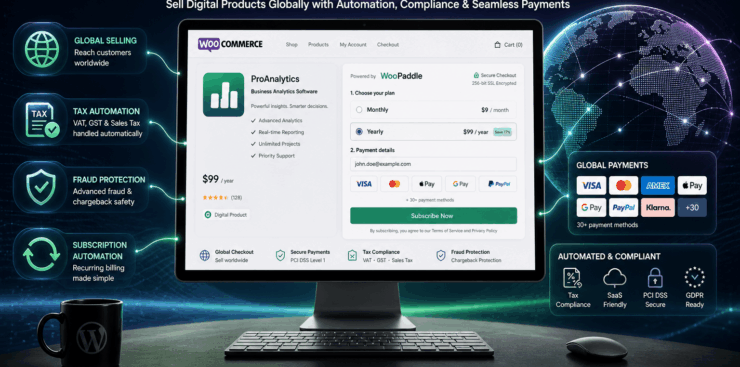
The plugin supports both Paddle Classic and Paddle Billing, giving you flexibility regardless of the version. The plugin gives your WooCommerce store all the benefits of Paddle’s merchant-of-record model.
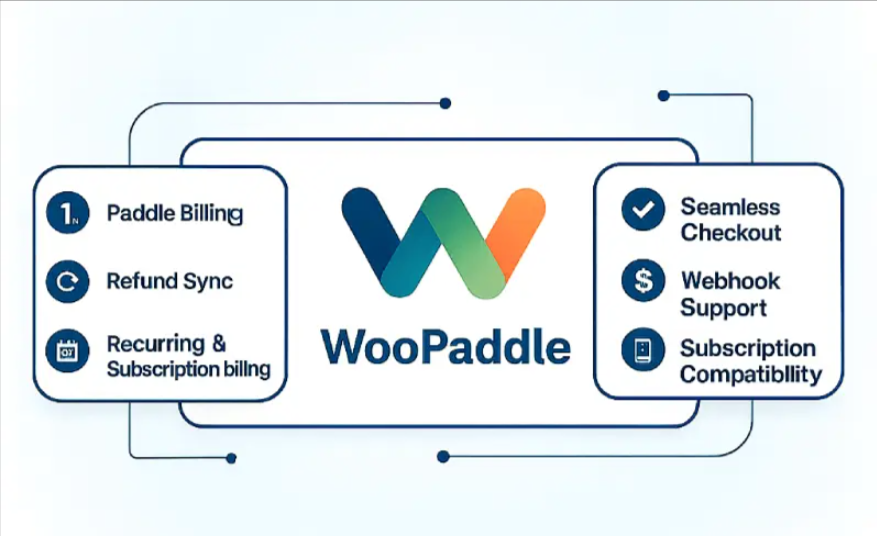
The plugin allows WooCommerce to automatically create all the products in Paddle. You can view purchase history without any restriction since customer information flows between both platforms.
You can use the familiar WooCommerce interface to manage subscriptions without switching between dashboards. WooPaddle gives you the easiest path to utilize Paddle’s global payment capabilities with a fair price point.
Final Thoughts
Your decision between choosing Paddle Classic and Paddle billing depends on your business objective. Both versions share the powerful merchant of record that makes Paddle exceptional for global WooCommerce sales.
Choosing Paddle billing will justify the choice when you want to:
- Scale your WooCommerce store.
- Want to include complex pricing models.
- Reduce cart abandonment in WooCommerce.
- Optimize customers’ lifetime value.
Recommended Articles (Optional)
If you enjoyed this article, check out some of our other useful articles, where we share tips and tactics to grow your WooCommerce store and rate it from 0 to 100.
Here are a few you might find interesting:
14 Best WooCommerce Recurring Payment Plugins for 2026, where we’ve create list of the best WooCommerce recurring payment plugin that creates the foundation for a sustainable subscription business.
10 Fastest One Page Checkout for WooCommerce Plugins (2026 Edition), where we have curated a list of the 10 best one-page checkouts for WooCommerce. These plugins reduce the checkout distractions and create a smooth user experience.
WooCommerce Instant Checkout: Sell Faster and Boost Conversions, where we have shown how WooCommerce instant checkout minimizes every extra field, page load, and clicks.
Is FastSpring Legitimate? How it Compares to WooPaddle for Secure Payments, where we have shown the legitimacy of the FastSpring payment platform when compared to the WooPaddle payment gateway.

 SHAMIM HASAN