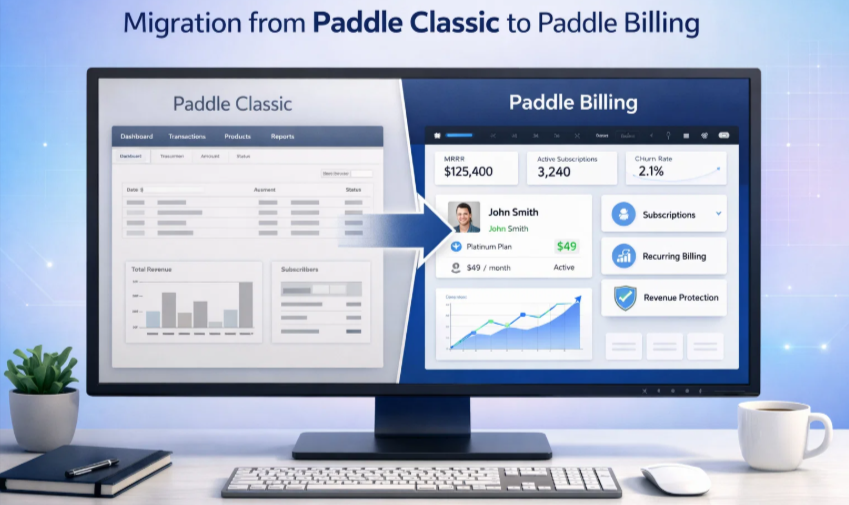
Migration from Paddle Classic to Paddle Billing: A Comprehensive Blueprint for 2026
The Paddle Classic has already shifted to Paddle Billing with more flexible features. Therefore, migration from Paddle Classic to Paddle Billing has become a mandatory priority for so many merchants.
Delaying the transition will put your potential revenue at risk when you’re selling digital products through WordPress. However, moving to Paddle billing unlocks higher checkout conversions and better dunning management. This is also possible with a modern APU architecture designed for growth.
Table of Contents
This blueprint provides the technical and operational roadmap to move from Paddle Classic to Paddle Billing. It ensures your revenue remains protected during this transition. You will move from a transaction-based system to a customer-centric design focused on long-term growth.
Why Paddle Billing Outperforms the Classic Version
Paddle Classic served early-stage SaaS companies with a reliable merchant of record. However, Paddle Classic now runs on a legacy infrastructure that lacks the flexibility that modern businesses require.
Paddle Billing was created from the ground up with features like:
- Usage-based billing
- Metered Subscription
- Complex pricing models
All the new features and updates will roll out to Paddle Billing. So, staying on classic means your payment processing will struggle to keep pace with your competitors.
Paddle Billing introduces a refined hierarchy consisting of products and prices. This structure allows you to customize the price point without creating a new product entity in the database.
SaaS companies using a localized pricing model see at least 13% increment in revenue. Paddle Billing lets you define specific prices for different regions rather than relying on simple currency conversion. This level of control ensures that your pricing is appropriate for every market.
The new API is built on the modern JSON standard, which makes the developer experience better. It reduces the time needed to build custom integrations.
Migrating from Paddle Classic to Paddle Billing gives you access to a unified system. It handles upgrades, downgrades, and pro-rated calculations automatically.
For WordPress site owners, the gap between these two infrastructures is even wider. Classic infrastructure relied on basic shortcodes or custom API calls. A proper migration from Paddle Classic to Paddle Billing gives you access to a new checkout method. It outperforms the legacy checkout flows when it comes to conversion rate.
Note: Learn the difference between Paddle Classic vs Billing to leverage the best infrastructure for your online store.
What You Gain by Moving to Paddle Billing
The benefits of migration from Paddle Classic to Paddle Billing extend far beyond avoiding a platform sunset. You gain tangible advantages that impact your bottom line.
Higher Conversion Rates at Checkout
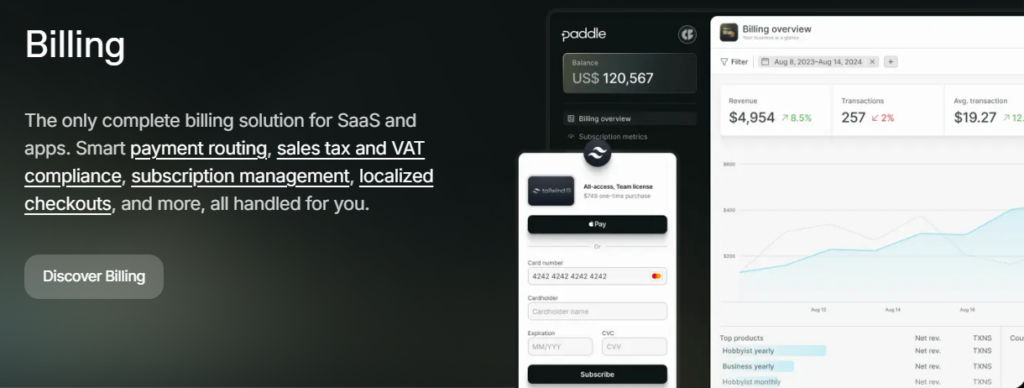
Paddle Billing introduces a completely redesigned checkout experience. It loads faster, supports more local payment methods, and adapts to mobile screens better than Classic ever did. Merchants who have made the switch report conversion increases between 5 and 12 percent simply from the improved user interface.
Smarter Revenue Recovery
Dunning management in Classic is basic. Billing offers automated retry logic with customizable timing and messaging. You can recover failed payments that would otherwise turn into churn. For subscription businesses, this alone justifies the move from Paddle Classic to Paddle Billing.
Global Tax Compliance Without the Headaches
Paddle remains your merchant of record, meaning they handle tax calculation, remittance, and compliance worldwide. Billing improves on this by offering more precise jurisdiction handling and automated tax rate updates. You never worry about VAT changes in Europe or sales tax thresholds in the United States.
The Revenue and Retention Advantages
Growth in 2026 is driven by retention rather than acquisition. Paddle Billing integrates with Paddle Retain to prevent involuntary churn. Migration from Paddle Classic to Paddle Billing unlocks the advanced dunning sequence. Thus, you recover failed payments with higher success rates.
Multi-product subscription
One major advantage of migrating from Paddle Classic to Paddle Billing is the ability to offer multi-product subscriptions. In the Classic environment, a customer typically held one subscription per plan.
With the new Billing engine, a single subscription can contain multiple products and add-ons. This reduces billing friction and provides a clearer invoice for the customer.
A Step-by-Step Migration From Paddle Classic to Paddle Billing
Executing a migration from Paddle Classic to Paddle Billing requires a methodical approach. This will help you ensure zero downtime, data loss, or double billing.
1. Enable the Billing Environment
Follow these steps for activating the modern infrastructure within your existing account:
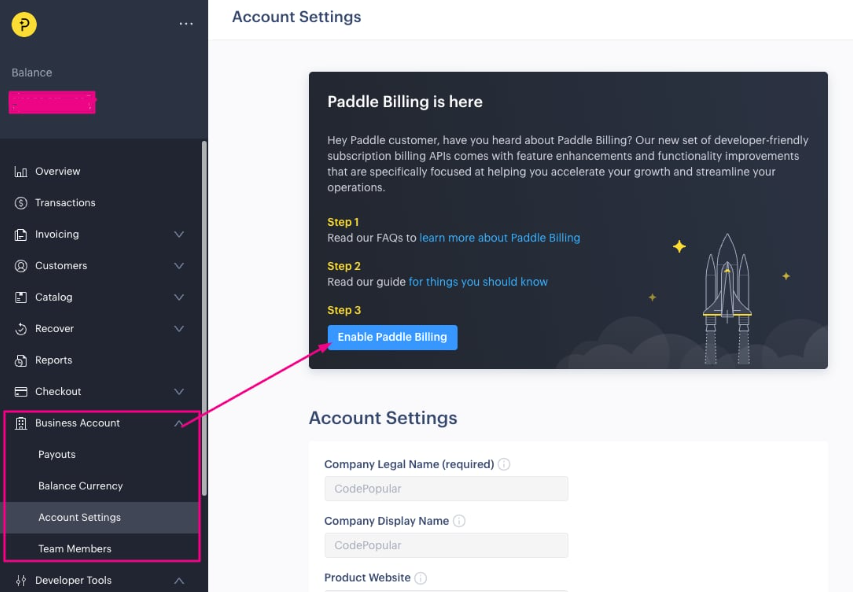
- Navigate to Business account > Account settings in your dashboard.
- Select the Enable Paddle Billing option to unlock the new interface.
- Now, you can use the option at the bottom-left of your screen to switch between the “Classic” and “Billing” Options.
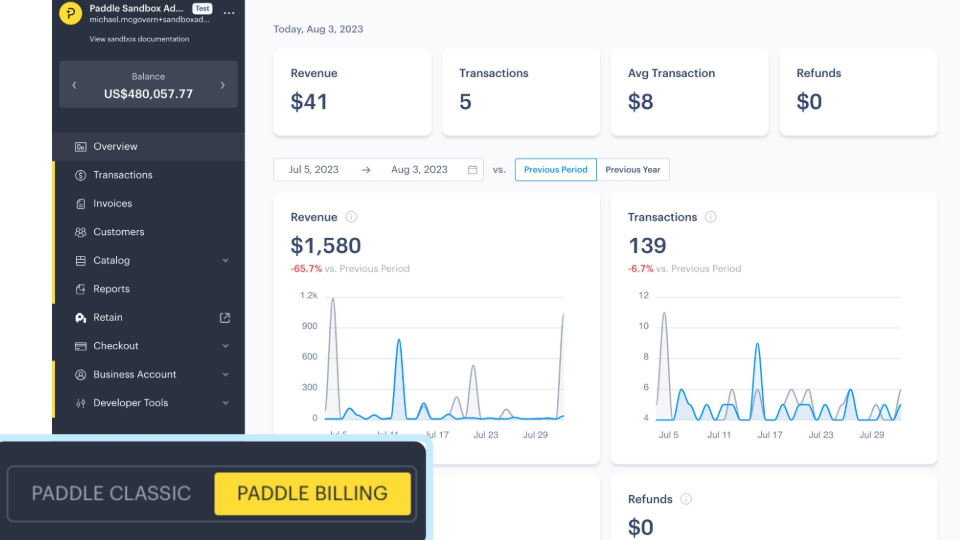
- Confirm that your Classic integration remains live and untouched during this initial setup phase.
2. Configure Your New Product Catalog
Follow these steps for transitioning from static “Plans” to a flexible “Product-Price” model:
- When you are using WooPaddle, your WooCommerce products will sync with Paddle. It will simply collect the payment from your store. You don’t need to manually intervene to create products.
- You can manually create a core Product for each unique service or software tier you offer.
- Then, attach multiple Prices to a single product to handle different currencies or billing cycles (e.g., monthly vs. yearly).
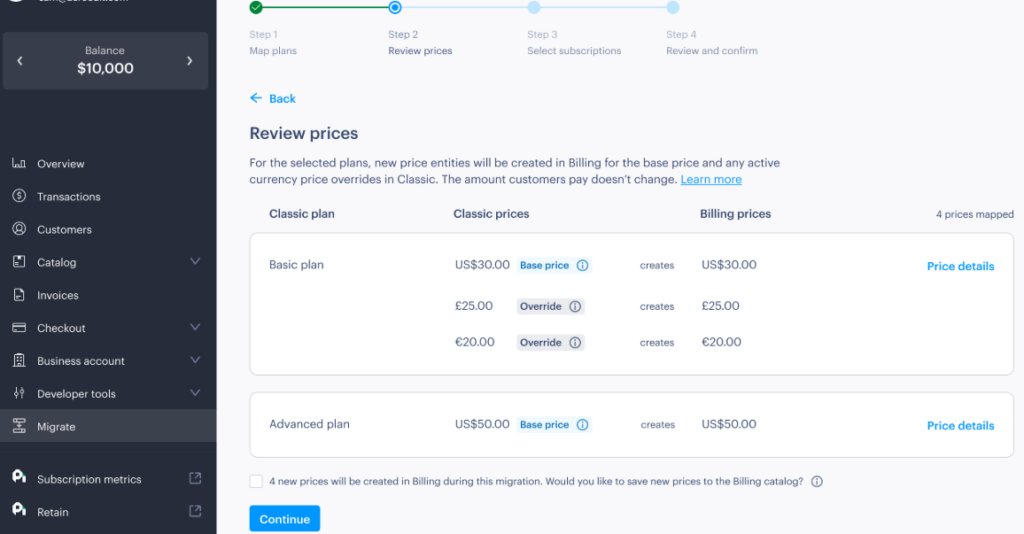
- Set up localized pricing for specific regions to take advantage of automatic tax and currency handling.
- Verify that your internal SKU IDs in the Billing section match your backend database for consistent reporting.
3. Update Your Frontend Integration
Follow these steps for modernizing your checkout experience using the latest v2 library:
- WooPaddle Replace the legacy Paddle.js v1 script on your site with the updated v2 library.
- It switches the usage of simple “Pay Buttons” to a Transaction-based flow for better security. The button used on your WooCommerce store syncs with the Paddle payment gateway.
- As a WooCommerce store owner, you can utilize the native Customer Portal. It allows you to manage subscriptions without support intervention.
4. Reconfigure Webhooks and Backend Logic
Follow these steps to ensure your server communicates correctly with the new JSON-based API:
- WooPaddle requires the API Key, Client token, and secret Webhooks on its settings page.
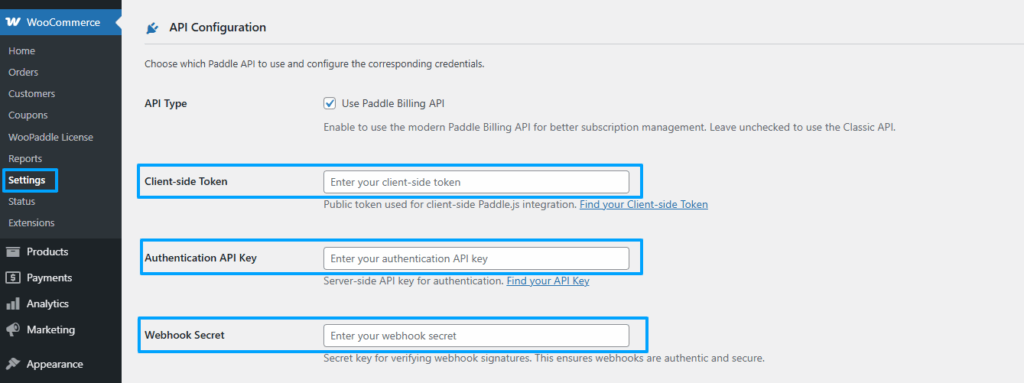
- The plugin updates your listener URL to accept JSON payloads instead of the old form-encoded data.
- WooPaddle maps your internal logic to new event types like subscription.created, and transaction.billed.
- Test your webhook endpoints using WooPaddle’s sandbox mode to ensure successful payment notifications.
5. Execute the Subscription Porting
WooPaddle handles this step automatically for you. However, here is the manual approach to move your active customers into the new system securely:
- Access the Migration Tool found within the Paddle Billing dashboard.
- Map your legacy Classic Plans to your newly created Billing Products.
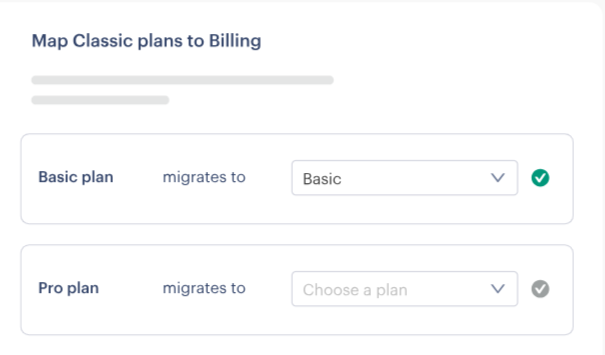
- Select a small batch of test subscribers to port first to verify the data transfer.
- Monitor your dashboard for subscription. Imported events to confirm customers are successfully moved.
6. Finalize and Monitor
Follow these steps to complete your transition and retire the legacy system:
- Run both integrations in parallel until all active subscribers have been successfully ported.
- Check your financial reports in the Billing view to ensure revenue is being tracked accurately.
- Deactivate your Classic checkout links once the migration tool confirms a 100% transfer rate.
- Maintain access to the Classic toggle for historical data and past refund management.
How WooPaddle Simplifies the Migration For WordPress Users
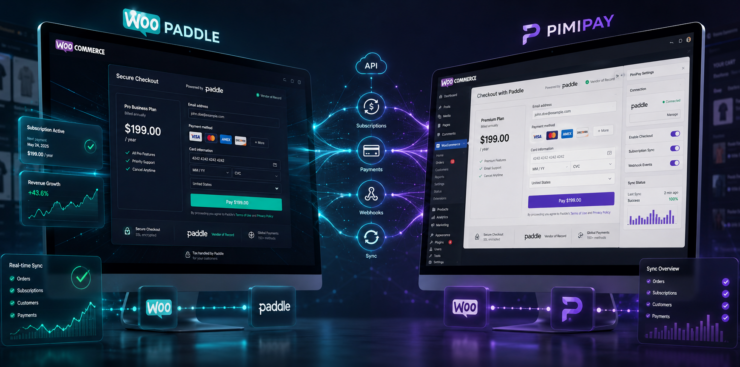
Migration from Paddle Classic to Paddle Billing becomes a much simpler process with the WooPaddle plugin. This dedicated tool acts as the intelligent layer between your store and the new API.
For WordPress users, the technical barrier to entry for a new API can feel high. This is where WooPaddle becomes your most valuable asset. It acts as the dedicated bridge between your WordPress site and the Paddle Billing API.
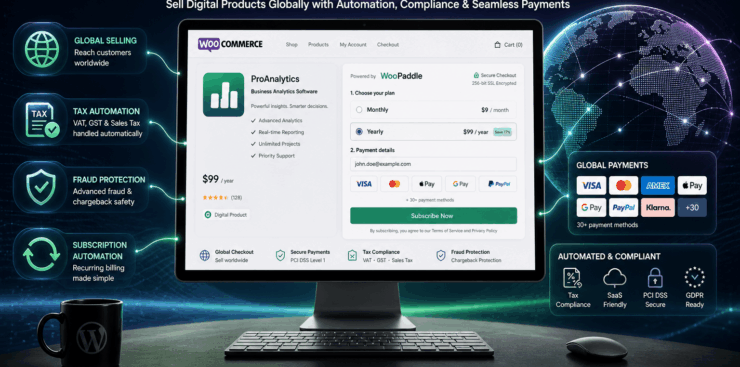
The plugin eliminates the need for manual coding during the migration from Paddle Classic to Paddle Billing. It allows you to map your existing WooCommerce products to the new Paddle Billing entities instantly.
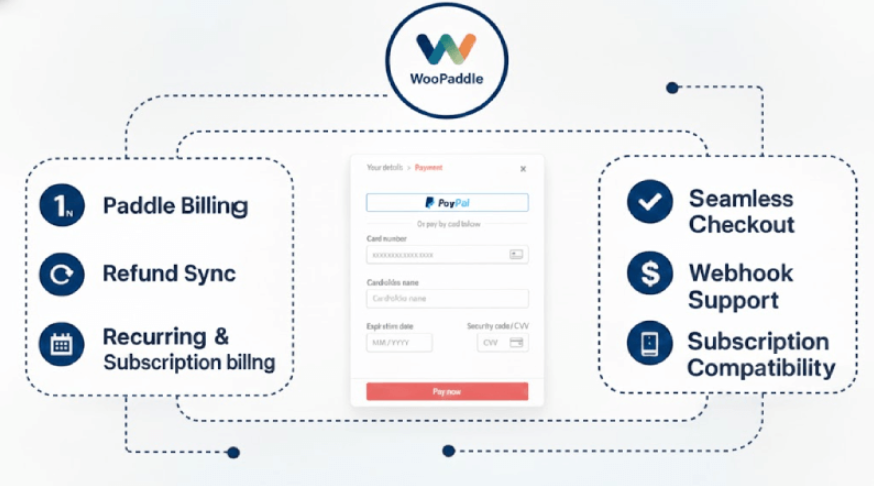
These steps help you for a frictionless transition by leveraging the specialized features of WooPaddle:
- Automated API Connectivity: Eliminate manual coding by using the built-in OAuth connection that securely links your WordPress site to the Paddle Billing environment.
- Instant Product Synchronization: Automatically map your WooCommerce products to the new “Product-Price” entities required by the modern Billing architecture.
- Managed Webhook Integration: Ensure subscription statuses remain 100% accurate in your database as the plugin handles all incoming JSON payloads from Paddle.
- Risk-Free Subscription Mapping: Use specialized import tools to link existing customer records in WooCommerce to their newly migrated subscriptions in Paddle Billing.
- Token Migration Support: Maintain a seamless checkout experience by ensuring customer accounts correctly reference transferred payment tokens without requiring a re-login.
- Native Checkout Experience: Launch the high-converting Paddle Billing checkout overlay directly within your WooCommerce flow immediately after your migration from Paddle Classic to Paddle Billing.
- Unified Dashboard Management: Run promotions, apply 2026-standard coupon codes, and manage complex subscription tiers without ever leaving your WordPress admin area.
By utilizing WooPaddle, you transform a complex technical overhaul into an easily manageable process. This ensures that your migration from Paddle Classic to Paddle Billing is not just a backend update, but a front-facing improvement for every customer on your site.
Note: Follow the official documentation for a successful migration from Paddle Classic to Paddle Billing.
Post Migration Steps to Secure Your Revenue
Completing the technical steps on migration from Paddle Classic to Paddle Billing is only half the work. The days following your move from Paddle Classic to Paddle Billing require careful monitoring.
Verify Webhook Delivery
Check that Paddle Billing webhooks are reaching your WordPress site. WooPaddle includes a webhook log that shows every event and whether it was processed successfully. Address any failed webhooks immediately to avoid subscription desynchronization.
Monitor Failed Payments
The first week after migration may see a small increase in failed payments as payment methods settle. Billing dunning will handle retries, but you should monitor the queue to ensure no long-term subscribers drop off.
Test the Customer Experience
Complete a test purchase using a real payment method. Go through the entire flow from product selection to checkout completion. Verify that the order appears correctly in both Paddle Billing and your WooCommerce records.
Update Your Documentation
Update your articles and onboarding flows related to Paddle Classic. This will help you reflect on the new Billing checkout experience. Customers should not encounter outdated links or instructions.
Final Thoughts
Every month you delay the migration from Paddle Classic to Paddle Billing carries hidden costs. You miss out on conversion improvements. You remain vulnerable to churn that better dunning could prevent. And you risk a rushed migration if Paddle enforces a hard cutoff date without sufficient notice.
Merchants who migrate early gain the advantage of running parallel systems during the transition period. They can test, adjust, and optimize before committing entirely. Those who wait until the final weeks often face support delays and last-minute technical issues.
Review your current Paddle Classic setup today to migrate Paddle Classic subscriptions to Paddle Billing. Identify your active subscribers and map your product catalog. Set up your Billing account and start the token migration process with Paddle support. Install WooPaddle to handle the WordPress integration with the new Paddle Billing infrastructure.
Recommended Articles (Optional)
If you enjoyed this article, check out some of our other useful articles, where we share tips and tactics to grow your WooCommerce store and rate it from 0 to 100.
Here are a few you might find interesting:
How to Integrate Paddle for WordPress: The Fastest Method, where we’ve shown how WordPress users can easily integrate the Paddle payment gateway in their WooCommerce website within minutes.
8 Best WordPress Media Library Folder Plugins, where we’ve added a list of the best WordPress Media Library Folder Plugins that will help manage your files more efficiently and keep your media organized.
14 Best WooCommerce Recurring Payment Plugins for 2026, where we’ve created a list of the best WooCommerce recurring payment plugin that creates the foundation for a sustainable subscription business.
10 Fastest One Page Checkout for WooCommerce Plugins (2026 Edition), where we have curated a list of the 10 best one-page checkouts for WooCommerce. These plugins reduce the checkout distractions and create a smooth user experience.
 SHAMIM HASAN