
 March 5, 2026
8 Best WordPress Media Library Folder Plugins
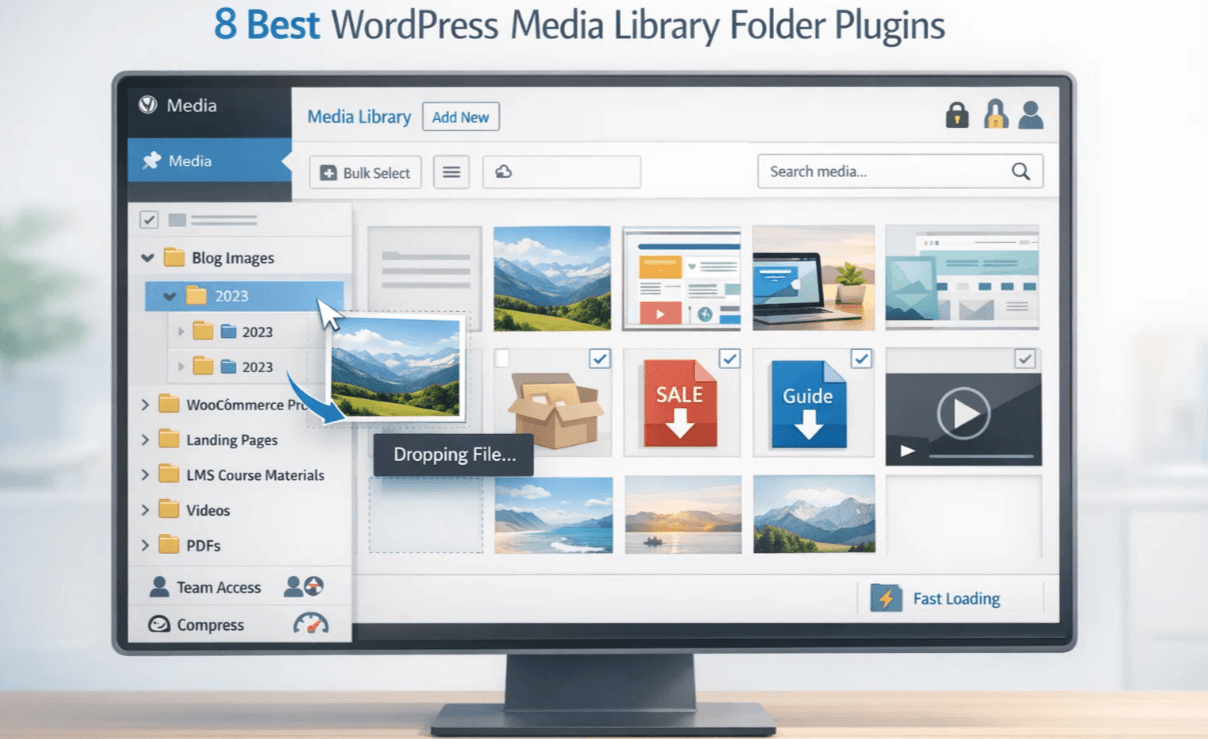
Managing a growing WordPress site with thousands of images, PDFs, and videos can be a chaotic nightmare. You will be wasting valuable time searching for that one specific file by scrolling endlessly. This is where the WordPress media library folder plugin becomes crucial for better folder and media file management.
The default WordPress media library won’t give you the freedom organize uploads except for basic settings. However, the WordPress media library plugin transforms your media library into an organized and efficient system.
They create a virtual folder and minimize your file size without breaking existing URLs. Thus, your workflow improves massively without affecting your site visitors.
After a thorough research, we’ve compiled the eight best media library folders plugins for WordPress. Each plugin comes with key features, honest pros and cons, and pricing information. This will surely help you choose the right one for your site’s specific needs.
Why You Need a WordPress Media Library Folder Plugin
The default WordPress media library sorts files based on month and year. However, this method works for small sites but fails when your library hits thousands of files. This means you need better file management for the following scenarios:
- Landing Pages
- WooCommerce products
- Course Materials in LMS sites
- Blog pages with lots of media-rich content
WordPress powers more than 43% of all websites, where most of them rely on images and downloadable files.
Poor file management costs your website publishing errors and a slow loading speed. However, a WordPress media library plugin can help you in:
- Create a folder-based structure
- drag and drop organization
- Faster file search
- Better team collaboration
So, larger websites can leverage these capabilities to increase operational efficiency.
Key Factors to Consider in a WordPress Media Folder Plugin
Before getting into the details of the plugins, let’s explore the features that you should focus on:
Ease of Use: The best wordpress media library folder plugin will offer an intuitive drag-and-drop interface. You will feel natural and user-friendly, which will speed up your process from day one. You won’t need a tutorial to move files between folders.
Folder structure flexibility: This option determines how organized you can get while maintaining thousands of files and folders. An ideal wordpress media library plugin offers unlimited folders and subfolders support so your system can grow with your site.
Performance Impact: This is crucial for your site to perform smoothly while maintaining files and folders. A poorly coded wordpress media folder plugin can slow down your site’s admin area. Quality plugin offers smart loading techniques to load one folder at a time to maintain performance.
Compatibility Issue: This feature ensures smooth operation with different tools used in your WordPress site. Your chosen plugin should work flawlessly with your page builder, whether you use Elementor, Divi, or the Gutenberg block editor.
Consider what you need from a wordpress media library folder plugin. Is it
- Bulk file movement,
- Import/export capability,
- File compression,
- User role permission,
- Frontend document libraries.
Availability of necessary features with the blend of performance speerates average plugin from the best ones.
Now, we will deep dive into the detailed description of our curated list of Media Library Folders Plugins for WordPress.
1. EasyMedia
Most of the wordpress media library folder plugin focuses on organizing the files users have already uploaded. EasyMedia solves this fundamental issue of getting large files into your library in the first place. It’s a unique hybrid solution that combines media management with server-side control.
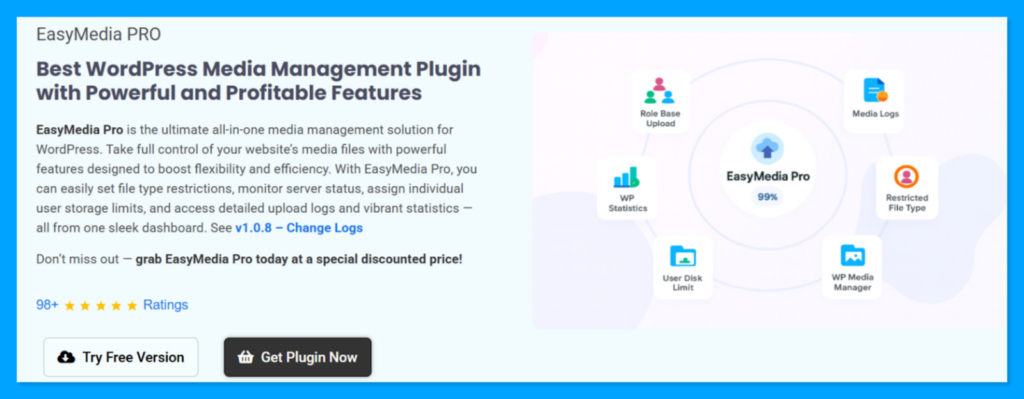
The plugin allows you to increase your WordPress media upload file size, maximum execution time, and memory limit. The dashboard showcases current server limtisa nd lets you adjust them right away. Besides, you can upload large videos, backup, or Zip file uploads even in a restrictive hosting environment.
Advantages:
- Increase upload limits to any value without editing PHP files or touching server configurations.
- Resolves the big file upload issue in your WordPress site.
- Role-based upload controls to let you set custom size limits for admins, editors, or authors individually.
- Increases maximum execution time to prevent timeout errors while handling large files.
- You can set file type restrictions for better security, storage, and mistake management.
Disadvantages:
- This wordpress media folder plugin mainly handles uploading rather than visual organization.
- Does not create folders or help categorize files after uploading
- You can’t override server hard limits
Price: Pro version starts from $29/year for a single site.
2. FileBird
FileBird is a very popular WordPress media library folder plugin with more than 200,000 active installations. It transforms your media library into an intuitive folder system that resembles how you organize files on your desktop.

You can create unlimited folders and subfolders using the free verison of FileBird. The plugin comes with a drag-and-drop interface for instant file handling. Thus, moving files won’t break any existing links on your site since the file URL remains intact.
Advantages
- Exceptionally clean interface with smart loading that displays one folder at a time to prevent lag, even with thousands of files.
- Right-click functionality for quick actions like creating subfolders, renaming, or changing folder colors.
- Seamless integration with all major page builders, including Elementor, Divi, and Beaver Builder.
- Works perfectly with multilingual plugins like WPML and Polylang.
Disadvantages:
- The free version limits you to creating only 10 folders, which creates a restriction for larger sites with complex organizational needs.
- Pro needed for organizing posts and pages into folders or exporting entire folders as ZIP files.
Price: Starts at $49/year.
3. Real Media Library
Real Media Library is a powerful wordpress media library folder plugin that supports complex folder structuring. Users get control over thousands of media files with custom file sorting within folders. It allows you to create not just folders, but also collections and galleries.
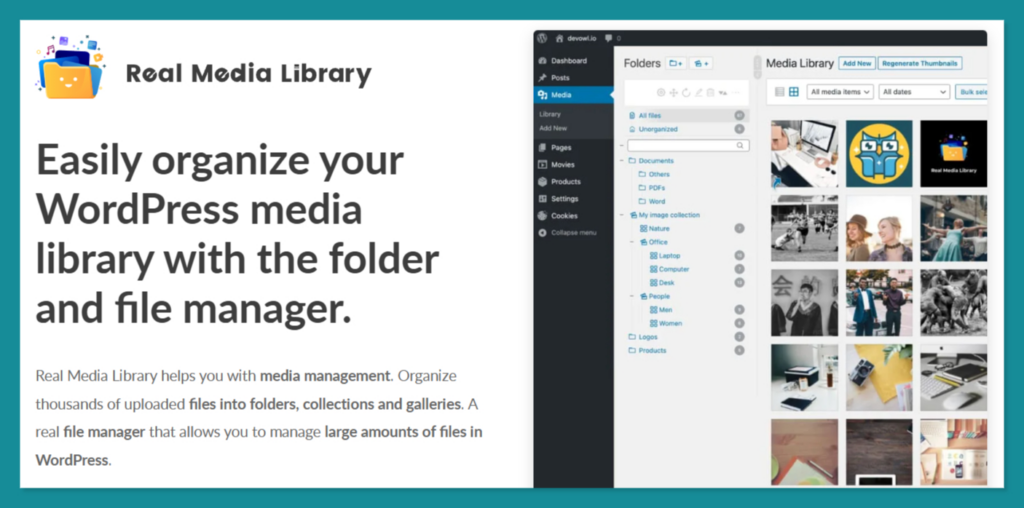
You can manually reorder files with drag-and-drop capability to ensure the most important image appears first. This wordpress media folder plugin maintains virtual folders to keep the existing post links intact even after moving files.
Advantages:
- Folder structure supports unlimited depth to allow creating sophisticated organizational hierarchies.
- Sort files manually within folders, which gives you more control than other plugins lack
- Provides detailed documentation and quick support.
- The collapsible tree structure and search function let you find the correct folder when adding new media.
Disadvantages:
- Interface feels more complex and less modern than newer competitors.
- Some users report that moving files can break links in third-party plugins that rely on specific file paths.
- Features like physical file organization and automatic renaming require additional plugins.
Price: Pro starts from 39 € for a single site.
4. Folders by Premio
Folders is a versatile WordPress media library folder plugin that extends its functionality beyond the media library. It aims to help you organize every aspect, from folders to media categories, for your landing pages.

You will get a straightforward drag-and-drop functionality that anyone can adapt and use in minutes. This is an excellent choice for marketing agencies managing complex sites with hundreds of pages.
Advantages:
- The free version offers unlimited folders, which is rare among media library plugins.
- Organize media, pages, posts, and custom post types all from one interface.
- Includes a handy media replace feature that lets you swap out files without breaking existing links.
- Fully GDPR compliant, collecting no personal data and sending nothing to remote servers.
Disadvantages:
- Interface feels slightly less polished compared to newer competitors.
- Most of the advanced features require the Pro version.
Pro: Starts from $69/year for a single site.
5. CatFolders
CatFolders is a lightweight wordpress media library folder plugin powered by a ReactJS interface. Thus, it brings in high-speed performance while media organization. You can create unlimited folders and drag files directly into them without any page reloads.
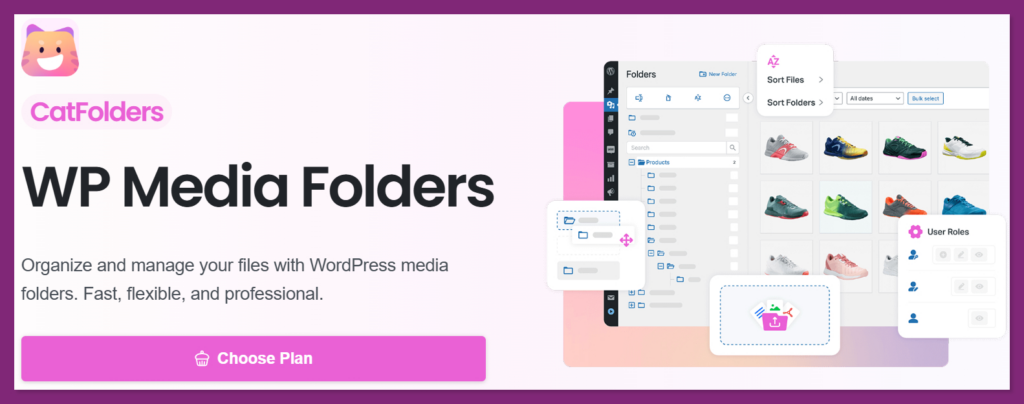
The plugin focuses on simplicity while offering powerful organization features that professionals prefer. CatFolder is the ideal alternative if you feel that your current wordpress media library plugin is slow.
Advantages:
- It uses a highly optimized database structure that ensures folders load instantly regardless of library size.
- The bulk move tool is very efficient, allowing you to re-categorize hundreds of items in seconds.
- It provides excellent compatibility with the latest versions of WooCommerce and modern page builders.
Disadvantages:
- It has a smaller community and fewer third-party tutorials compared to older plugins.
- The feature set is focused purely on folders, lacking the extra gallery tools found in Real Media Library.
Price: Starts from $79.00/year for a single site.
6. Media Library Organizer
Media Library Organizer is a robust yet flexible wordpress media library folder plugin. You can create an unlimited hierarchy of folders and subfolders to categorize images, videos, and documents. Users consistently praise its seamless integration with WordPress core functionality.
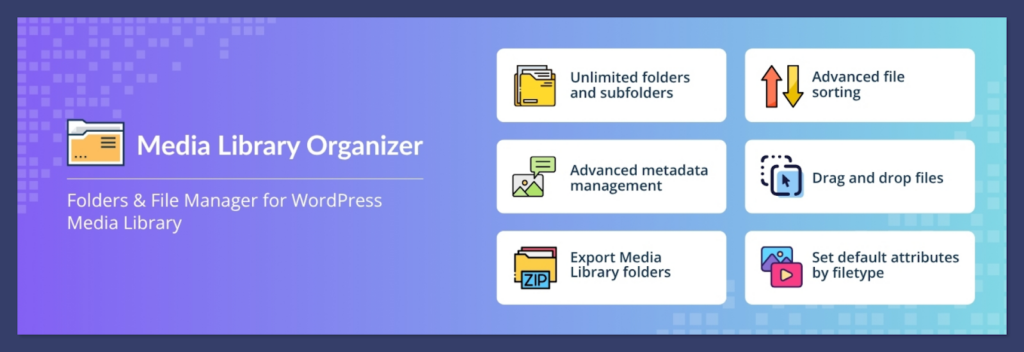
The drag-and-drop editor makes arranging files simple with the ability to export folders as ZIP files. Additionally, it allows you to automate metadata like Alt text and captions based on file types to speed up content creation.
Advantages:
- Unlimited folders and subfolders are completely free, with no hidden restrictions.
- Allows you to set default alt text, captions, and descriptions by file type, saving enormous time on SEO optimization.
- The folder structure remains visible and functional within major page builders (Elementor, Beaver Builder, Divi) and the Gutenberg editor.
- You can set default attributes (Alt text, descriptions, captions) by file type for SEO consistency.
- Built-in importers for competing plugins like FileBird, HappyFiles, and Wicked Folders
Disadvantages:
- Highly preferred AI-powered image categorization and automatic ZIP extraction are available in Pro.
- The initial setup can feel more complex than “plug-and-play” minimalist alternatives.
Price: Starts from $49 for a single site.
7. Wicked Folders
Wicked Folders stands out as a wordpress media library folder plugin due to its dynamic folder feature. It allows you to create smart folders that automatically group items with criteria like file type, date, or author.
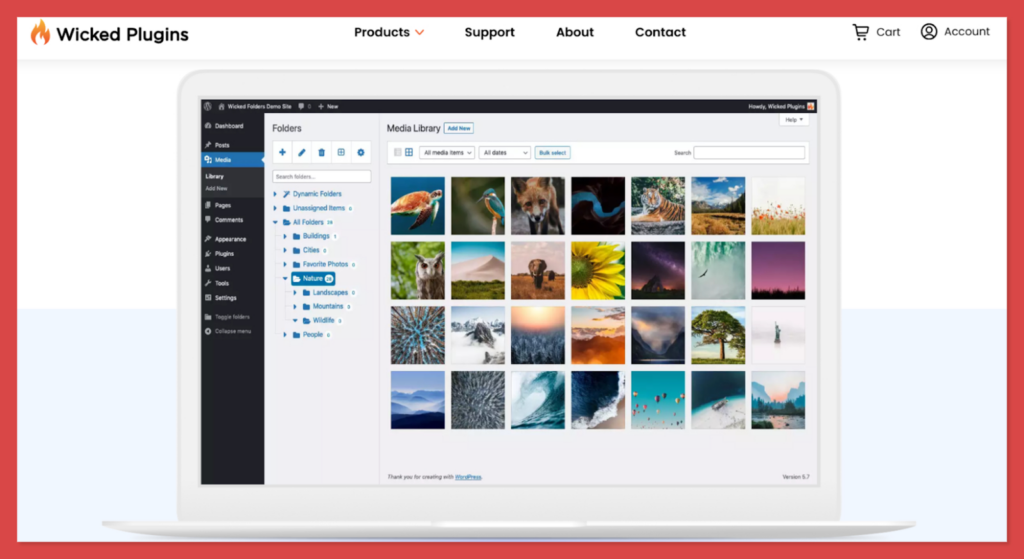
The Pro version offers more flexibility for organizing media library items, WooCommerce products, users, and more. It makes content management intuitive and visual by adding a resizable folder pane on the admin screen. You can create folders, assign colors to them, and organize with the drag-and-drop feature without breaking the URLs.
Advantages:
- The dynamic folder system updates in real-time as you upload new content.
- Supports organization for any custom post type, making it highly flexible for complex site architectures.
- You can reorganize folders by dragging the folders themselves to change the parent-child relationships easily.
- Assign items to multiple folders for maximum flexibility and organization
- Page Hierarchy dynamic folder lets you browse pages as if each parent page were a folder
Disadvantages:
- The dynamic filtering can put a slight load on the database if you have tens of thousands of files.
- Learning curve for dynamic folders and advanced features can overwhelm new users.
Price: Starts from $49/year for a single site.
8. Media Library Folders
Media Library Folders is an ideal wordpress media library folder plugin for those who prefer traditional file management. It allows you to create actual physical folders on your WordPress server to store your media assets.
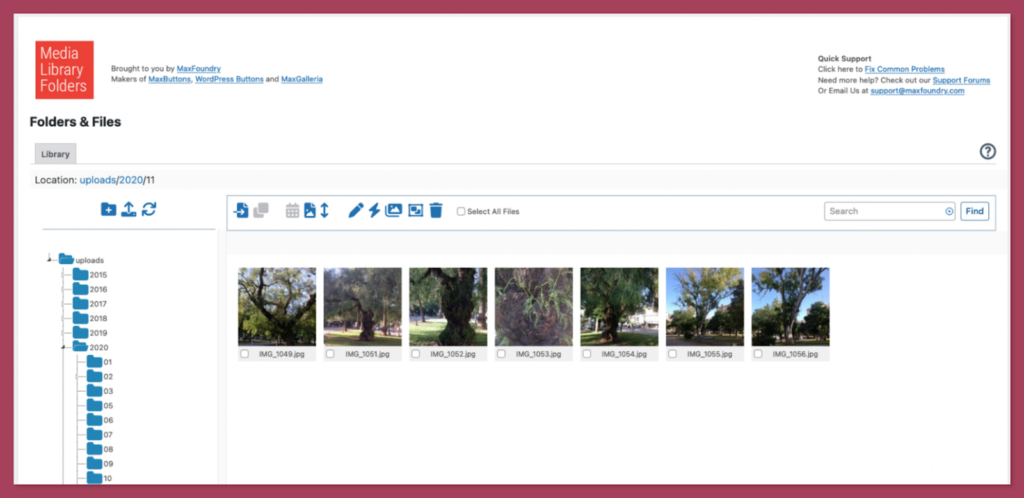
This approach is beneficial for those who frequently use FTP to manage their site files. The folder structure you witness in the dashboard matches your server directory. The plugin offers a smooth drag-and-drop interface for moving, copying, renaming, and deleting files.
Advantages:
- Synchronizes folders and files when you move items via FTP.
- Block direct access to selected media files to prevent unauthorized access
- Interface shows actual server directories, giving you complete transparency about where files reside
- Regenerate thumbnails and specify ALT and title attributes during upload for better SEO
Disadvantages:
- Moving files between folders changes their actual URL, which creates a risk of broken images on posts.
- The user interface is more functional and technical than “sleek.”
- Navigation between folder view and attachment details requires extra browser button clicks.
Price: Starts at $49/year for a single site.
Final Words
After reviewing these eight powerful options, you might wonder which one to install on your WordPress site. The answer depends on your WordPress site’s specific workflow and organizational goals.
- For sites that struggle with large file uploads: Start with EasyMedia to increase upload limits, execution time, and memory limit with one click.
- For overall usability and polish: Choose FileBird for its clean interface, right-click functionality, and seamless page builder integration.
- For unlimited folders without paying: Select CatFolders or Media Library Organizer. Both offer unlimited folders completely free.
- For organizing everything beyond media: Pick Folders by Premio or Wicked Folders to organize pages, posts, and custom post types alongside media.
- For complex hierarchies and power users: Use Real Media Library when you need sophisticated nested folder structures and manual file sorting control.
- For traditional file management preferences: Opt for Media Library Folders if you prefer actual server directories and frequently use FTP.
Investing in a WordPress media library folder plugin is highly effective for long-term productivity. A cluttered library is a hidden cost that drains your time and complicates every update. Start by installing a free version of one of these top-rated plugins today to see the immediate difference in your workflow.
Recommended Articles (Optional)
If you enjoyed this article, check out some of our other useful articles, where we share tips and tactics to grow your WooCommerce store and rate it from 0 to 100.
Here are a few you might find interesting:
14 Best WooCommerce Recurring Payment Plugins for 2026, where we’ve created a list of the best WooCommerce recurring payment plugin that creates the foundation for a sustainable subscription business.
10 Fastest One Page Checkout for WooCommerce Plugins (2026 Edition), where we have curated a list of the 10 best one-page checkouts for WooCommerce. These plugins reduce the checkout distractions and create a smooth user experience.
WooCommerce Instant Checkout: Sell Faster and Boost Conversions, where we have shown how WooCommerce instant checkout minimizes every extra field, page load, and clicks.
Is FastSpring Legitimate? How it Compares to WooPaddle for Secure Payments, where we have shown the legitimacy of the FastSpring payment platform when compared to the WooPaddle payment gateway.