
 February 10, 2026
WooCommerce Instant Checkout: Sell Faster and Boost Conversions
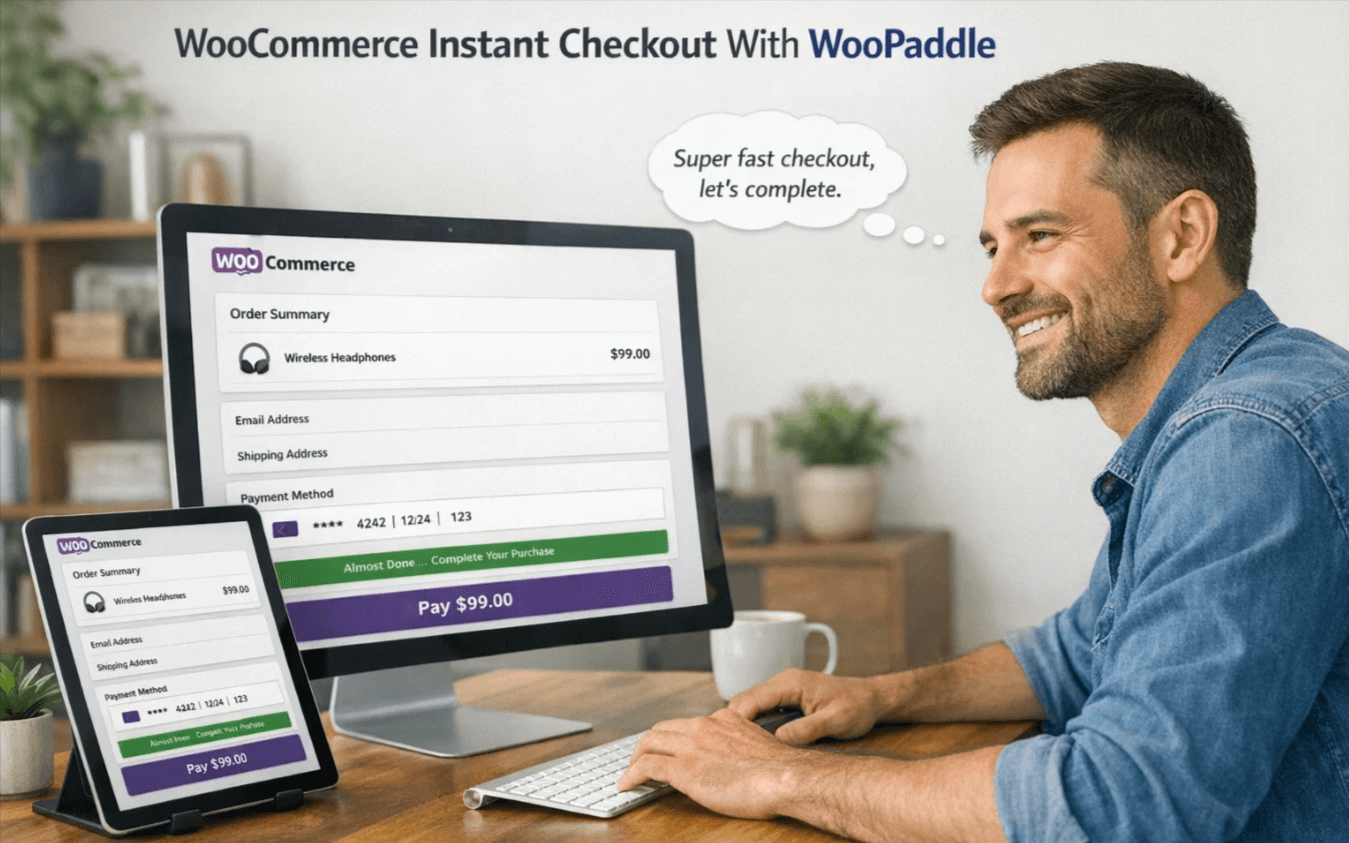
Every extra field, page load, and click in your WooCommerce checkout creates a distraction for a customer. WooCommerce instant checkout removes all those barriers by making the purchase process more flexible. It allows customers to complete the checkout process without any unnecessary steps.
Statistics show that the total cart abandonment rate exceeds 70% across all industries. However, a complex checkout process leads to a 24% cart abandonment rate. So, there is an opportunity for store owners who offer a flexible or quick checkout for WooCommerce.
WooPaddle for WooCommerce speeds up the checkout process that every customer expects. It replaces the traditional checkout process to boost sales and conversion.
This guide gives you a complete idea of why instant checkout for WooCommerce matters. Plus, you will learn the benefits of WooPaddle, the setup process, and best practices. Let’s dive in.
The Anatomy of a High-Converting Checkout
A lower conversion rate is the primary disadvantage of a slow checkout process. Modern-day customers expect speed and efficiency on every checkout flow. When your WooCommerce store forces them to reload the page or re-enter information, they leave. This is where WooCommerce instant checkout aligns most closely.
Multi-step Reduction
Traditional checkout requires customers to go through a multi-step sequence. Here are those usual steps:
- Adding a product to the cart.
- Viewing the cart.
- Proceeding to the checkout.
- Filling in the billing and shipping details.
- Selecting payment method.
- Reviewing the order.
- Confirming purchase.
This is a lengthy process where every click means a customer can abandon the purchase process. So, you can minimize these steps to reduce clicks and increase completion rates. WooCommerce instant checkout minimizes the number of steps required to complete the payment process.
Psychology of Speed
Customers value immediate gratification when it comes to completing a purchase process. When a customer decides to purchase, you should provide the fastest path to completion. A slow process creates doubt in the customer’s mind. However, instant purchasing transforms impulse into action immediately.
Google research indicates that a 1-second delay can lead to a 20% reduction in conversion rate. Customers also face delays when they have to navigate several pages to complete a purchase.
However, WooCommerce instant checkout reduces:
- Unnecessary page loads.
- Waiting time to purchase.
- Decision fatigue of buyers.
When buyers add a product to the cart, their buying intent is at its peak. A quick checkout for WooCommerce grabs that intent before the customer doubts any step.
Mobile Optimization
Currently, mobile shoppers visit more WooCommerce stores than desktop shoppers. They need a quicker, easier interface when visiting your store on a smaller screen. WooCommerce instant checkout can offer them an easier shopping experience within a single page.
Instant checkout for WooCommerce ensures you capture sales from every device. It eliminates lengthy form-filling steps, keeping your customers focused on the checkout flow.
Why Choose WooPaddle for WooCommerce Instant Checkout
WooPaddle integrates instant checkout for WooCommerce stores with no complex setup. You can enable a one-click buy button on your product pages, carts, or any post. It allows customers to enter their payment details once and buy instantly without forms or redirects.
WooPaddle focuses on speed and flexibility with quick checkout for WooCommerce. Let’s explore the key benefits that WooPaddle offers for WooCommerce instant checkout:
Drastically Reduced Cart Abandonment: Cart abandonment is the silent killer of every WooCommerce store that wants to sell. The primary reason is to show extra costs or to complicate the checkout process. WooPaddle reduces cart abandonment in WooCommerce by removing steps that frustrate customers.
WooCommerce instant checkout by WooPaddle keeps customers engaged until the transaction is successful. The short path in checkout completes orders via Instant payment with WooCommerce. It’s also beneficial for impulse buys and limited-time offers.
Enhanced User Experience: Customers who have a positive shopping experience will return to your store for repeat purchases. Customers trust your store when it offers an easy-to-use interface. WooPaddle’s quick checkout for WooCommerce makes the buying journey easier for customers. It shows your respect for customers’ time, which motivates them to come back again.
Increased Average Order Value: A shorter purchase process motivates customers to either purchase more or complete the process more quickly. Instant payment with WooCommerce makes it easy for customers to say yes to more products.
Key Features That Drive Results
WooCommerce instant checkout by WooPaddle offers specific features designed to maximize speed and efficiency.
- One-Click Purchasing: Customers can buy instantly without multiple steps. This reduces distraction and motivates them to complete the purchase.
- In-Place Checkout: The entire transaction occurs without leaving the product page. No annoying page redirects exist to distract the buyer.
- Flexible Placement: You place the checkout button anywhere. Use it on product pages, blog posts, or custom landing pages.
- Dynamic Customization: Customers manage product quantity and apply discounts before initiating the purchase.
- No page redirects: Checkout happens without sending users away from the current page.
- Quantity and discount control: Buyers can select quantities and apply offers before payment.
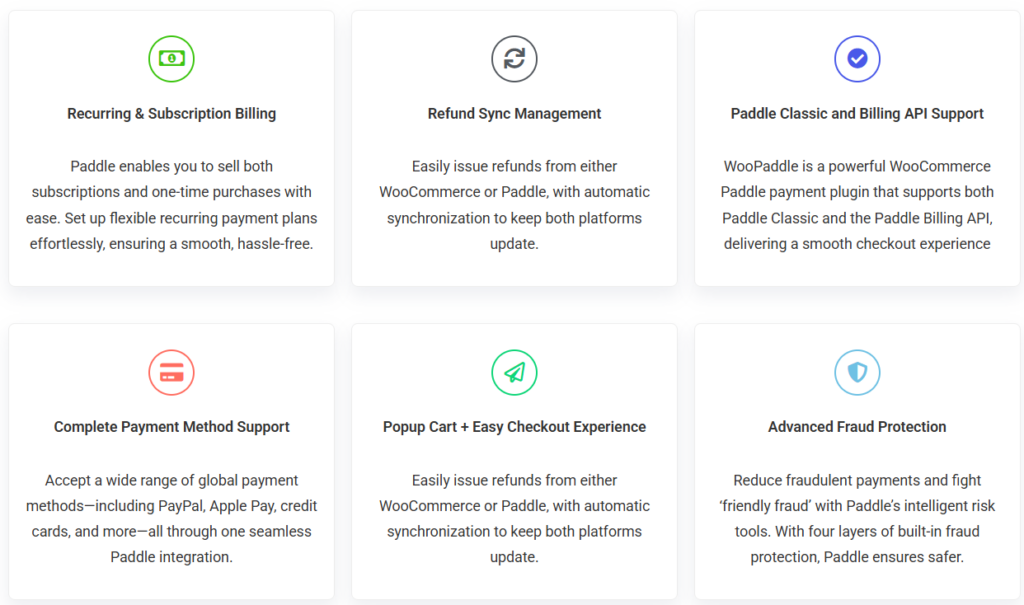
Standard checkout loses impulse buyers since they have to go through several steps. With WooPaddle, a shopper sees a shirt, clicks buy, adjusts size/color/quantity, and pays instantly.
WooPaddle also works perfectly in high-traffic WooCommerce stores. It successfully handles events like Black Friday without any slowdown on checkout flow.
How to Set Up WooPaddle Instant Checkout for WooCommerce
You can set up WooCommerce instant checkout with WooPaddle within a few minutes. Here are the steps you can follow:
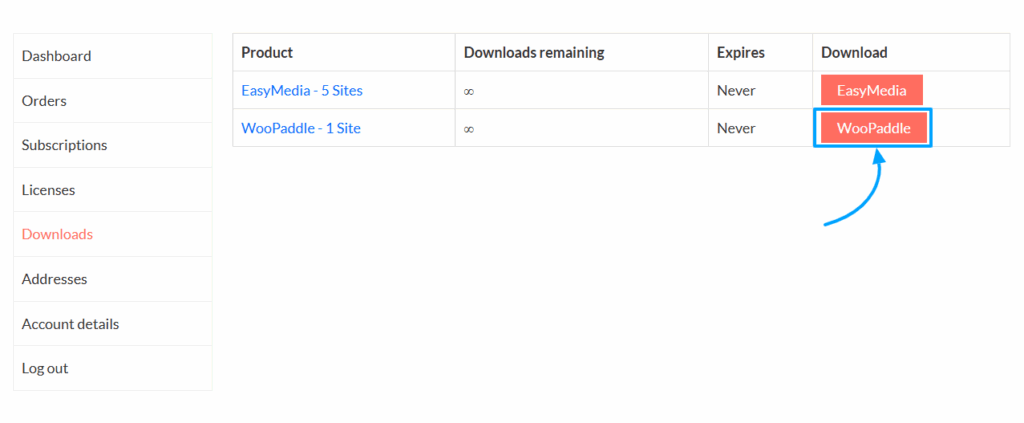
- Download WooPaddle Plugin: Download the WooPaddle plugin from the official website. Go to CodePopular.com -> My Account -> Download.
- Upload the ZIP via Plugins >Add New in WordPress. Install and activate it in your WordPress dashboard.
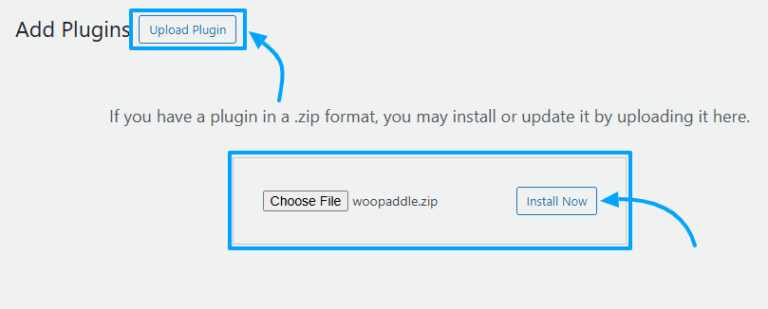
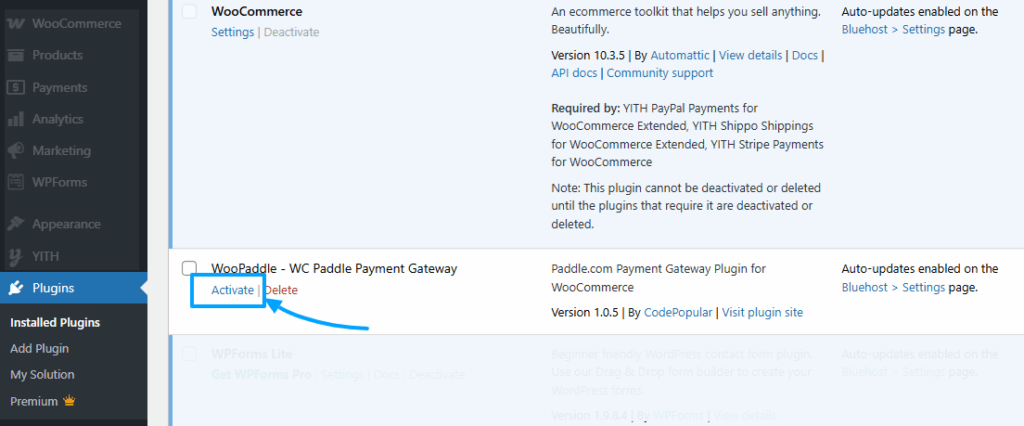
- Activate WooPaddle Plugin: Navigate to the Plugins > Installed Plugins> WooPaddle. Then click Activate
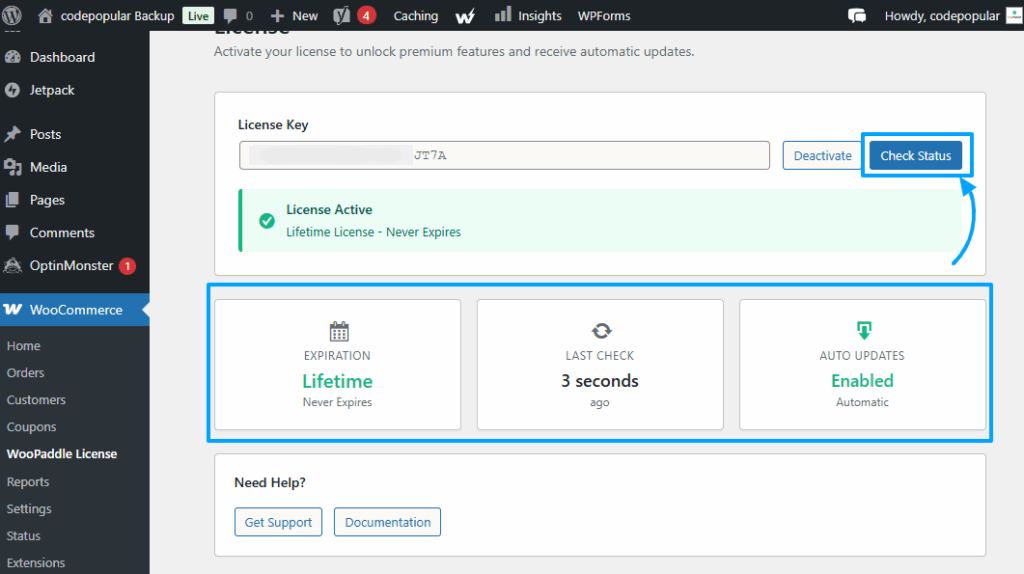
- Go to WooCommerce > WooPaddle License and activate the product with the license.
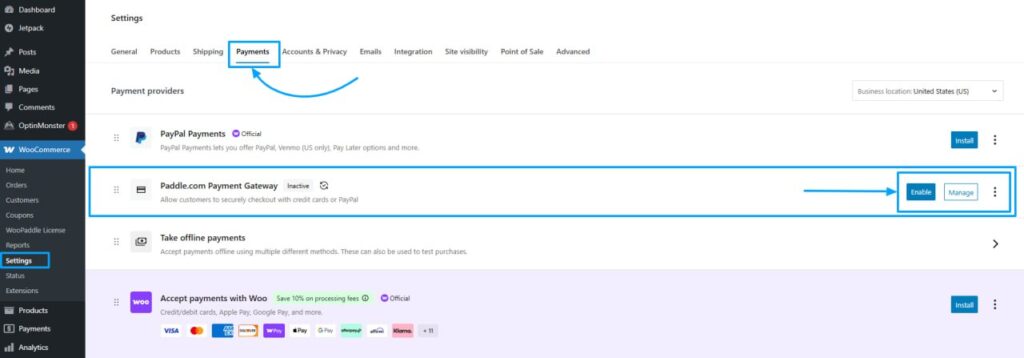
- Configure Payment Settings: Log in to your WordPress Admin Dashboard, then go to WooCommerce → Settings → Payments, locate Paddle.com Payment Gateway in the list, and click Enable or Manage to configure it.
- Test and Go Live: Run test transactions to confirm that the payment process is working properly. Next, publish changes and start accepting instant payments with WooCommerce. This is WooPaddle’s one-page instnat checkout that removes all distraction and keep customers engaged.
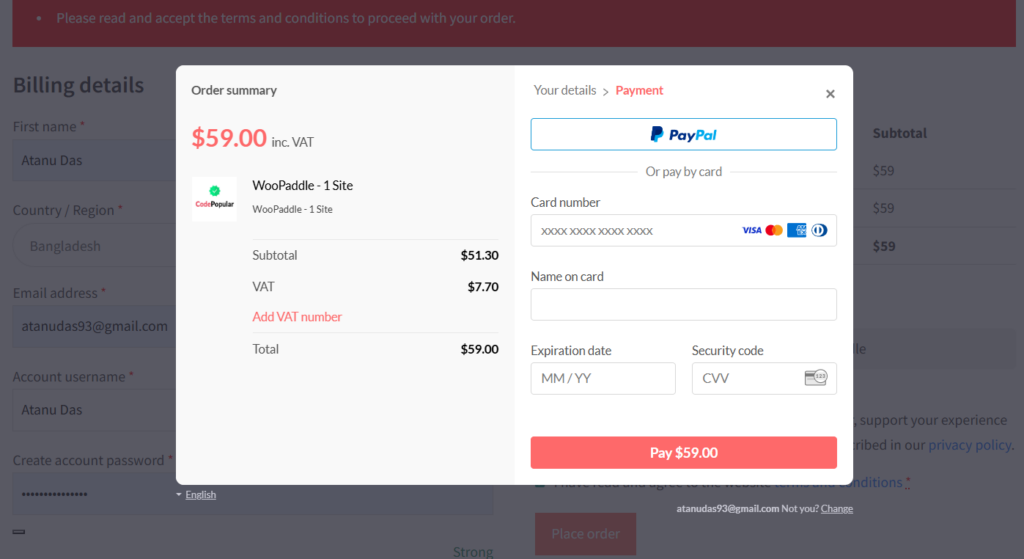
Upcoming WooCommerce instant checkout features:
- Add Instant Checkout Buttons: WooPaddle is working on an instant checkout button. You can Insert the instant checkout button where conversions are important at your store. Usually, this button is placed on product and landing pages. You can use a shortcode to place the button on your preferred pages. Moreover, you can drag the Gutenberg block to posts.
- Configure Pricing, Quantity, and Discounts: In button settings, you can set pricing rules, quantity selectors, and promotional discounts. Do not forget to preview the output in the frontend.
Best Practices to Maximize Conversion
Here are some best practices for getting higher conversion with WooPaddle instant checkout for WooCommerce :
- Strategic Button Placement: Place the checkout button above the fold or near the product descriptions.
- Combine with Discounts: Combine the instant checkout with limited-time offers to create a sense of urgency in the customer’s mind.
- Mobile Optimization: Ensure that the checkout or buy buttons are easy to tap on mobile devices.
- A/B Testing: Experiment with button colors, text, and placement to see what motivates customers to complete their purchase.
- Clear CTAs: Use action-driven text like “Buy Now” or “Instant Checkout.”
Best Use Cases for WooCommerce Instant Checkout
WooCommerce fast cart option by WooPaddle is not limited to a single store type. It works best for:
- Selling Digital products such as plugins, themes, and more.
- Subscription-based services
- One-product stores
- Limited-time promotions and flash sales
- Content-driven funnels with blog or ad traffic
WooCommerce Instant Checkout vs Traditional Checkout
The following table shows the comparison between WooCommerce instant checkout and the usual checkout process:
| Feature | Instant Checkout for WooCommerce | Traditional Checkout Process |
| Number of Clicks | One click to purchase | Multiple clicks and page loads |
| User Experience | Seamless and fast | Slow and fragmented |
| Page Redirection | None (stays on product page) | Redirects to cart and checkout pages |
| Conversion Rate | High (immediate action) | Lower (opportunity for abandonment) |
| Cart Abandonment | Significantly reduced | High (average 70% loss) |
| Mobile Suitability | Excellent for small screens | Clumsy and frustrating |
| Data Entry | Minimal (uses saved details) | High (manual entry required) |
| Best For | Impulse buys, digital goods | Complex or high-value items |
Final Thoughts on WooCommerce Instant Checkout
Every extra step in your checkout process can reduce your conversion opportunity. Instant checkout for WooCommerce removes those barriers to speed up your sales process.
WooPaddle is the perfect plugin that reduces checkout steps to eliminate delays. It helps you place the checkout button where customer intent is highest. Start using WooPaddle without any second thought to provide a fast and easy checkout experience that your customers deserve.
Recommended Articles (Optional)
If you enjoyed this article, check out some of our other useful articles, where we share tips and tactics to grow your WooCommerce store and rate it from 0 to 100.
Here are a few you might find interesting:
- How to choose the best payment gateway in WooCommerce, where the WordPress Media Library stores every image, video, audio file, PDF, and document you upload.
- WooCommerce vs Shopify: Which is Better for Beginners?, where you’ll be given a comprehensive comparison between WooCommerce and Shopify, including pricing, convenience, control, and payment methods.
- Best WooCommerce PDF Invoice and Shipping Documents Plugins, where we’ll look at some of the top plugins available, simplifying your search for the most effective solutions to manage your WooCommerce store’s document generation process.
- 5 BEST WOOCOMMERCE PLUGINS TO INCREASE SALES, 4TH ONE IS THE BONUS, Wher you will get a curated list of some of the essential WooCommerce plugins to level up your online store.