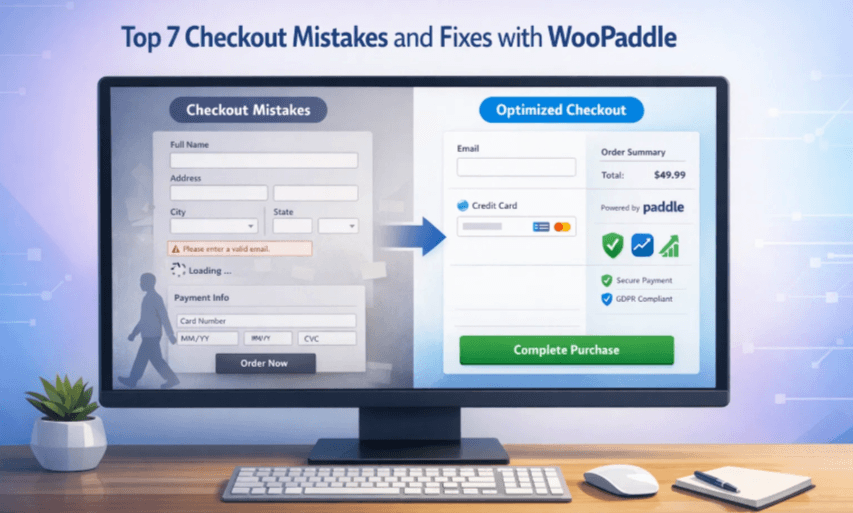
Top 7 Checkout Mistakes That Kill Sales and How Paddle Fixes Them
The average cart abandonment ratio is exceeding 70%, which mostly happens due to checkout mistakes. People add products to their cart and abandon the cart at the final moment during the checkout process. This is where you lose sales without knowing the exact reason.
Table of Contents
The checkout page is the critical place where most of the damage happens due to structural errors. You need to maintain trust, tax compliance, and flexibility, which requires different approaches. You can implement those approaches by using WooPaddle to utilize Paddle as the payment gateway.
Let us walk through the seven most damaging checkout mistakes and show you exactly how WooPaddle solves each one.
Mistake 1: Redirect-Based Checkout That Destroys Trust
You’ve seen this type of checkout issue where you don’t trust a shop for being redirected to a different page. A customer goes through the following steps –
- Adds items to their cart
- Clicks the checkout button
- Gets redirected to an unfamiliar page
The layout of the page where they land completely changes with a different branding logo. This is the checkout mistake where customers get uncertain about the purchase and mostly abandon the store.
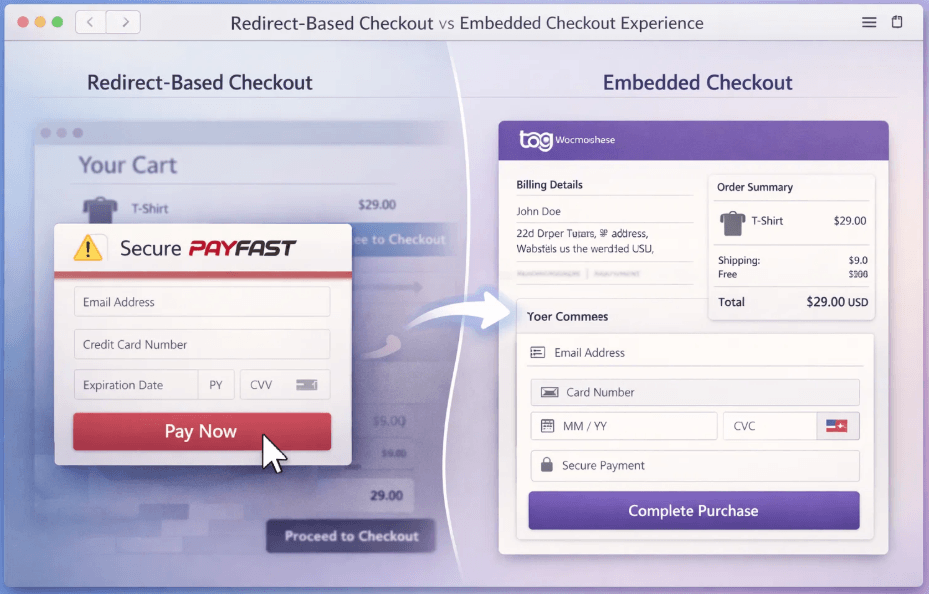
This checkout problem confuses the customer by redirecting to a different or third-party site. The visual disruption triggers a psychological alarm with distrust. Customers start wondering if they landed on a fake site or if their payment details will be safe. The connection between the payment gateway and your store’s existence is crucial.
The Solution with WooPaddle
WooPaddle is one of the best checkout plugins that fixes this checkout mistake with topmost priority. It offers a fully embedded on-site WooCommerce checkout experience. Customers complete their purchase with the following benefits:
- Directly on your WooCommerce checkout page without any redirects.
- The payment form is responsive, localized to their currency and language,
- The checkout integrates seamlessly with your store’s design.
- One-page checkout layout that keeps your customer within the website.
This is how customers’ trust stays intact because the customer never leaves their familiar shopping environment.
Note: Learn about some of the best payment processing plugins for WooCommerce.
Mistake 2: Forced Account Creation Wall and Complex Forms
Forcing a user to create an account before they can pay is one of the most common checkout mistakes. It signals to the customer that their time is less valuable than your data collection goals. Even guest checkout options often require filling out lengthy forms with many details before payment is validated.
Most shoppers view this force registration as a hurdle since they need to verify their emails. Plus, they need to create another password for the account, which they eventually forget.
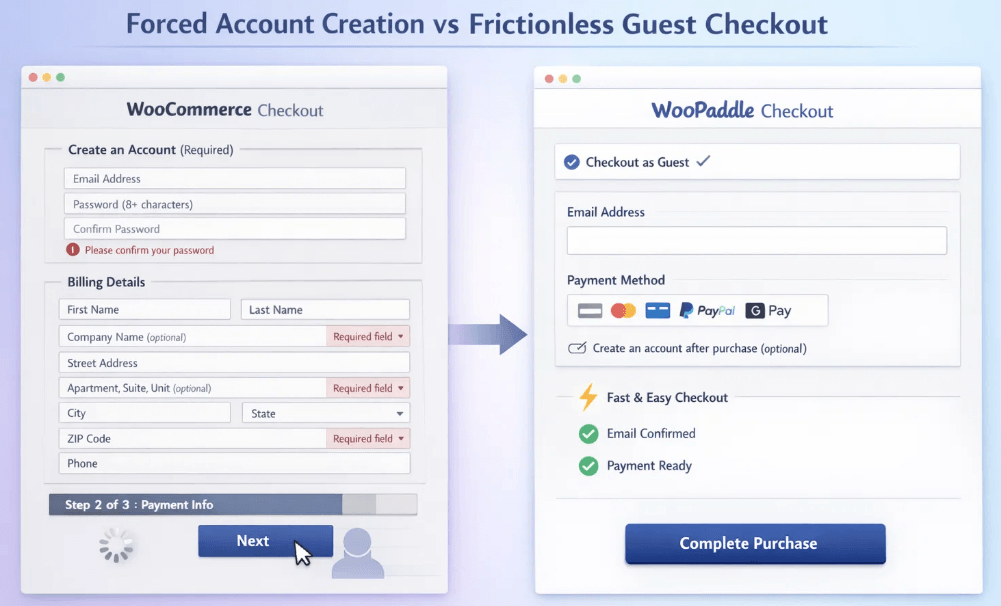
Every extra field at the checkout creates an opportunity for cart abandonment. Customers want the shortest path to pay and receive their product. Thus, forcing them to go through unnecessary steps disrupts the natural flow of the checkout process.
The Solution with WooPaddle
WooPaddle fixes this checkout mistake by delivering a flexible checkout experience with the following features:
- It reduces the checkout fields to the absolute minimum with the necessary info.
- It integrates with the familiar WooCommerce checkout to offer a familiar interface.
- The checkout as a guest option comes by default with the account creation step after the purchase.
The account creation process can start from the Thank You page when the dopamine hit of the purchase is high. The outcome is a frictionless path from adding to the cart to confirming the purchase.
Mistake 3: Lack of Payment Options For Global Buyers
Adding generic payment options like PayPal and Apple Pay is not enough for international sales. Here is what stores expecting global sales should think about-
- A customer in Brazil can expect the Pix payment gateway.
- A customer in India expects UPI.
- A customer in the Netherlands wants to use iDEAL
- A shopper in Germany expects Giropay.
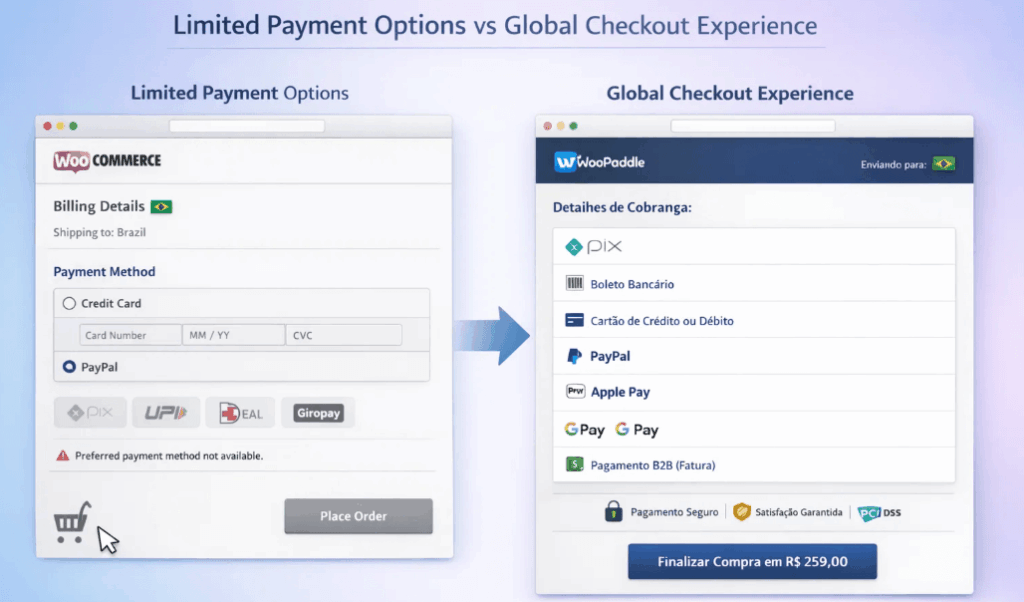
High-value B2B buyers expect net terms and invoicing in their expected payment options. They will leave the store without getting the payment option they prefer.
The Solution with WooPaddle
WooPaddle gives you access to all payment methods that Paddle’s payment infrastructure supports. This means you can avoid checkout mistakes and get the following benefits:
- Local payment methods based on the customer’s IP address.
- Payment through credit and debit cards.
- PayPal, Apple Pay, Google Pay, and more.
- Digital wallets, local wire transfers.
- B2B invoicing with net terms.
This localization removes the “foreign” feel of the transaction and increases successful conversions.
Mistake 4: Poor Optimization for Checkout on a Small Screen
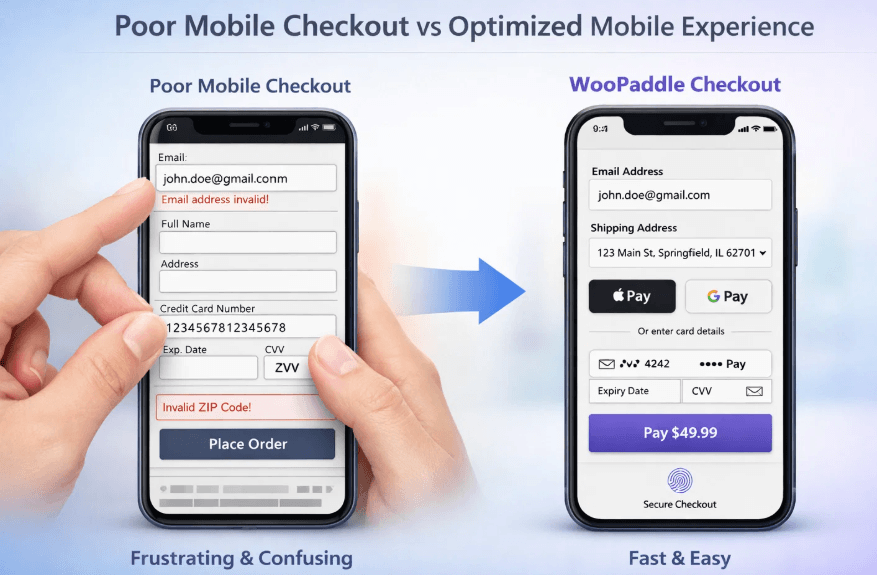
It’s important to convert mobile users since mobile commerce is going to exceed 59% of total online sales. If your checkout on a smartphone requires the user to pinch, zoom, or struggle with tiny form fields, they will quit. Thus, your checkout for mobile devices must be designed for thumb instead of mouse clicks.
Here is what stores should consider to avoid checkout mistakes and optimize checkout on mobile:
- Form fields that are too small frustrate users.
- Buttons that are difficult to tap accurately increase errors.
- Cramped text forces customers to zoom in and often leads to typos.
- The overall checkout on a smartphone feels like a chore, causing cart abandonment.
The Solution with WooPaddle
WooPaddle solves this checkout mistake with a mobile-responsive overlay designed specifically for checkout on mobile. Here’s how you can avoid this checkout mistake:
- Large touch targets that are easy to tap with a thumb.
- Smart defaults and autofill to minimize typing.
- Support for one-touch payments like Apple Pay and Google Pay.
- Seamless biometric authentication for checkout on a smartphone.
WooPaddle helps customers to complete the purchase process quickly instead of fighting with forms or buttons.
Mistake 5: The “Broken” Checkout Button and Technical Latency
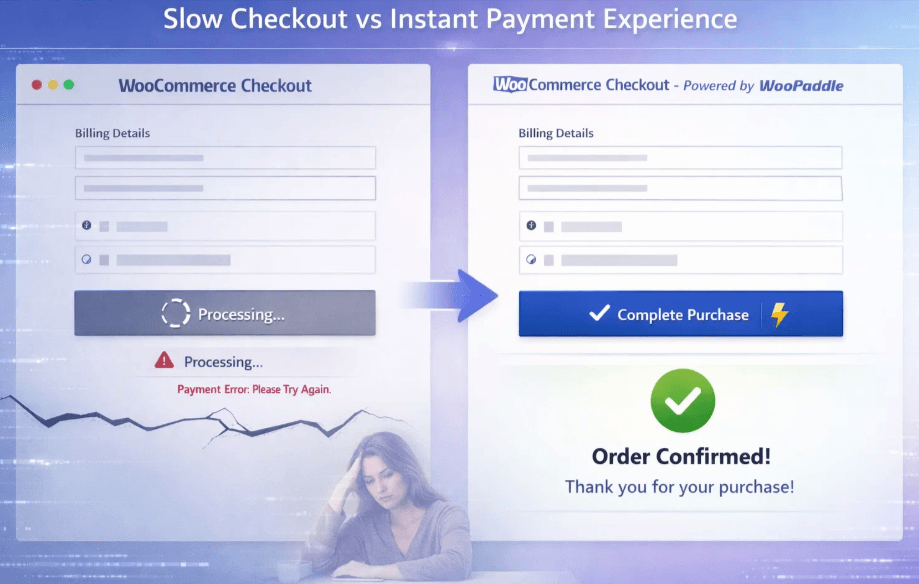
A slow checkout leads to an unresponsive checkout process that doesn’t convert. A customer feels insecure when a checkout button takes more than three seconds to load the next step. Standard WooCommerce checkout mostly lags since it processes dozens of scripts and database queries in the background.
Here is what store owners should consider to deal with this checkout mistake:
- Delays longer than three seconds create the perception of a broken checkout.
- Customers lose trust when payments feel insecure or unstable.
- Heavy WooCommerce scripts and database queries slow down the checkout button response.
- Latency during peak traffic events like Black Friday leads to mass cart abandonment.
The Solution with WooPaddle
WooPaddle minimizes the heavy lifting to Paddle’s high-performance servers to remove this checkout mistake. Here’s what you gain to avoid the checkout mistakes:
- Payment processing is handled off-site or via a lightweight overlay.
- Checkout remains snappy and reliable even under heavy traffic.
- Customers experience instant feedback when clicking the checkout button.
- Reduced technical fragility compared to standard WooCommerce setups.
This optimization removes the “broken checkout” perception and ensures customers complete their purchase confidently. A fast, reliable checkout experience translates directly into higher conversions and stronger customer trust.
Mistake 6: Broken Subscription Management and Involuntary Churn
Most effective online stores are currently focusing on one-time purchases, which is crucial. However, ignoring the subscription renewal cycle is a checkout mistake since it ensures recurring revenue.
The default WooCommerce setup cancels the subscription when it comes to renewal. Thus, you lose customers who are expecting automatic payment and subscription renewal.
Here is what store owners should consider when dealing with subscription churn:
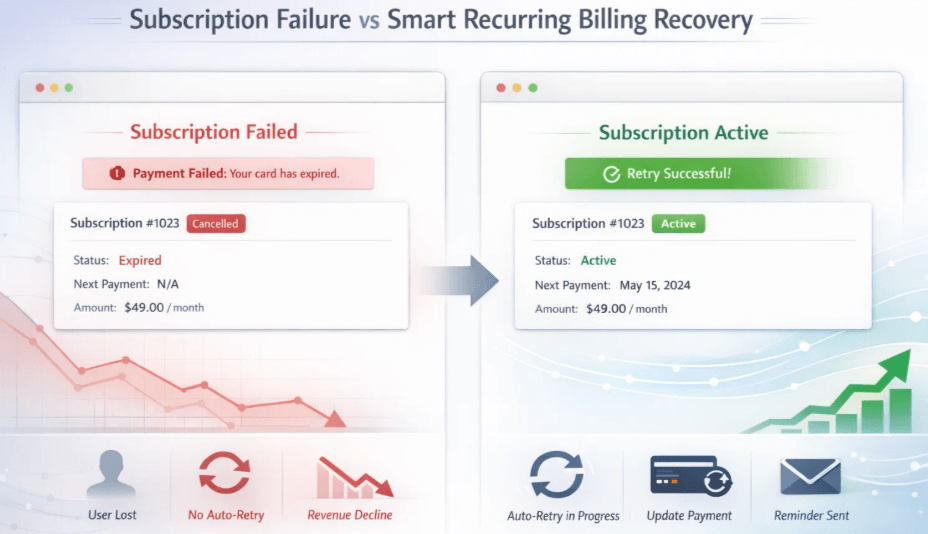
- Involuntary churn is a silent revenue killer.
- Failed payments due to expired cards, insufficient funds, or minor technical issues account for a large share of lost subscription revenue.
- Without intelligent retry logic and dunning management, customers are lost through no fault of their own.
Here, the failure actually lies in the system, not the customer relationship.
The Solution with WooPaddle
WooPaddle includes full subscription and recurring billing support to avoid this checkout mistake. It stays synchronized with WooCommerce Subscriptions. Here’s what you gain:
- Paddle’s dunning management system automatically retries failed payments.
- Intelligent timing based on global banking patterns improves recovery rates.
- Customers can update expired cards or resolve bank flags without losing access.
- Robust two-way sync between WooCommerce and Paddle ensures complete visibility into subscription health.
This optimization transforms failed renewals from a dead end into a retention opportunity. WooPaddle’s subscription management allows you to recover revenue that would otherwise be lost.
Mistake 7: One Size Fits All Checkout for Mixed Product Types
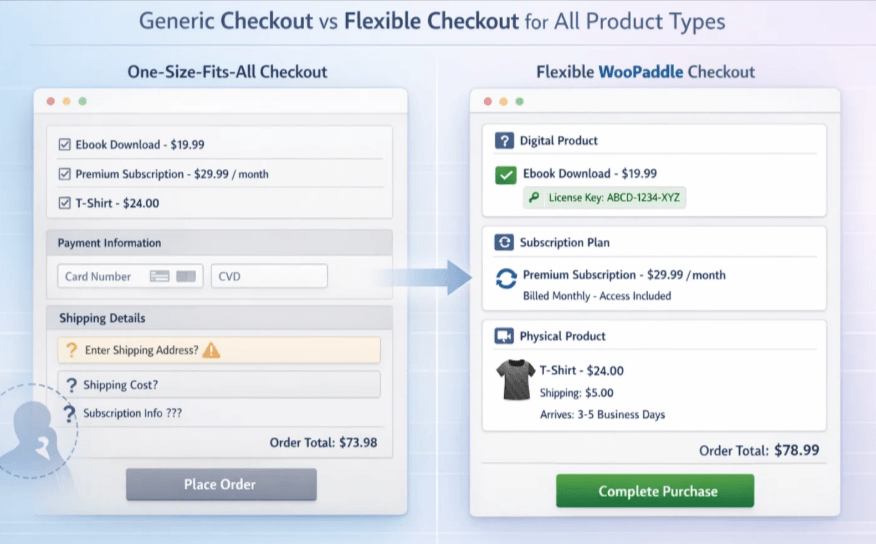
Digital products, SaaS subscriptions, and physical goods are three different product types. These products have their own checkout requirements that most stores don’t maintain.
Here is what store owners should consider when dealing with mixed product types:
- If you are selling software, you need to deliver the license key during the checkout process.
- SaaS businesses require access provisioning and subscription lifecycle management.
- Physical products require transparent shipping calculations and inventory tracking.
Most payment plugins handle the checkout process for one product type. This leaves customers with confusion and friction, which leads them to abandon the cart.
The Solution with WooPaddle
WooPaddle is built for all product types. Here’s what you gain:
- Automated license key delivery for digital products.
- Full subscription and recurring billing support for SaaS.
- Seamless access provisioning for software customers.
- Compatibility with WooCommerce shipping, inventory tracking, and order management for physical goods.
- Unified checkout for mixed stores selling both digital downloads and physical items.
- Support for both the Paddle Classic API and the new Paddle Billing API, ensuring compatibility with the latest subscription features.
This flexibility removes the “one size fits all” limitation to match the product types with the checkout process. Customers will get the exact checkout process, whether it’s for software access, subscription renewals, or accurate shipping. This helps avoid this checkout mistake to gain higher satisfaction and stronger conversions.
How WooPaddle Resolves Checkout Mistakes Compared to Other Solutions
| Checkout Mistakes | WooPaddle Solution | Standard WooCommerce Payment Gateways | Redirect Based Plugins |
| Redirect-Based Checkout That Destroys Trust | Embedded on site checkout with consistent branding | Redirects to external pages | Redirects to unfamiliar third-party portals |
| Forced Account Creation Wall and Complex Forms | Guest checkout by default; account creation after purchase | Often forces registration | Mixed; many require account creation |
| Lack of Payment Options For Global Buyers | Local payment methods; B2B invoicing; digital wallets | Limited options; multiple gateways needed | Credit cards and PayPal only |
| Poor Optimization for Checkout on a Small Screen | Mobile responsive overlay; large touch targets; biometric payments | Requires pinching and zooming | External pages poorly optimized for smartphones |
| The Broken Checkout Button and Technical Latency | Offloads to Paddle servers; instant response | Slows due to WooCommerce scripts | Redirect adds extra latency |
| Broken Subscription Management and Involuntary Churn | One Size Fits All: Checkout for Mixed Product Types | Dunning management; automatic retry logic; customer self-service | Sync often breaks; high churn |
| One Size Fits All Checkout for Mixed Product Types | Unified checkout for digital, SaaS, and physical goods | Cancels on the first failed payment | Basic support; fails for mixed stores |
Wrapping Up: Fix Your Checkout Mistakes With WooPaddle
Trying to solve all checkout mistakes manually is a recipe for burnout and lost profit. You can spend weeks debugging AJAX errors, configuring tax settings, and testing payment gateways. On the other hand, you can install WooPaddle. This plugin allows Paddle’s infrastructure to resolve the checkout strategy mistakes we’ve mentioned and maintain a smooth flow, improving conversion.
WooPaddle gives you a complete checkout infrastructure that handles –
- Global tax compliance for your store.
- Failed payments recovery with dunning management.
- Fraud protection to avoid chargebacks.
- On-site checkout that builds trust.
- Two-way sync with a dashboard that reflects reality.
The checkout mistakes listed here are common, but they are not inevitable. With WooPaddle, you can eliminate them entirely and start converting more browsers into buyers.
Recommended Articles (Optional)
If you enjoyed this article, check out some of our other useful articles, where we share tips and tactics to grow your WooCommerce store and rate it from 0 to 100.
Here are a few you might find interesting:
Migration from Paddle Classic to Paddle Billing: A Comprehensive Blueprint for 2026, where we’ve shown the easiest path to migrate from Paddle Classic to Paddle Billing for WooCommerce store owners.
How to Integrate Paddle for WordPress: The Fastest Method, where we’ve shown how WordPress users can easily integrate the Paddle payment gateway in their WooCommerce website within minutes.
8 Best WordPress Media Library Folder Plugins, where we’ve added a list of the best WordPress Media Library Folder Plugins that will help manage your files more efficiently and keep your media organized.
14 Best WooCommerce Recurring Payment Plugins for 2026, where we’ve created a list of the best WooCommerce recurring payment plugin that creates the foundation for a sustainable subscription business.
 SHAMIM HASAN