Start Selling Online Course with Paddle to Automate Your Taxes & Growth
Selling online courses has become a rapidly growing digital business model that requires more than a curriculum. You need a reliable payment and text system that keeps transactions smooth, legal, and global. Otherwise, you will be spending more time managing payments than building content.
Table of Contents
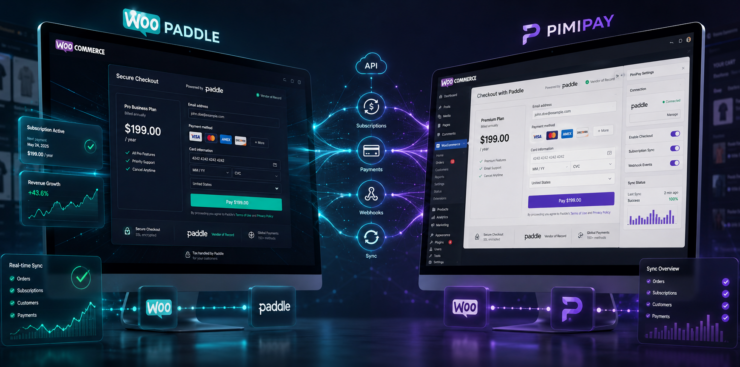
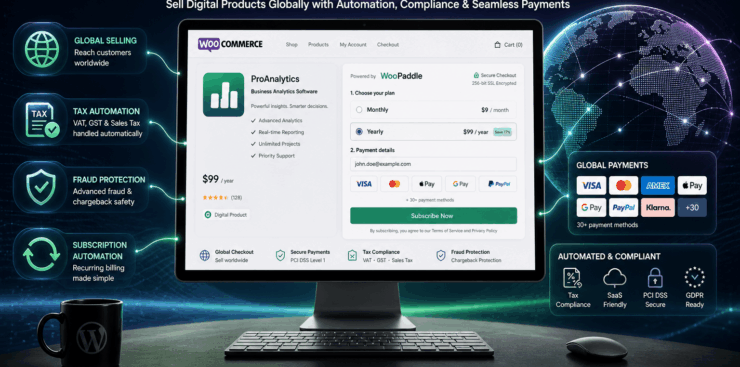
This is where the Paddle payment gateway acts as the Merchant of Record for your online course-selling site. Paddle collects remits and files taxes for so many countries where you can sell online courses globally. The WooPaddle connects the paddle and WooCommerce to keep things easier for WordPress site owners.
This article walks through why Paddle works for course sellers and how to sell online courses with WooPaddle. Plus, we will share some pricing strategies that grow recurring revenue. You focus on content and growth while Paddle handles the rest.
Why Standard Payment Gateways Fail When Selling Online Courses
When selling online courses, most creators and store owners assume that their default checkout is enough. However, WooCommerce, PayPal, or Stripe fail to handle complex requirements.
This means you need to handle tax liabilities, failed subscriptions, and high cart abandonment in your WooCommerce store. You ultimately become burdened with administrative tasks rather than teaching and scaling your online course-selling business.
Here’s why you struggle when it comes to selling online courses:
Compliance issue: WooCommerce doesn’t offer international tax rules on its checkout process. A single sale to France triggers VAT obligations, while selling to Australia adds GST. Therefore, you face audits and costly compliance issues without automation
No tax automation: PayPal doesn’t offer any tax support, and Stripe’s Tax feature still leaves you liable. Therefore, you need to register, file, and pay for each location where you are selling. This requires manual effort, which kills your productivity toward course creation.
Weak subscription management: The membership renewal feature is lacking in most of the traditional payment gateways. Standard gateways allow one retry for canceling, which causes a reduction in recurring revenue.
High payment failure rates: International buyers or students abandon the cart without localized checkout. This is where Paddle outsmarts other payment gateways as a merchant of record. It reduces payment failures with smart retries and country‑specific methods like iDEAL or Bancontact.
What is Paddle Payment and How Does It Work?
Paddle is a payment infrastructure that works perfectly for digital products. It works as a Merchant of Record, which is not similar to Stripe or PayPal. This means Paddle becomes the legal seller of your product and handles the tax for the targeted countries.

Here is how the process works:
- A customer visits your course checkout
- They complete payment through Paddle
- Paddle calculates and collects VAT or sales tax
- Paddle manages invoices and compliance
- You receive payouts without tax liability
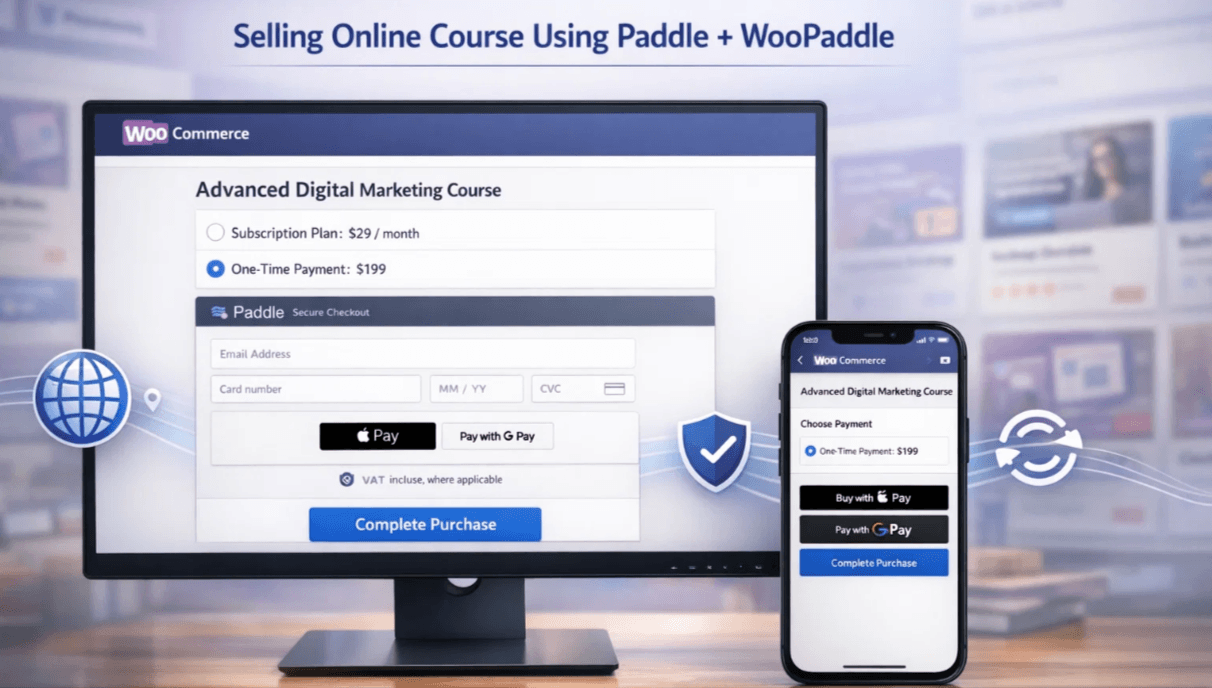
This structure is ideal for creators who want to sell online courses with Paddle and reach a global audience. The biggest advantage? You can start selling online courses without registering for taxes in multiple countries.
For example, selling to EU customers requires VAT compliance across 27 countries. Paddle automatically handles this.
So, paddle payment removes the critical barrier when it comes to selling digital products like online courses.
Why Use Paddle Payment for Selling Online Courses
Selling an online course globally requires a checkout system that goes beyond the traditional process.
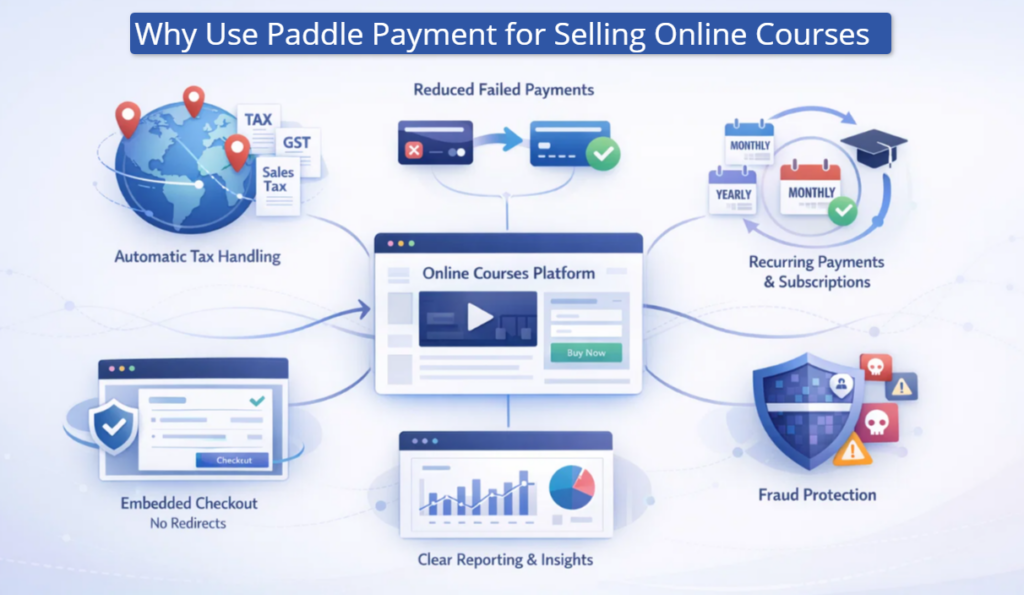
Here are the five clear reasons to use Paddle payment when you are selling online courses:
- Get automatic tax handling: Paddle calculates VAT, GST, and sales tax based on customer location. Thus, you don’t need to maintain any tax headaches for selling in any specific country.
- You reduce failed payments: Paddle payment gateway handles declined cards, expired cards, and foreign‑currency issues. Thus, you can select this payment processor over other basic gateways. With Paddle, you will face 15–30% fewer failed payments due to recurring payments and compliance mismatches.
- You keep students on your site: WooCommerce customers won’t face any redirection on your site while using the WooPaddle plugin. This means customers see an embedded checkout option within the store, which creates trust. This improves the conversion compared to the payment gateway that sends students away from your site.
- Manage recurring payments easily: WooPaddle supports recurring billing and different pricing strategies on a monthly or annual basis. Thus, you can start selling an online course with a modern SaaS approach, with recruiting and billing.
- Get clearer reporting: Every transaction in your online course selling site is recorded with the proper tax rate, currency, and product type. You can use these reports to adjust pricing, identify best‑selling bundles, and forecast revenue.
- Fraud Protection: Digital products are solid targets for fraudulent chargebacks. Paddle includes an advanced algorithm that filters out high-risk transactions before they reach your account. This layer of security is crucial when selling online courses to international students.
So, select Paddle if you are aiming to scale your online course-selling business by minimizing operational overhead.
How WooPaddle Simplifies Paddle Integration in WooCommerce
Paddle doesn’t integrate directly with your WooCommerce site, which is a gap for WordPress users. This is where WooPaddle comes in to solve this problem by connecting Paddle with your WooCommerce store.
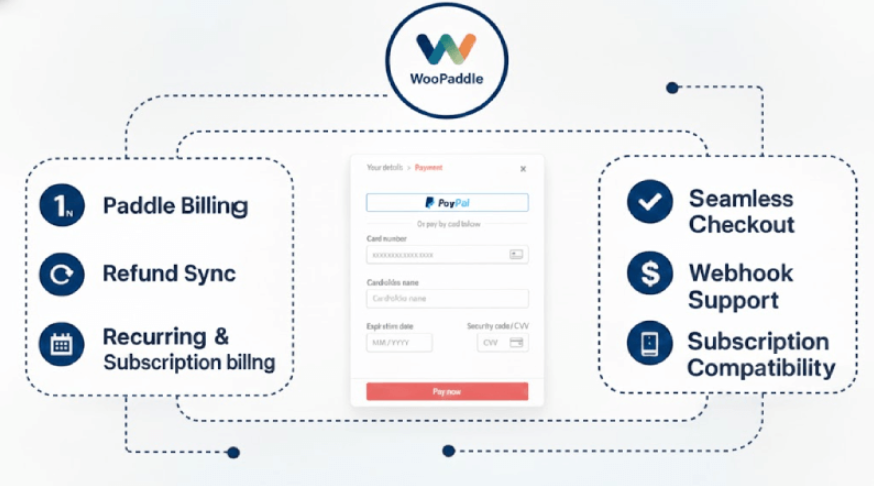
Here is what Paddle gives you when selling online courses or digital products:
- Quick setup without custom coding
- Direct Paddle checkout inside WooCommerce
- Support for subscriptions and one-time payments
- Smooth user experience for course buyers
You don’t need to build a custom integration for selling digital products in WordPress. Instead, you install WooPaddle, connect your Paddle account, and start selling online courses within minutes.
WooPaddle is also important when you are using the best LMS for selling online courses on WordPress. It works alongside all the LMS plugins available in WordPress to handle payments without conflicts.
The result is a clean workflow with the following outcomes:
- LMS manages course delivery
- WooCommerce manages products
- WooPaddle handles payments and taxes
Step-by-Step Guide to Start Selling an Online Course with Paddle
The first step is to bridge the gap between your educational content and payment infrastructure. This process ensures that your students receive immediate access while you remain compliant with international tax laws.
Follow these steps to sell online classes and online courses using Paddle through WooPaddle.
Step 1: Create Your Paddle Account for Selling Online Courses
First of all, you need a Paddle merchant account to begin selling online courses with WooCommerce and Paddle.
Follow these steps:
- Go to Paddle’s website and sign up as a merchant.
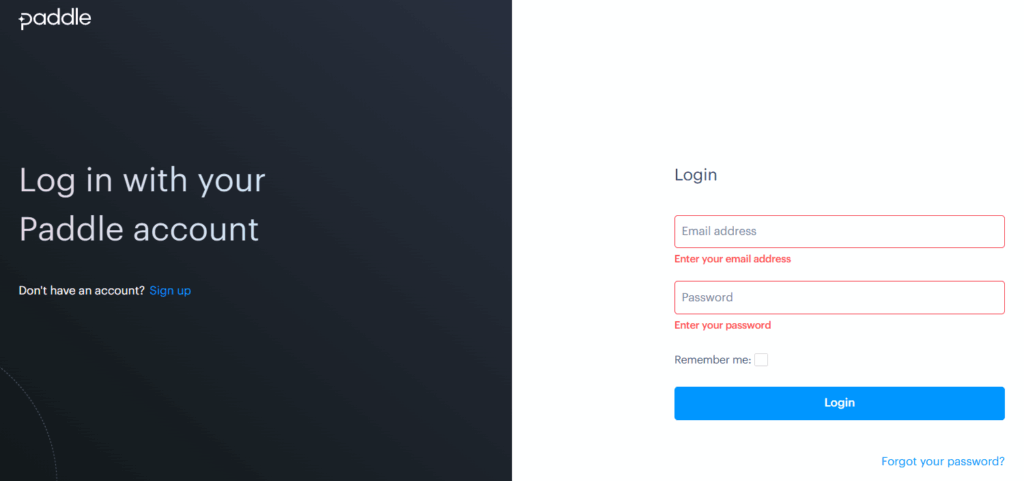
- Choose the standard pricing model (percentage of revenue + transaction fee, no monthly subscription).
- Wait for approval—most course businesses are approved within 48 hours.
Step 2: Set Up Your LMS, WooCommerce, and Courses
You must prepare your WooCommerce store for selling online courses before connecting payments.
Follow these steps:
- Install an LMS plugin such as LearnPres or Tutor LMS.
- Complete the setup process (We are using Tutor LMS)
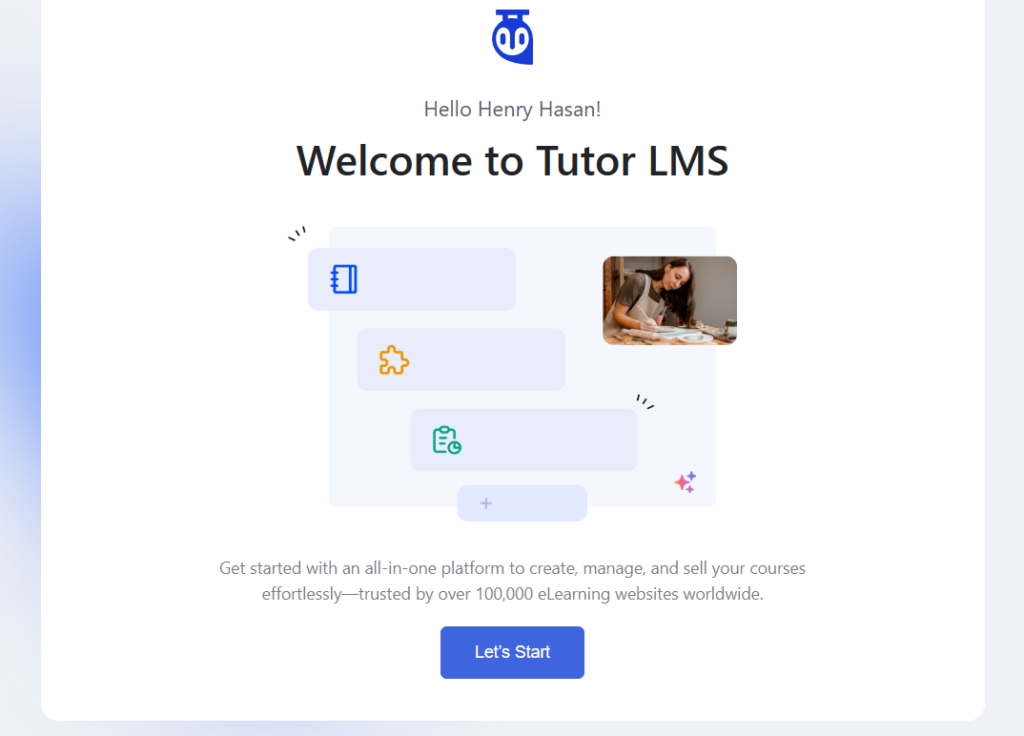
- Create courses by heading to Tutor LMS > Courses.
- Create the product by including all necessary information.
- Add your courses as WooCommerce products (Simple or Subscription type).
Note: Watch the video carefully to link the created product with the Course created on Tutor LMS.
- Link each product to the correct LMS access level by heading to Tutor LMS > Courses.
- Select the product that we’ve created on WooCommerce.
- Then click Update to save the changes.
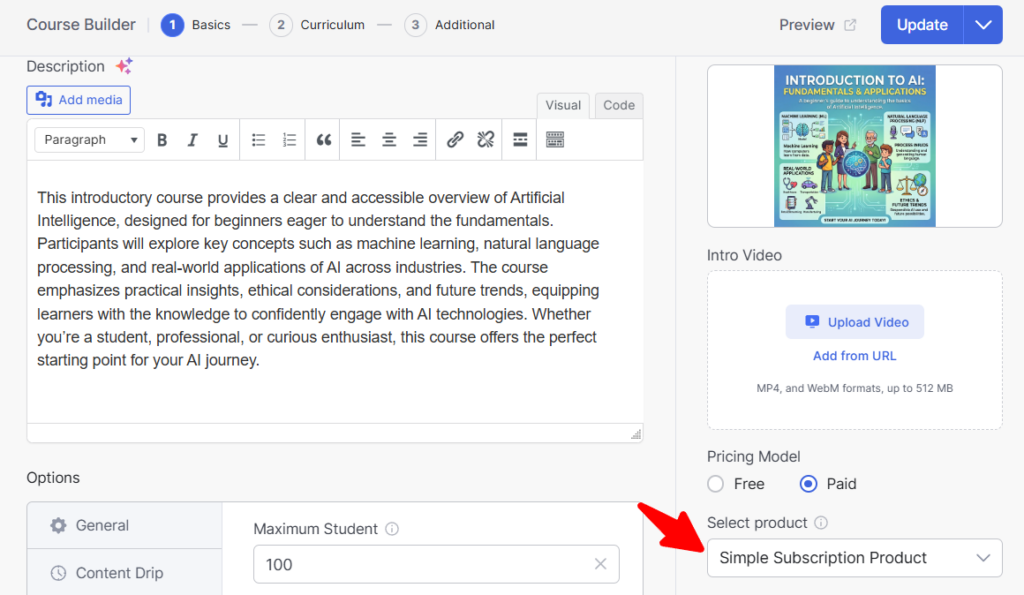
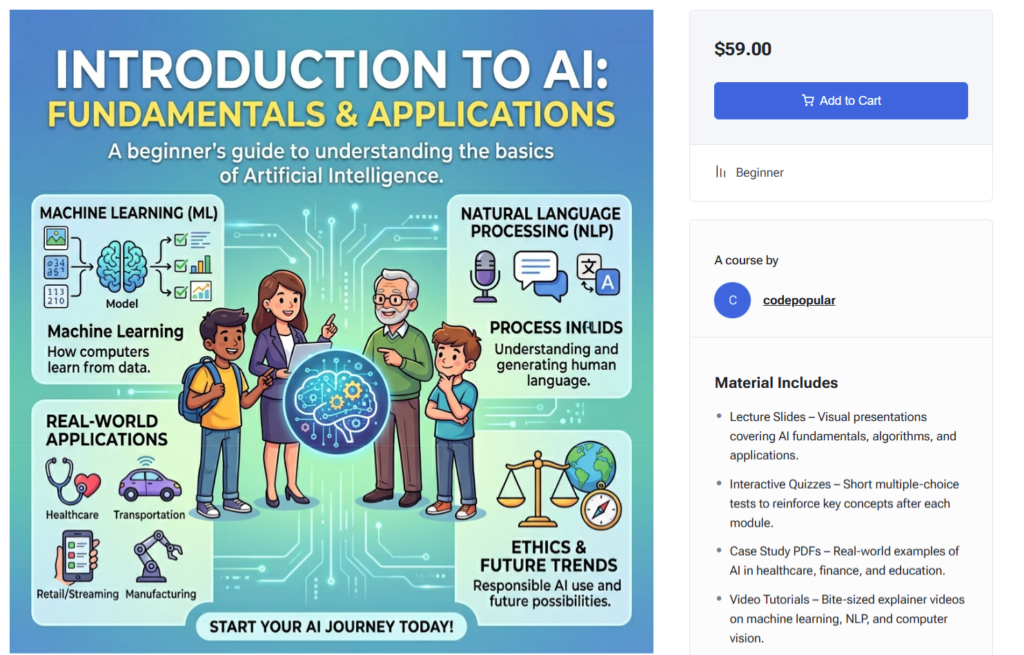
- Now the product has been created, which you can view from the shop page.
Step 3: Install and Activate WooPaddle Plugin
WooPaddle connects WooCommerce and Paddle to process flawless payments for selling online courses. Keep in mind that WooPaddle is a premium plugin that you need to purchase and upload manually.
Follow these steps:
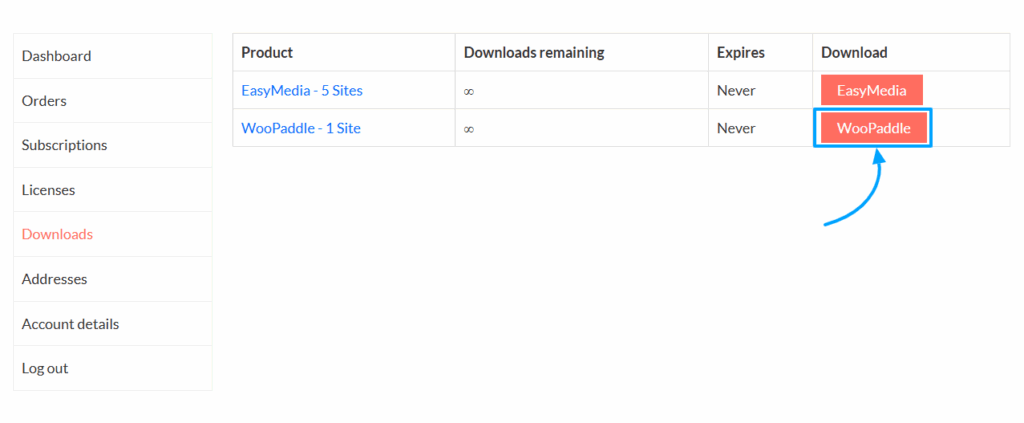
- Visit the official WooPaddle website and purchase the plugin.
- Download the plugin ZIP file to your computer.
- In your WordPress admin dashboard, go to Plugins > Add New > Upload Plugin.
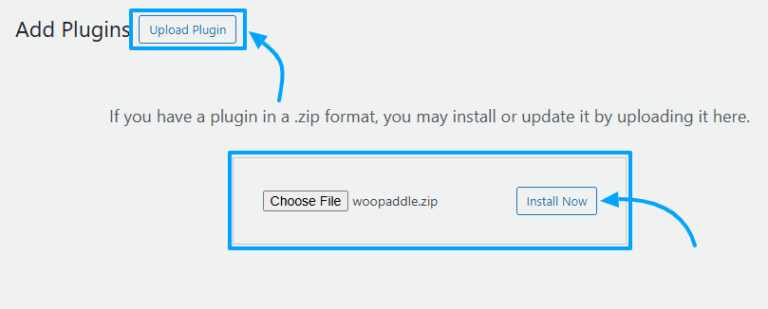
- Click Choose File, select the WooPaddle ZIP file, and upload it.
- Install and activate the plugin and navigate to.
- Don’t forget to activate the license.
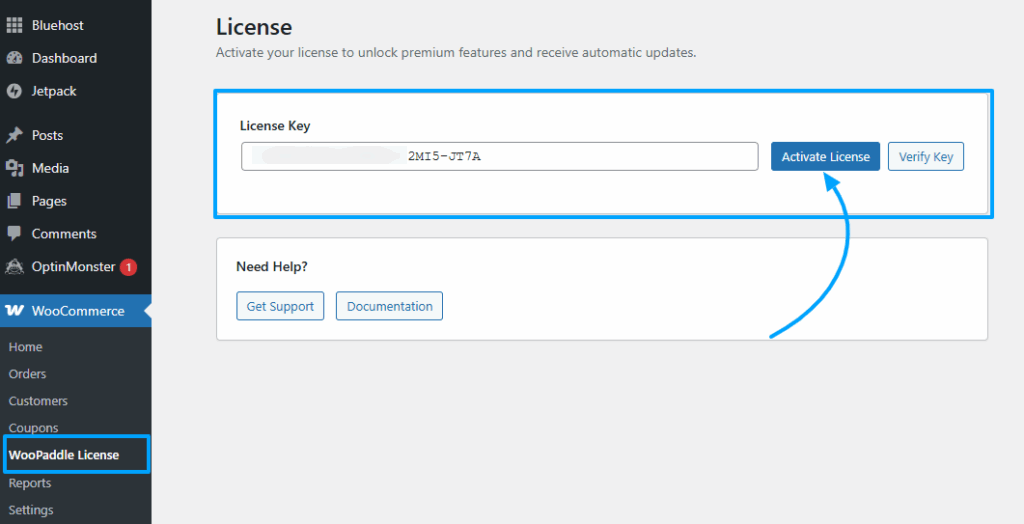
Once activated, WooPaddle will appear in your WooCommerce payment settings.
Step 4: Generate and Secure Paddle API Keys
Now you need an API key to connect your WooCommerce store to Paddle’s payment engine.
Follow these steps:
- Log in to your Paddle dashboard again.
- Navigate to Developer Tools > Authentication.
- Get your Vendor ID, then copy it.
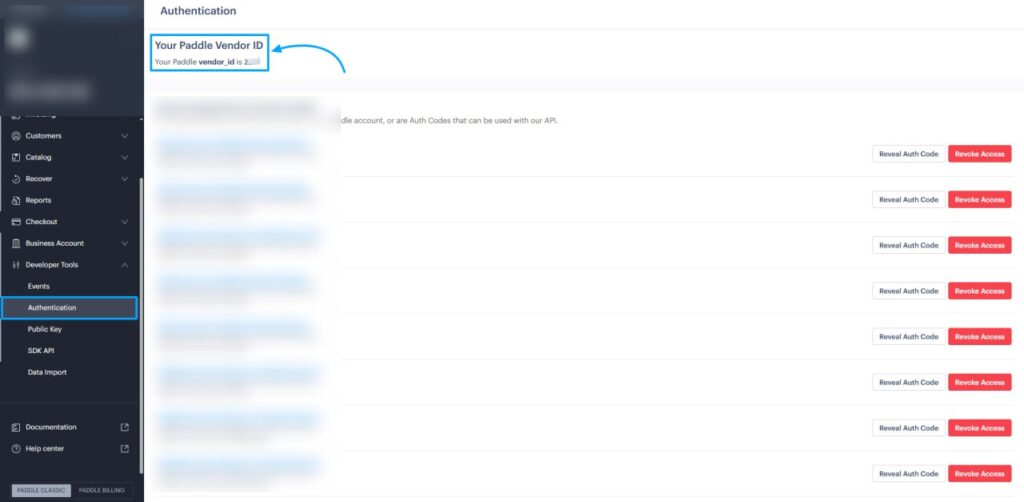
- Generate a new API key by clicking the Generate Key button.
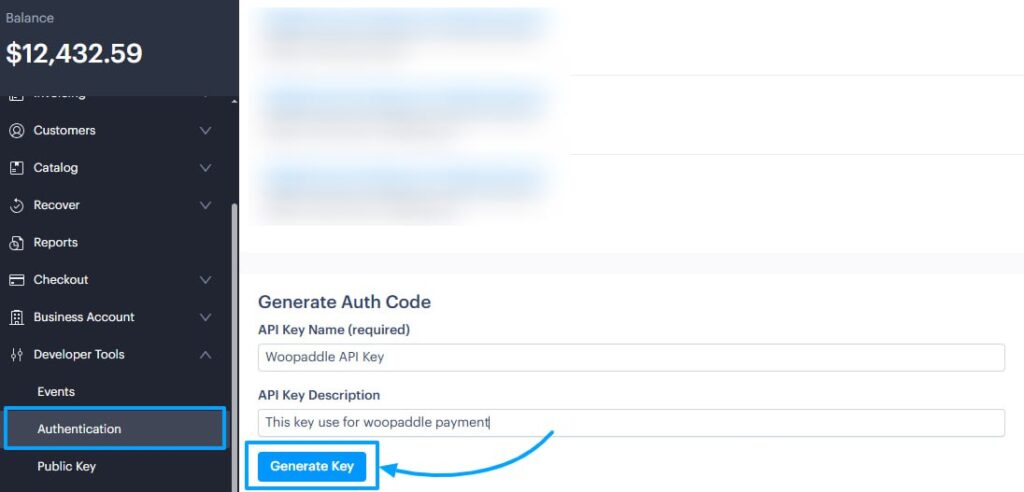
- Copy your Vendor ID and API key, and store them securely.
Step 5: Connect WooPaddle to Paddle
Now link WooPaddle with Paddle to enable transactions for selling online courses.
Follow these steps:
- In WordPress, go to WooCommerce > Settings > Payments > Paddle.
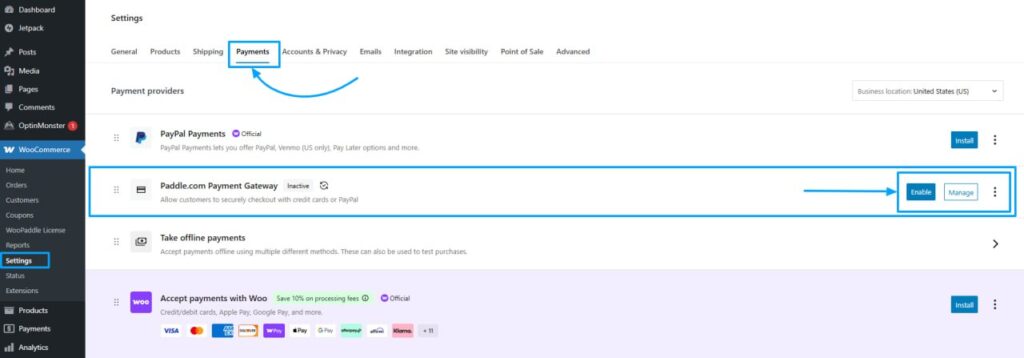
- Now, click Manage beside the Paddle payment gateway.
- Paste your Vendor ID and API key.
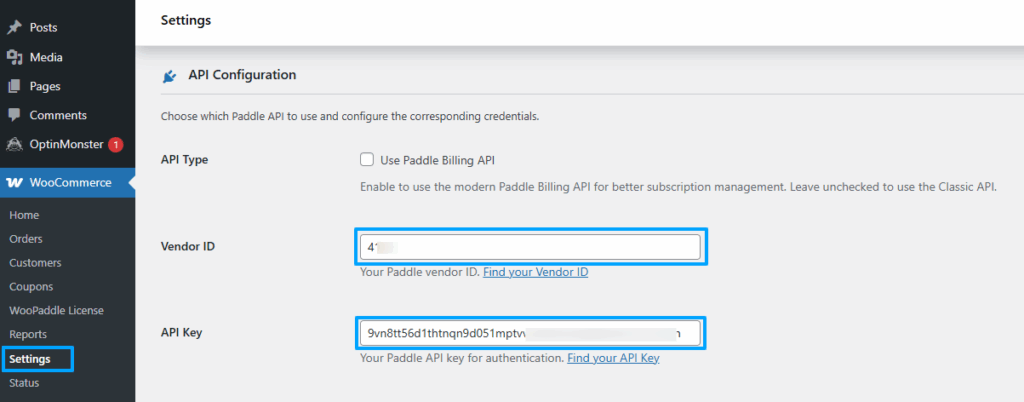
- Select your environment (start with Sandbox mode for testing).
Step 6: Configure Course Products and Payment Options
At this step, you need to set up how students will pay for your online courses.
Follow these steps:
- In WooCommerce, edit each course product.
- Enable Paddle for that product.
- Set pricing for one‑time purchases or subscriptions (monthly, yearly, or custom).
- Configure checkout style (embedded or pop-up).
Step 7: Add Webhooks for Real‑Time Sync
Webhooks ensure subscription renewals, refunds, and access sync correctly when selling online courses.
Follow these steps:
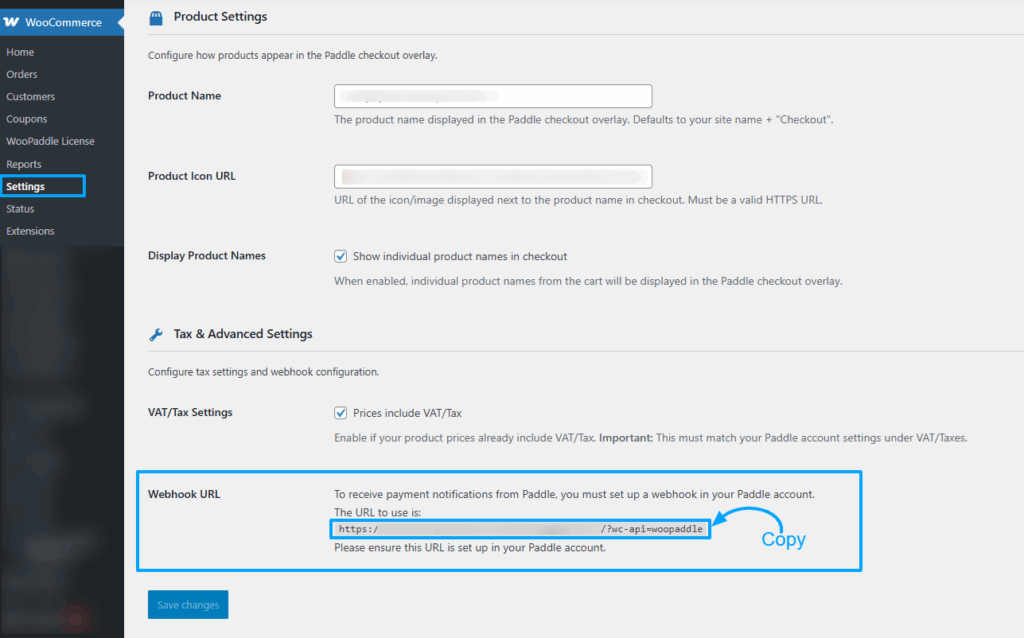
- Go to WooCommerce > Settings > Payments > Paddle.com Paddle payment.
- Click manage beside Paddle.com Paddle payment.
- Copy the webhook URL provided in WooPaddle settings.
- In your Paddle dashboard, go to Developer Tools > Notifications.
- Paste it into Paddle’s webhook settings.
- Enable all event types (renewals, refunds, cancellations).
Step 8: Test the Checkout Flow
We recommend that you test whether WooPaddle is working properly before you start selling online courses.
Follow these steps:
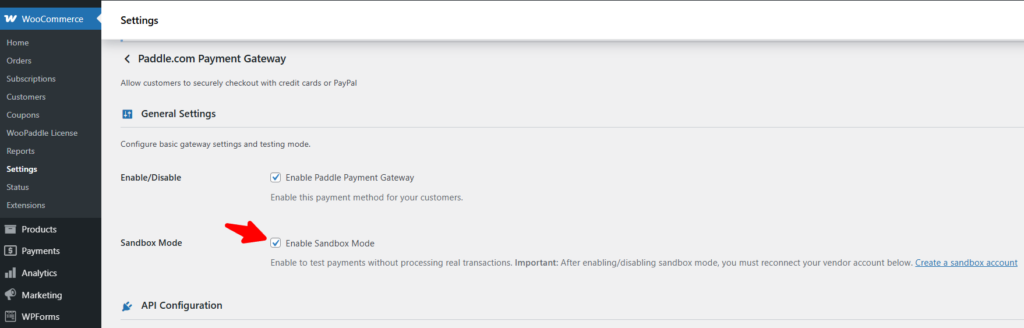
- Go to WooCommerce > Settings > Payments > Paddle.com Paddle payment.
- Click manage beside Paddle.com Paddle payment.
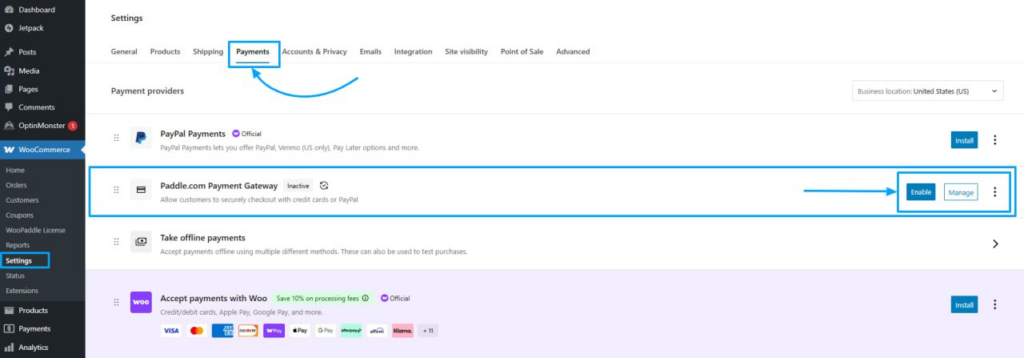
- Keep Paddle in Sandbox mode.
- Now go to your WooCommerce store’s shop page in the frontend.
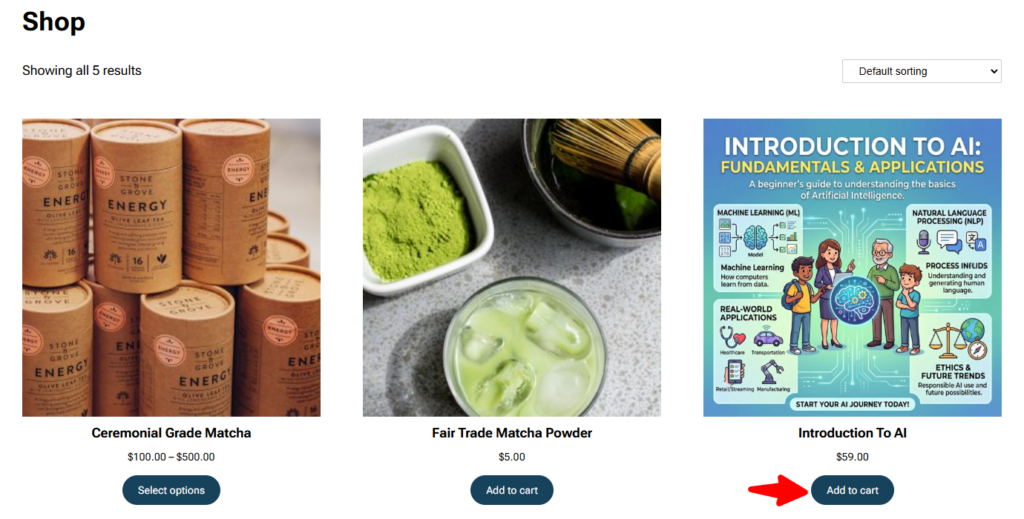
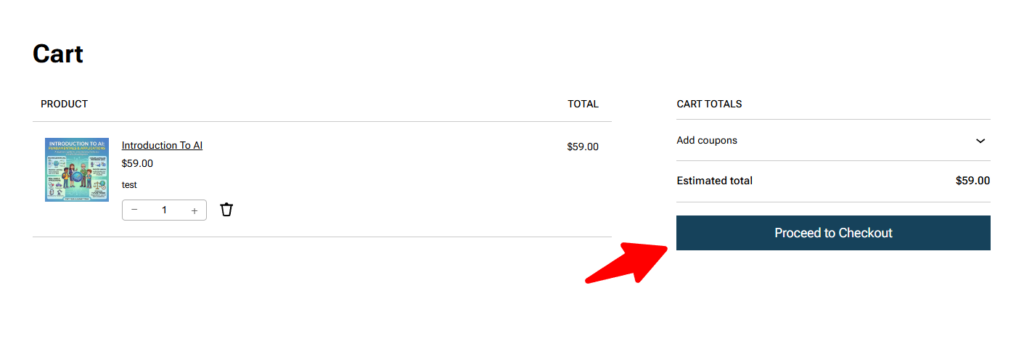
- Click the Add to Cart button to check the payment flow.
- Then click the view cart page and click the Proceed to Checkout button.
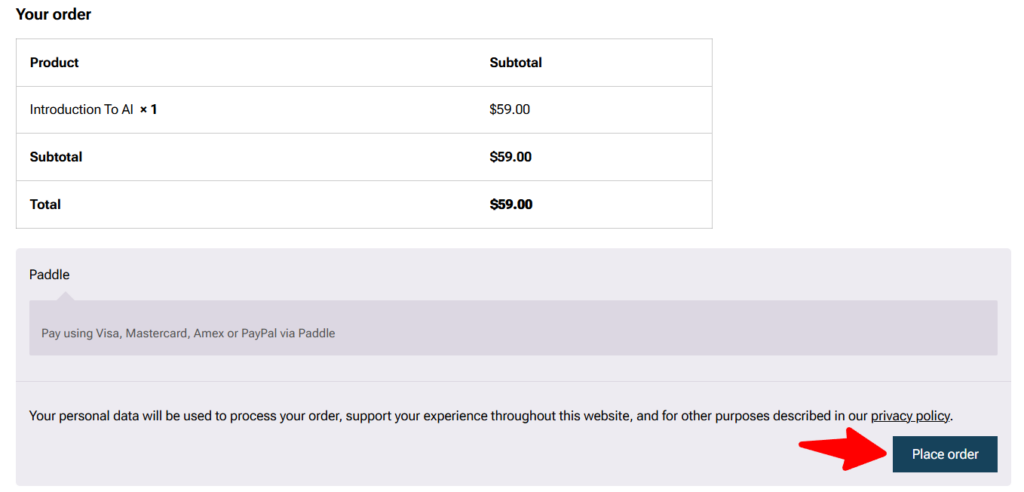
- In the checkout page, scroll down and click the Place Order button.
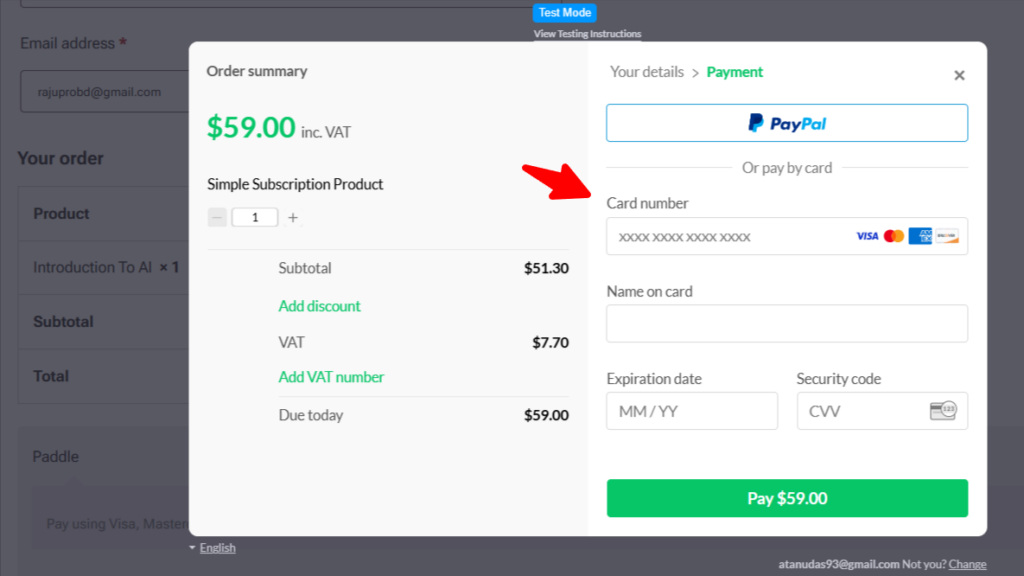
- Now you can see the pop-up checkout working at the final stage of the checkout process.
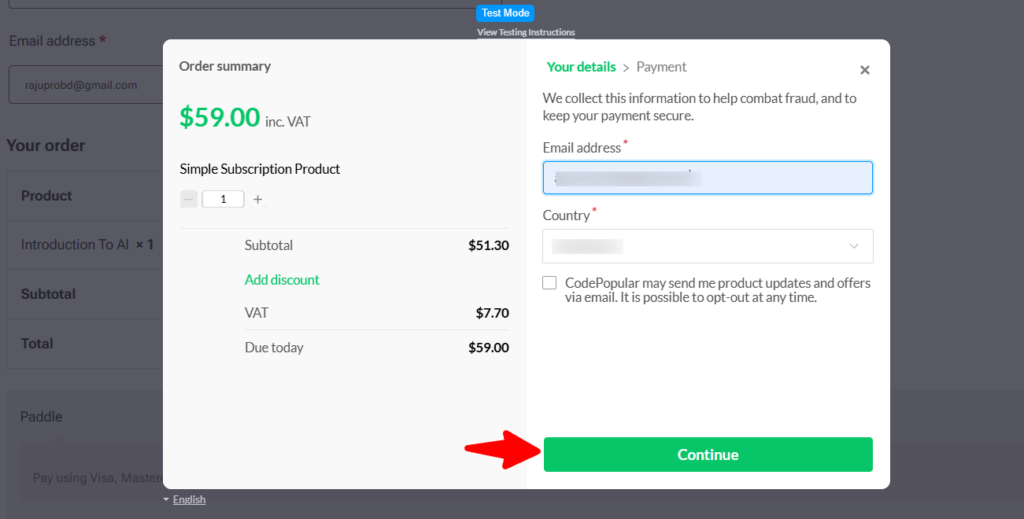
- Click continue and go the next step to complete the prucahse process.
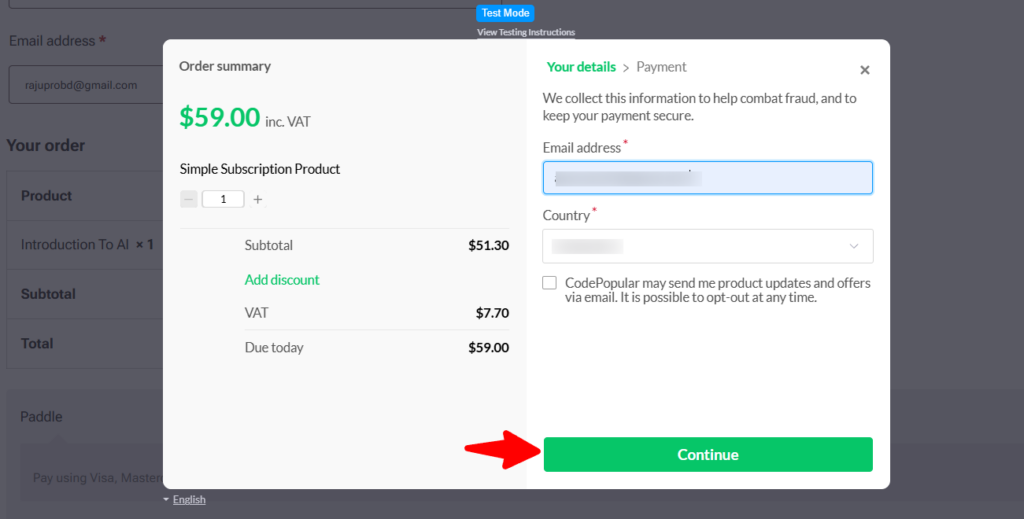
- Now provide the card details to complete the purchase process.
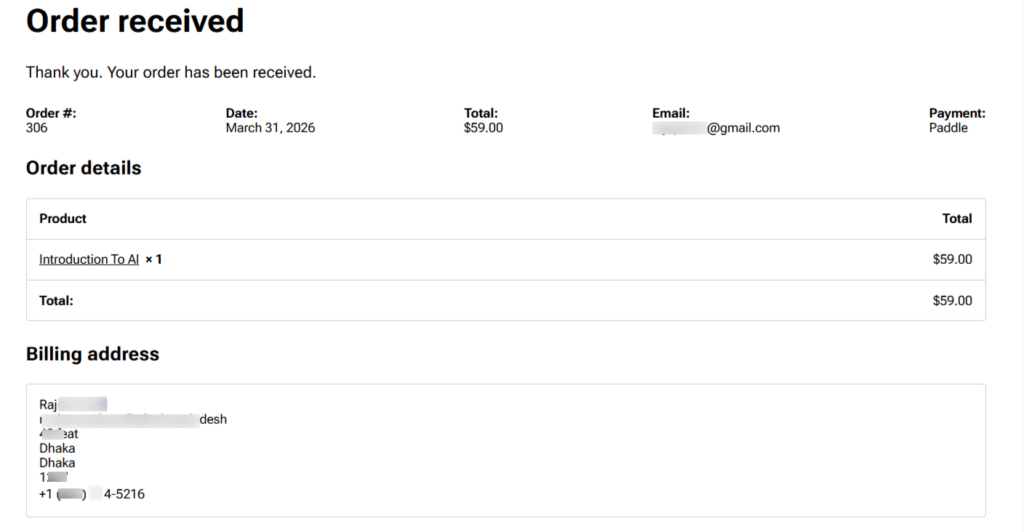
- As you can see, the order has been placed since the payment was successful.
Step 9: Go Live and Launch Your Online Courses
Once testing is complete, you’re ready to start selling online courses to real students.
Steps:
- Switch Paddle from Sandbox to Live mode.
- Run one small real transaction (e.g., $1) and refund it to confirm setup.
- Announce your course launch to students.
- Begin accepting payments worldwide with Paddle as your merchant of record.
Pricing Strategies That Work with Paddle
Here are some effective pricing strategies when you are selling online courses:
- One‑time course sales: You can set a one-time fee so that Paddle collects payment and taxes automatically. In the meantime, you receive the net amount without worrying about subscription logic.
- Recurring memberships: Paddle supports monthly and yearly subscriptions with automatic billing cycles. Thus, the lifetime value of the customer increases.
- Tiered pricing models: Offering multiple levels of pricing can be beneficial when selling online courses. For example, a basic course at $49 and a premium tier with coaching at $149. Paddle manages upgrades and prorated charges seamlessly.
- Free trials: Set a 7‑day or 14‑day trial, and Paddle collects payment details upfront. Then you can start billing after the trial ends.
- Coupon codes: Create limited-time coupons in Paddle so that WooPaddle syncs them at checkout. For example, a 20% discount for the first 50 students.
- Annual prepayment: You can improve cash flow by enabling annual prepayment. Offer a 10% discount for yearly plans, and Paddle handles billing cycles and renewal reminders automatically.
Final Thoughts
Your eLearning business will thrive with a stable, reliable, and compliant payment process that Paddle offers. WooPaddle gives you a path that prioritizes long-term stability when selling online courses. It helps you focus on updating your courses and engaging with the community when Paddle handles the complexity of global transactions.
Having a payment gateway like Paddle is like having a tax expert alongside the checkout flow. Paddle keeps your business compliant with evolving tax laws across different geographies. This peace of mind is the ultimate tool for any creator dedicated to selling online course excellence.
Recommended Articles (Optional)
If you enjoyed this article, check out some of our other useful articles, where we share tips and tactics to grow your WooCommerce store and rate it from 0 to 100.
Here are a few you might find interesting:
Top 7 Checkout Mistakes That Kill Sales and How Paddle Fixes Them, where we’ve enlisted the most common checkout mistakes and the fixes using the WooPaddle plugin for WooCommerce stores.
Migration from Paddle Classic to Paddle Billing: A Comprehensive Blueprint for 2026, where we’ve shown the easiest path to migrate from Paddle Classic to Paddle Billing for WooCommerce store owners.
How to Integrate Paddle for WordPress: The Fastest Method, where we’ve shown how WordPress users can easily integrate the Paddle payment gateway in their WooCommerce website within minutes.
8 Best WordPress Media Library Folder Plugins, where we’ve added a list of the best WordPress Media Library Folder Plugins that will help manage your files more efficiently and keep your media organized.
 SHAMIM HASAN