WooPaddle vs PimiPay: Which Is the Best Paddle WooCommerce Plugin for Your Store in 2026?
There are a few reliable options to consider when searching for the best Paddle WooCommerce plugin. Currently, WooPaddle and Pimipay are the leading contenders for implementing the latest Paddle Billing in WooCommerce.
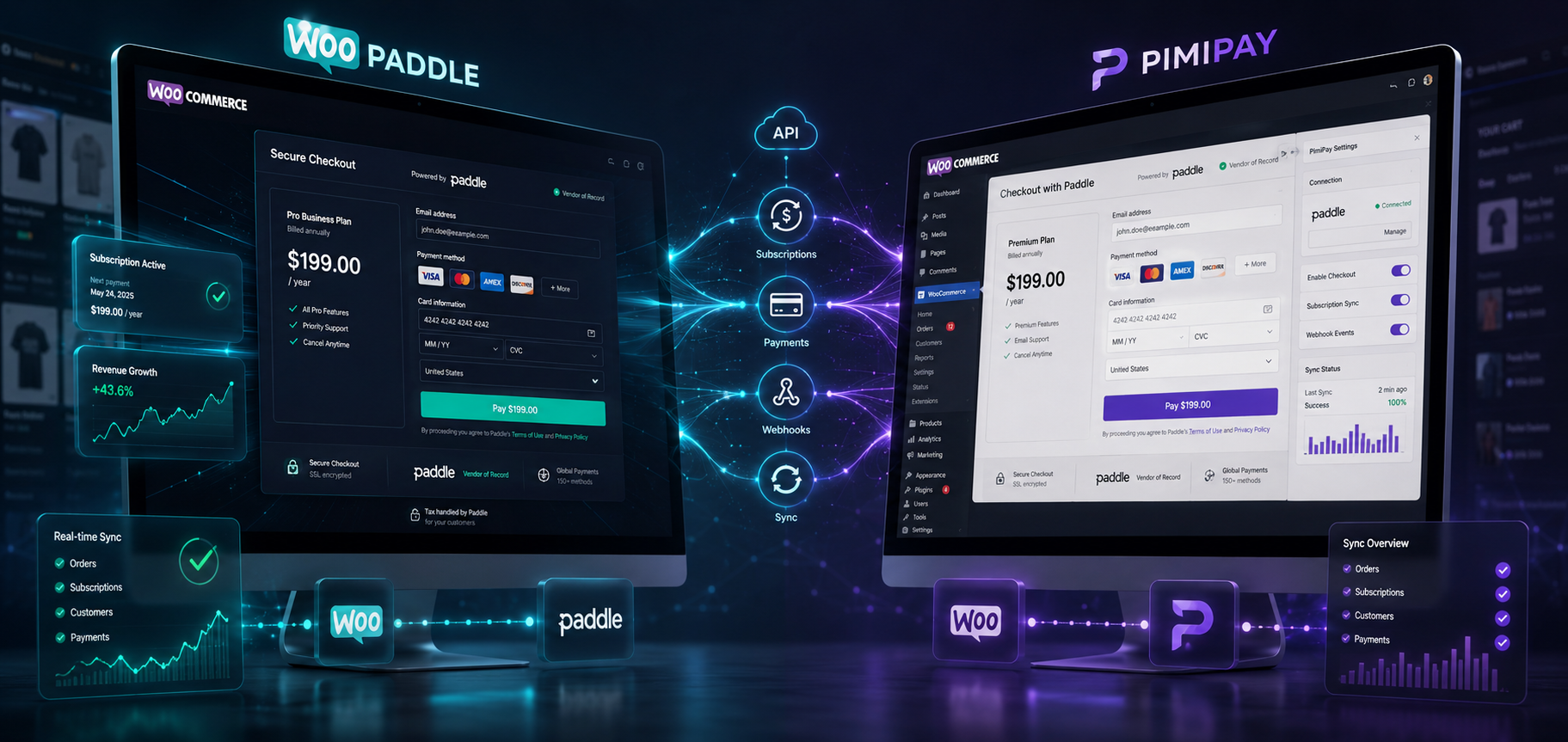
Both WooPaddle and Pimipay offer a smooth WooCommerce Paddle payment integration. They have similarities, including an overlay checkout and a fair starting price point. However, their underlying architectures, synchronization methods, and database designs serve different types of businesses.
This Paddle WooCommerce plugin comparison guide helps you focus on the right solution for your store. We researched both WooPaddle and Pimipay based on features, checkout flow, pricing structure, and subscription handling. By the end, you’ll know exactly which one belongs in your store.
Table of Contents
Quick Answer: Consider both WooPaddle and PimiPay as one of the best Paddle WooCommerce plugins. They are solid Paddle WooCommerce plugins built to connect Paddle Billing with your store. WooPaddle stands out for its flexibility in multi-site licensing, subscription depth, and superior product features. PimiPay has the upper hand on simplicity with HPOS compatibility, cleaner product sync, and a longer refund window. Your choice comes down to store complexity vs. setup speed.
What Is WooPaddle?
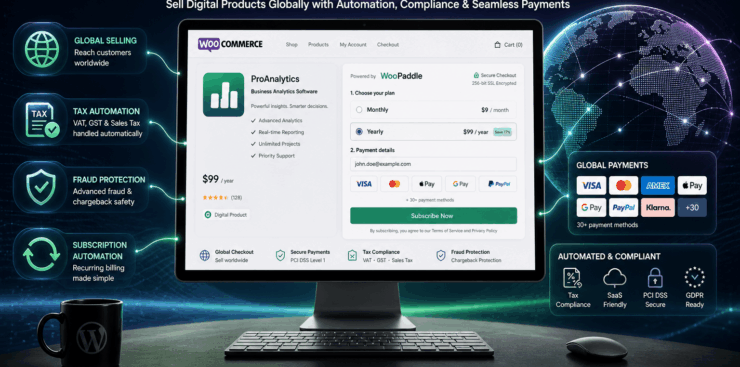
WooPaddle is one of the best Paddle WooCommerce plugins built by CodePopular. It’s built to connect Paddle with a WooCommerce store using the latest Paddle Billing API. Paddle acts as a merchant of record for your WooCommerce store. Therefore, you can sell products without the hassle of handling VAT or tax calculation. Plus, the Paddle checkout for WooCommerce helps customers complete payment without ever leaving your site.
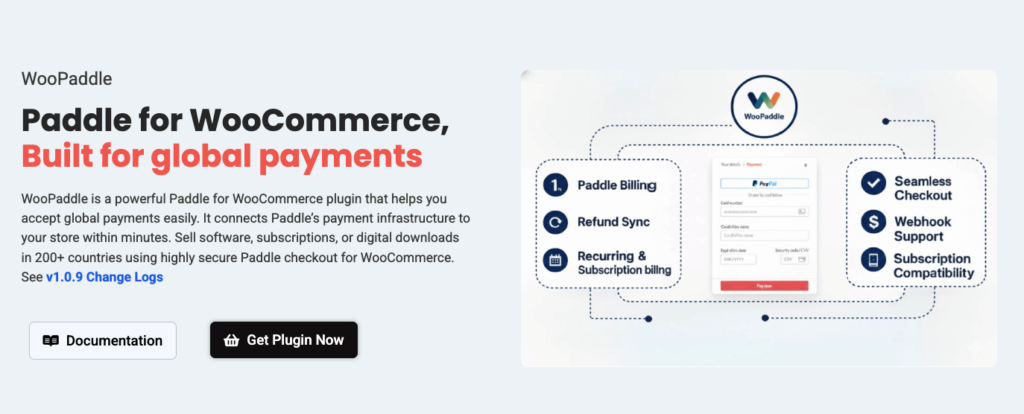
WooPaddle stands out in any Paddle WooCommerce plugin comparison due to its breadth. It doesn’t just handle basic checkouts. It supports one-time purchases, WooCommerce recurring payments, free trials, subscription upgrades and downgrades, and even bundle products. You don’t need multiple plugins or add-ons on your WordPress site to handle a single checkout flow.
Store owners get a two-way sync between the WooCommerce and Paddle dashboards. Thus, refunds, cancellations, and subscription updates automatically appear in both places. Also, you’ll get support for multiple currencies and multiple languages. This is how WooPaddle becomes a practical choice for WooCommerce stores selling globally.
Reasons why WooPaddle is one of the best Paddle WooCommerce plugins:
- Supports Paddle Classic + Paddle Billing API WooCommerce
- Overlay and inline checkout options
- One-time payments, subscriptions, free trials, and recurring billing
- Apple Pay, Google Pay, PayPal, credit/debit cards
- Two-way sync with Paddle dashboard
- Multiple currency and language support
- Bundle product support
- 1-site, 5-site, and 10-site license options
What Is PimiPay?
PimiPay is a WooCommerce Paddle payment integration built by W4Dev. WooPaddle covers the multifaceted aspects of a WooCommerce paddle payment. On the other hand, PimiPay focuses on fewer things yet executes them with precision.
You will like the one-click product sync, which is one of its primary features. This VAT compliance WooCommerce plugin won’t map WooCommerce products to Paddle prices.
PimiPay handles the entire product sync automatically to minimize your manual effort. It assigns the Paddle price ID to both simple and variable products. Besides, every product variation gets its own storage as product meta. You don’t need to handle this task manually while using this WooCommerce paddle plugin.
PimiPay is a future-proof Paddle WooCommerce payment plugin on the backend. It’s fully compatible with WooCommerce HPOS (High-Performance Order Storage). Users will experience a modern order infrastructure. WooCommerce is actively pushing stores to use this system. This matters to both developers and store owners in the long term.
The checkout experience on PimiPay offers the usual Paddle overlay modal. It automatically fills in the customer name and email address. This reduces friction at the crucial final steps of the payment process. Real-time webhooks handle order status updates, refund notifications, and cancellations as they occur in Paddle.
Reasons why PimiPay is one of the best Paddle WooCommerce plugins:
- Paddle Billing API WooCommerce integration only (not Classic)
- One-click automatic product sync
- Modern overlay checkout with pre-filled customer data
- HMAC SHA256 webhook security verification
- Full HPOS compatibility
- Cart recovery for pending orders
- Multi-environment support (sandbox + production)
- Debug logging via WooCommerce status page
- Single-site license only
Pro Tips: Learn about the Best Paddle WordPress Plugin for WooCommerce in 2026
WooPaddle vs PimiPay: Feature Comparison Table
Here is how you compare WooPaddle vs PimiPay when it comes to the best Paddle WooCommerce plugins:
| Feature | WooPaddle | PimiPay |
| Paddle Billing API | ✅ Yes | ✅ Yes |
| Paddle Classic Support | ✅ Yes | ❌ No |
| Overlay Checkout | ✅ Yes | ✅ Yes |
| Inline Checkout | ✅ Yes | ❌ No |
| One-Click Product Sync | ❌ Manual | ✅ Yes |
| HPOS Compatible | ❌ Not confirmed | ✅ Full support |
| Subscription / Recurring Billing | ✅ Full | ✅ Basic |
| Free Trials | ✅ Yes | ❌ Not listed |
| Multi-Currency | ✅ Yes | ✅ Via Paddle |
| Bundle Products | ✅ Yes | ❌ No |
| Two-Way Sync | ✅ Yes | ✅ Via Webhooks |
| Cart Recovery | ❌ Not listed | ✅ Yes |
| Debug Logging | ❌ Not listed | ✅ Yes |
| Multi-Site Licenses | ✅ 1, 5, 10 sites | ❌ Single site only |
| Money-Back Guarantee | 14 days | 30 days |
| Starting Price | $59/year | $59/year |
How Does Pricing Compare for WooPaddle vs PimiPay?
WooPaddle offers a starting price point of $69 per year for a single-site license. Whereas PimiPay offers a single-site license for $59. However, users will feel the difference as their store grows over time.
WooPaddle offers three licensing tiers: a 1-site license, a 5-site license, and a 10-site license. The multisite flexibility will give you a huge cost advantage when you are a developer handling multiple client stores or running several WooCommerce properties.
Pimipay keeps the licensing process simple with one dedicated plan that costs $59. You will get product sync, webhooks, HPOS support, cart recovery, premium email support, and one year of updates. There’s no upsell tier, no feature gating.
There is a difference in the refund policy of WooPaddle and Pimipay. PimiPay offers a 30-day money-back guarantee to ensure a runway to test the plugin on your actual store setup. However, WooPaddle guarantees a 14-day money-back guarantee since they are offering so many features in one package.
Both WooPaddle and Pimipay won’t charge you any hidden transaction fees on top of what Paddle already takes. Paddle acts as a Merchant of Record WooCommerce solution to handle VAT compliance. Besides, you’ll get support for global tax remittance and fraud protection at the payment processor level. Neither WooPaddle nor PimiPay adds an extra layer of cost there.
Which Plugin Has the Better Checkout Experience?
Checkout experience is one of the biggest factors when choosing the best Paddle WooCommerce plugins.
WooPaddle and Pimipay offer the Paddle’s default overlay modal on checkout. This excellent feature keeps customers on your site rather than redirecting them to your competitors. It’s a proven method for significantly reducing cart abandonment compared to hosted checkout redirects.
WooPaddle goes a step further by offering the familiar WooCommerce inline checkout option as well. This feature embeds the payment form directly within the WooCommerce checkout page. Therefore, users won’t see any modal or pop-ups. It’s a useful feature for stores that want total control over the checkout layout and feel.
Pro Tips: Learn how to set up WooCommerce inline checkout with WooPaddle.
The PimiPay’s overlay modal feature auto-populates the customer’s name and email from the WooCommerce order. This autocomplete feature significantly reduces friction at the payment step. The cart recovery feature is also a plus for this plugin, as it offers a cart recovery email link. Therefore, customers can continue their buying journey even after abandoning the checkout on their first attempt.
Both WooPaddle and Pimipay are strong contenders from a conversion standpoint. PimiPay reduces the steps a customer needs to complete checkout. However, WooPaddle offers more layout options and a shorter path to checkout completion. WooPaddle wins because they offer both store owners and shoppers their preferred checkout option.
What About Subscriptions and Recurring Billing?
This is where the gap between the Best Paddle WooCommerce plugin and the rest widens noticeably.
WooPaddle is the stronger WooCommerce Paddle subscription plugin for stores that focus on a subscription business model. It supports the full billing lifecycle –
- Subscription creation,
- Free trials,
- Plan upgrades and downgrades,
- Auto-renewals,
- Payment recovery for failed charges.
WooCommerce recurring payments Paddle-style are handled end-to-end. This is how two-way sync ensures that your WooCommerce subscription records stay accurate.
PimiPay also provides subscription webhooks and real-time order updates. However, their subscription feature is more basic compared to WooPaddle. It doesn’t offer free trial support, plan migrations, or subscription management options that a SaaS business requires.
For a digital product store selling annual licenses or one-time downloads, PimiPay is more than sufficient. For a SaaS company with complex recurring billing logic, WooPaddle is the safer bet.
For a digital product store selling annual licenses or one-time downloads, PimiPay is more than sufficient. For a SaaS company with complex recurring billing logic, WooPaddle is the safer bet.
PipmiPay is a sufficient Paddle plugin for WooCommerce digital products selling annual licenses or one-time downloads. However, WooPaddle is built for modern SaaS stores with complex recurring billing logic.
Pro Tips: Learn about the best WooCommerce recurring payment plugins in 2026.
Paddle Billing vs Paddle Classic: Which Plugin Supports What?
Having paddle billing or the classic API model is an important technical difference that most comparisons overlook.
Paddle has two payment infrastructures: Paddle Classic (the legacy system) and Paddle Billing (the modern API-first platform). Paddle Billing vs. Paddle Classic comes down to Paddle actively migrating sellers to the Billing infrastructure. Thus, Paddle Classic is no longer accepting new signups.
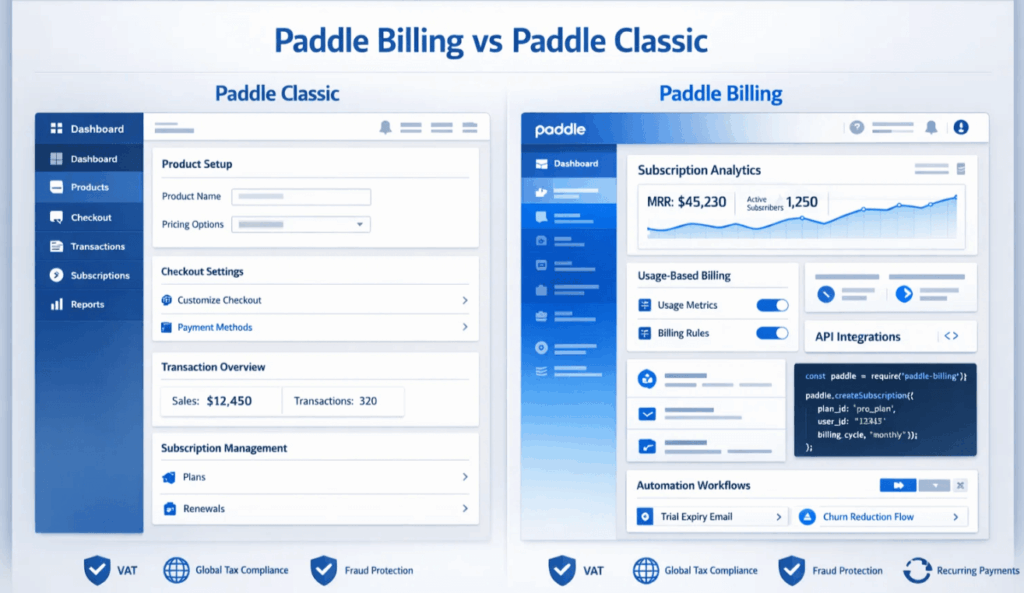
WooPaddle supports both Paddle Classic and Billing, as it started with Classic and later adopted Billing. Therefore, Paddle Classic account holders receive the migration path without having to rebuild the entire infrastructure.
PimiPay comes with only the Paddle Billing model for WooCommerce checkouts. This is beneficial for recent Paddle WooCommerce payment users. However, existing Classic users must migrate their Paddle account before using PimiPay.
The difference between Paddle Classic and Billing is irrelevant for new store owners. Both WooPaddle and PimiPay point you towards the latest infrastructure. However, WooPaddle offers more flexibility for stores migrating from an older Paddle setup.
Pro Tips: Learn about Paddle Classic vs Billing and decide which model is best for WooCommerce.
Who Should Use WooPaddle?
WooCommerce is the best Paddle WooCommerce plugin if you need:
- Subscription-heavy stores — Free trials, plan changes, recurring billing at scale
- Multi-site management — Agencies or developers running 5–10 WooCommerce stores at once.
- Legacy Paddle Classic accounts — you need the bridge while you migrate
- Bundle and digital product sellers — eBooks, software licenses, plugin bundles
- Checkout layout control — the inline checkout option gives you more design flexibility
Who Should Use PimiPay?
PimiPay is the best Paddle WooCommerce plugin if you need:
- Fast, clean setup — one-click product sync gets you selling in under an hour
- HPOS compatibility — you’re building on WooCommerce’s modern order architecture
- Single store owners — one plan, all features, no decisions to make
- Cart recovery — you want Paddle’s abandonment emails to work seamlessly
- More refund confidence — 30 days to test before committing
The Verdict: WooPaddle or PimiPay?
Here is our honest take on the best Paddle WooCommerce plugin: WooPaddle is the stronger contender.
The Paddle Classic and Billing support in WooPaddle gives the flexibility regardless of where your store stands today. The complete synchronization lifecycle with two-way sync keeps the dashboard accurate. Two different checkout models (Inline and overlay) support different product types, currencies, and languages.
PimiPay is comparatively easier to set up in a WooCommerce store for Paddle checkout. The biggest advantage lies in one-click product sync and HPOS compatibility. However, this plugin has its limitations when it comes to inline checkout, free trial handling, multi-site licensing, and product bundle support.
Here is a Fact: PimiPay might feel like enough for a simple WooCommerce store setup. But your stores won’t stay simple forever. Every growth moment, like the necessity of a product bundle and a secondary store, is where WooPaddle shines. It already has the infrastructure in place.
Recommended Articles (Optional)
If you enjoyed this article, check out some of our other useful articles, where we share tips and tactics to grow your WooCommerce store and rate it from 0 to 100.
10 Best WooCommerce Themes for Selling Digital Products in 2026, where we have curated the most high-performance themes optimized for high conversion rates and rapid file delivery.
How to Sell PDFs Online With Paddle in WooCommerce, where we have detailed the exact steps to protect and deliver high-value documents while automating global VAT collection.
Start Selling Online Course with Paddle to Automate Your Taxes & Growth, where we’ve shown how you can sell online courses or digital products using the Paddle payment gateway.
How to Integrate Paddle for WordPress: The Fastest Method, where we’ve provided a path to integrate the Paddle payment on your WordPress site using the WooPaddle plugin.
 SHAMIM HASAN